Revision: E CA12CD Product Summary 9 of 13 pages
2.3.2 Remote Unit
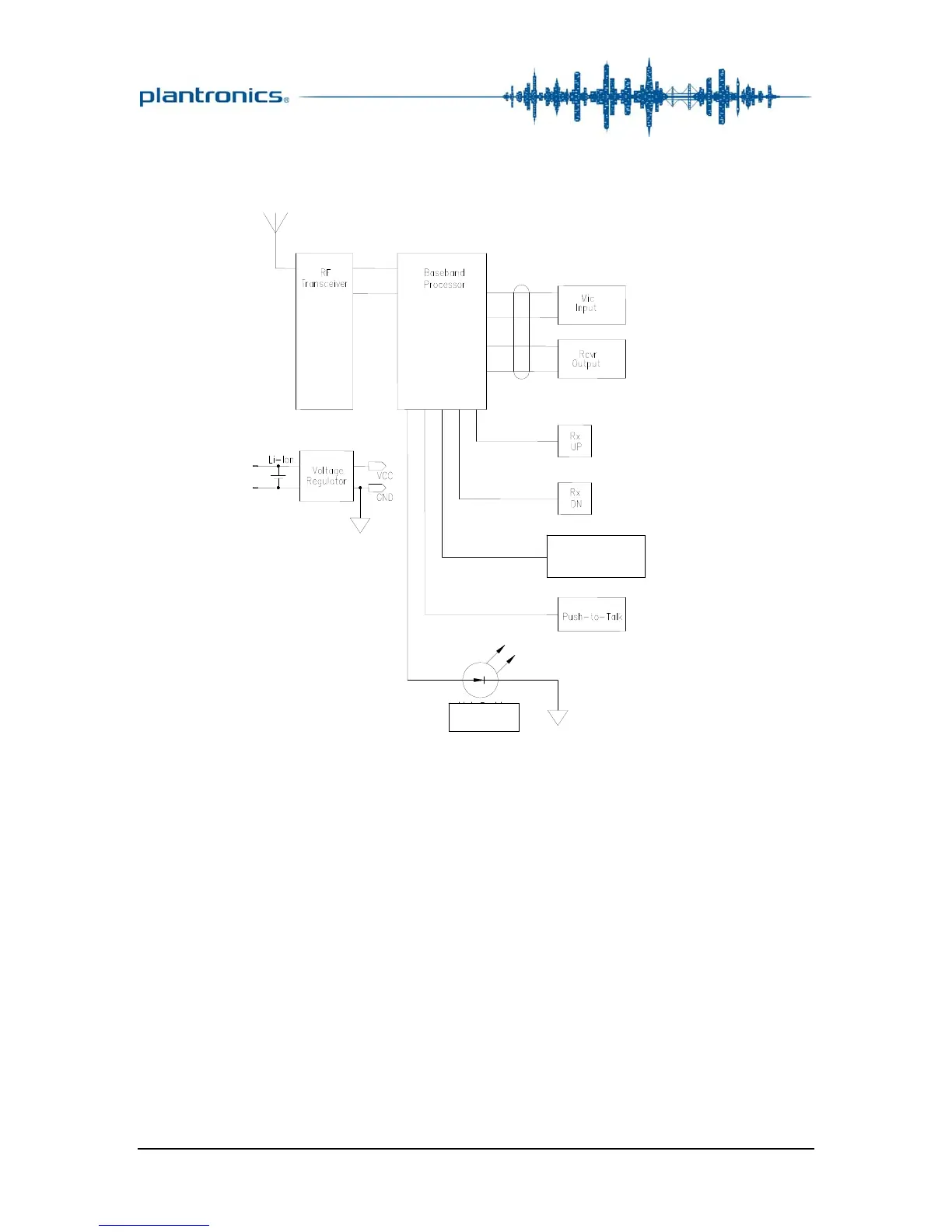
The block diagram of the remote unit is shown in Figure 3.
Figure 3: Remote-Unit Block Diagram
3 Audio Performance
The CA12CD audio processing is 32k ADPCM, telephony
bandwidth. A wide range of audio levels can be achieved using the
coarse-adjust and fine-adjust controls provided for both the
transmit and the receive channels. See the User Guide and the
Audio-Level Settings card (both available online) for details on
optimizing these controls for the best audio performance.
3.1 Sidetone
For some installations the user may hear distorted sidetone: They
hear their own voice in the headset as they speak, and it sounds
harsh or rattley. Following the steps outlined on the audio-level
On/Off
On/Off





 To Next Page