7
en
Recharging Your Charging Case
Recharging the Battery Inside the Case
The charging case provides two full charges to
your earpiece before the battery within the case
requires recharging.
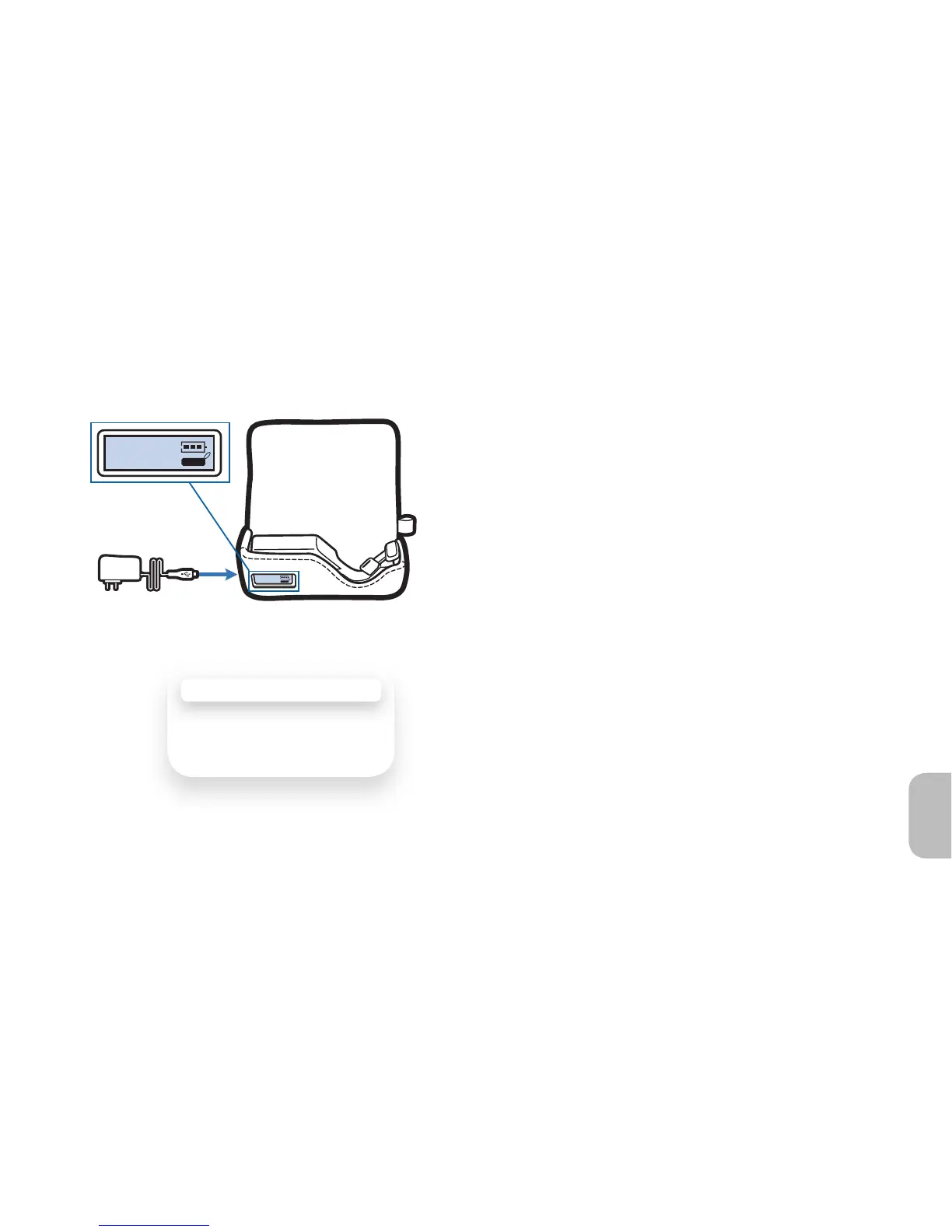
1 To check the battery status of the case,
refer to the LCD display.
If the battery icon is fl ashing, or the display is
blank, you have to recharge the case before
you can use it to charge your earpiece.
2 Plug the AC charger to power source
before connecting to the charging jack
on the side of the case.
While the case is recharging, the LCD battery
icon (above the case image) fl ashes to
indicate charge level.
CHARGING TIME
1.5 hours ..... Full charge
using AC
2
1





 To Next Page