EasyManua.ls Logo

Plantronics Discovery 975 - Pairing Your Earpiece; How to Pair Your Phone for the First Time

Plantronics Discovery 975
22 pages
Print Icon
To Next Page IconTo Next Page
To Previous Page IconTo Previous Page
Loading...
8
en
Pairing Your Earpiece
2
SETTINGS
SETTINGS
Time and Date
Phone Settings
Bluetooth
Sound Settings
Network Services
Secur ty
Reset Sett ngs
1
3
4
SETTINGS
SETTINGS
Time and Date
Phone Settings
Bluetooth
Sound Settings
Network Serv
Secur ty
Reset Sett ngs
SETTINGS
SETTINGS
T me and Date
Phone Settings
9xxPlantronics
Sound Setting
Network Ser
Secur ty
Reset Sett n
SETT NGS
SETT NGS
T me and Date
Phone Sett ngs
0000
Sound Sett ngs
Network Services
Security
Reset Settings
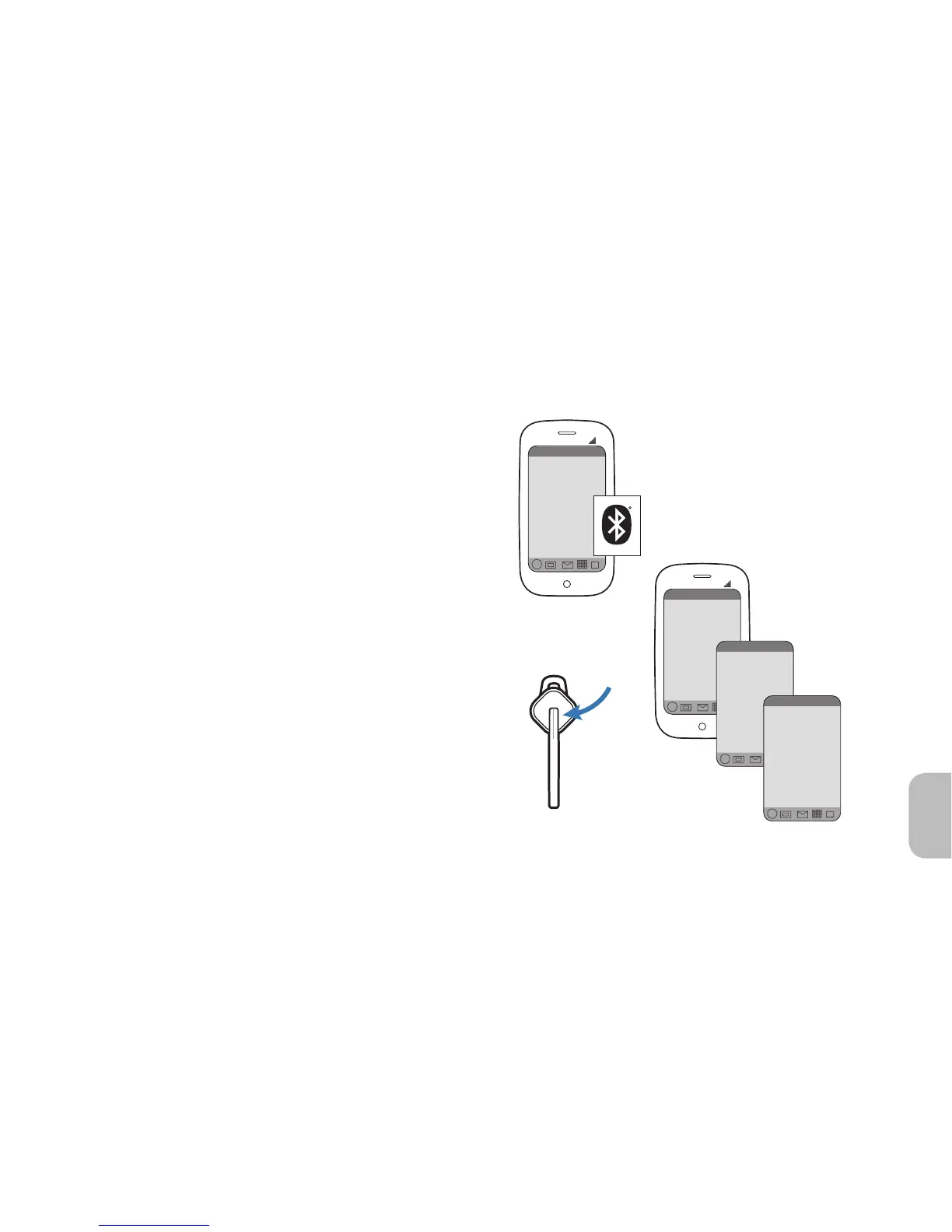
How to Pair Your Phone with Your
Earpiece for the First Time
1 Turn on the Bluetooth feature on
your phone.
2 Turn the earpiece on.
Press and hold the call control button until
the indicator flashes red/white.
3 Use the commands on your phone to
locate and select your earpiece.
9xxPlantronics.
4 If prompted for the PIN code or Passkey,
enter 0000.
Pairing is successful when the indicator on
your earpiece flashes white.
NOTE If your phone supports Secure Simple
Pairing (SSP), you will not need to enter a PIN
code or Passkey.

Other manuals for Plantronics Discovery 975

Related product manuals