5
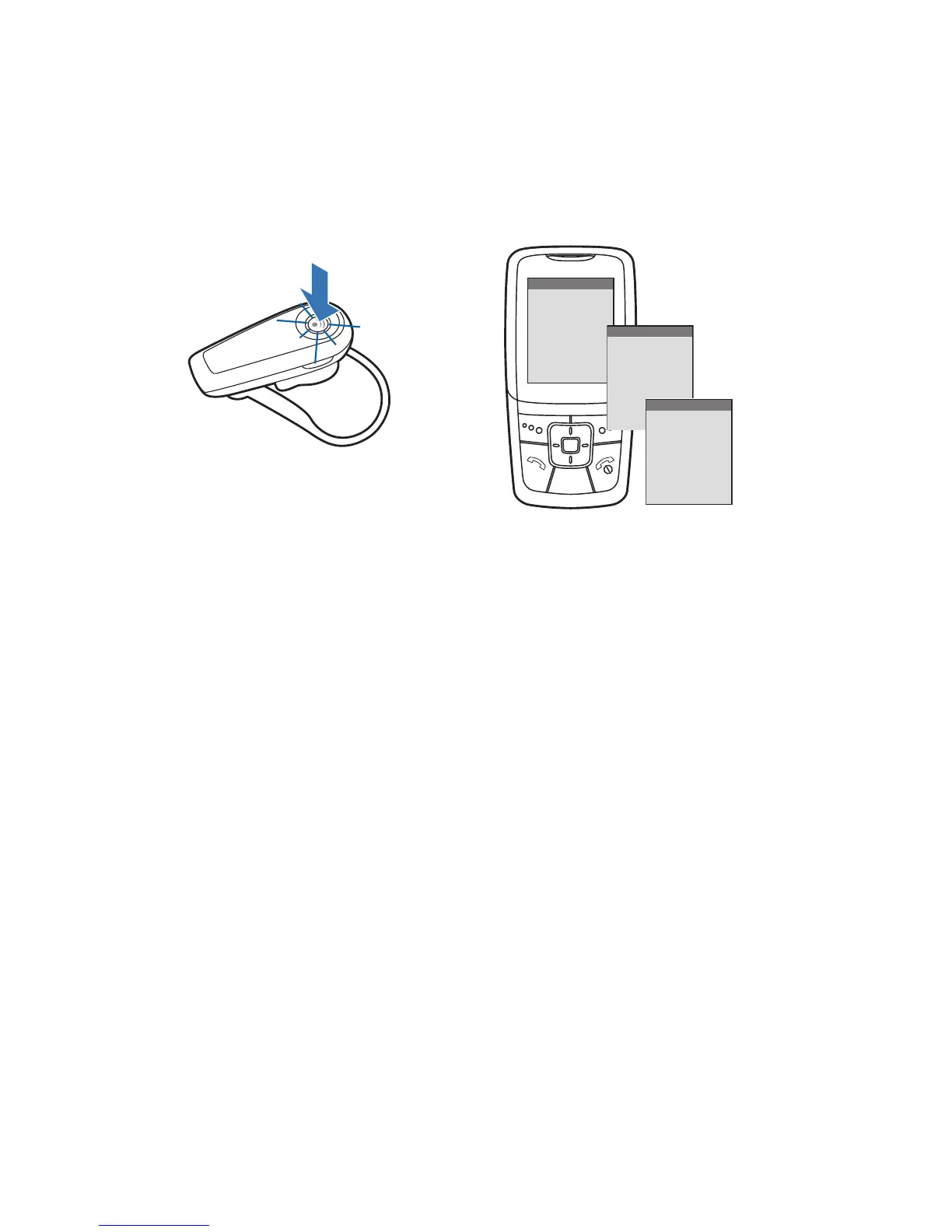
Pairing Your Headset
How to Pair Your Headset if it Has Been Previously Paired
With Another Device
1 Turn the headset off.
Press and hold the call control button until the indicator turns red
and then turns off.
2 Turn the headset on.
Press and hold the call control button until the indicator light
continues to fl ash red and blue. The headset is now in pairing mode.
3 Use the commands on your phone to locate your headset.
For most phones, select Settings/Tools > Connections > Bluetooth
> Search > 2XXPlantronics. See your phone’s user guide for
more information.
4 When prompted for the passkey, enter 0000.
Pairing is successful when the indicator on your headset fl ashes
blue. Your headset is now connected and ready to use.
2
1
4
3
BLUETOOTH
BLUETOOTH
Discover/
Search
8BK;JEEJ>
8BK;JEEJ>
(NNFbWdjhed_Yi
PASSKEY
0000






 To Next Page