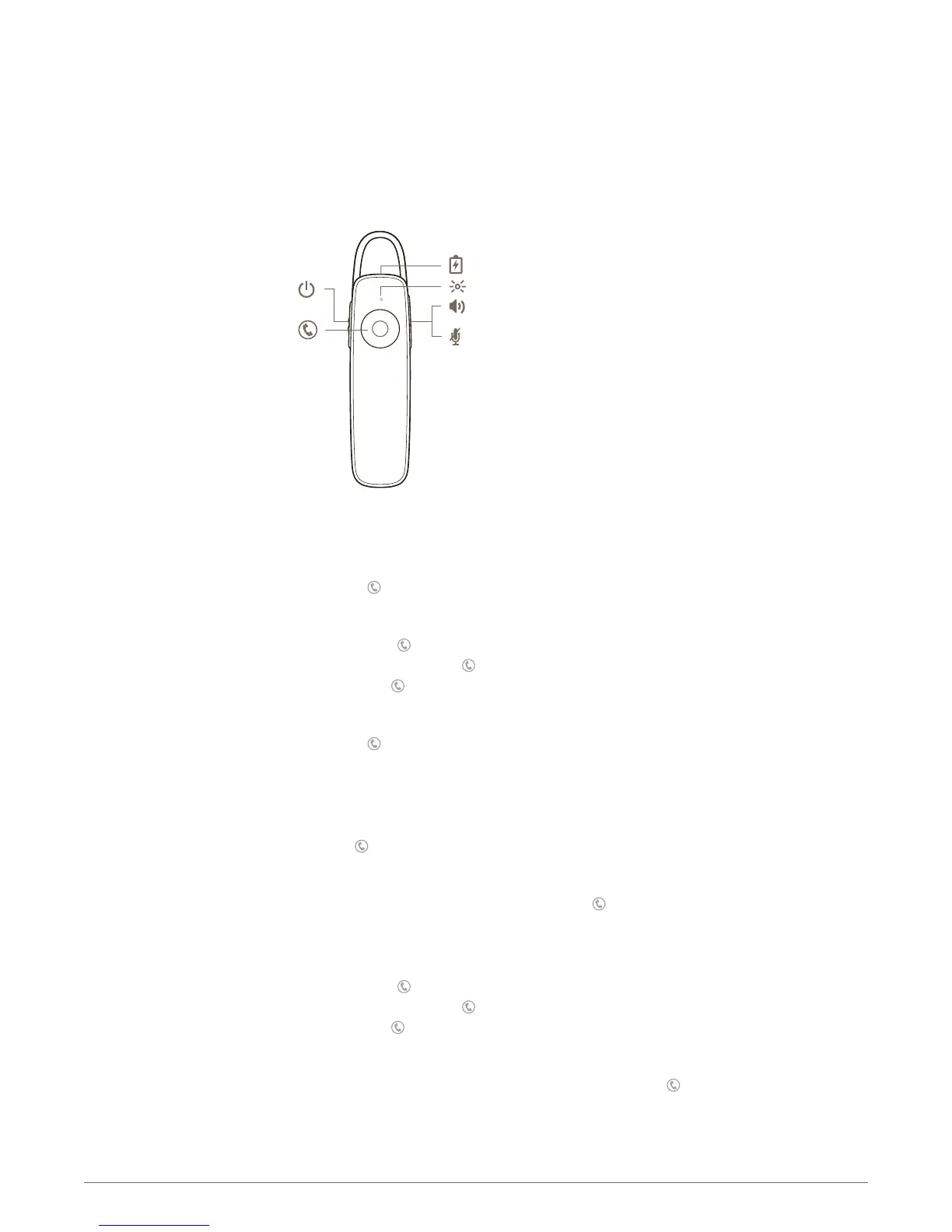
Answer a call
Choose:
• Say “answer” after call is announced, or
• Tap the Call button
Answer a second call
First, tap the Call button to put the first call on hold and answer the second call. To switch
between calls, press the Call button for 2 seconds. To end the second call and retrieve the first
call, tap the Call button.
End a call
Tap the Call
button to end current call.
Reject a call
Choose:
• Say “ignore” after call is announced, or
• Press Call
button for 2 seconds
Redial
To call your last number dialed, double tap the Call button.
Use call waiting
First, tap the Call button to put the first call on hold and answer the second call. To switch
between calls, press the Call button for 2 seconds. To end the second call and retrieve the first
call, tap the Call
button. Call waiting does not work between two paired phones.
Voice dial (phone feature)
If your smartphone has a voice-enabled assistant, press the Call button for 2 seconds and wait
for phone prompt.
You can mute the microphone during a conversation.
The Basics
Make/Take/End Calls
Mute
7








 To Next Page