12
LEARN THE BASICS
Making and Receiving Calls with a Handset
1. Switch the Headset/Handset Selector to
handset ( ).
2. Use the phone handset as you normally
would.
english 13
LEARN THE BASICS
Muting a Call
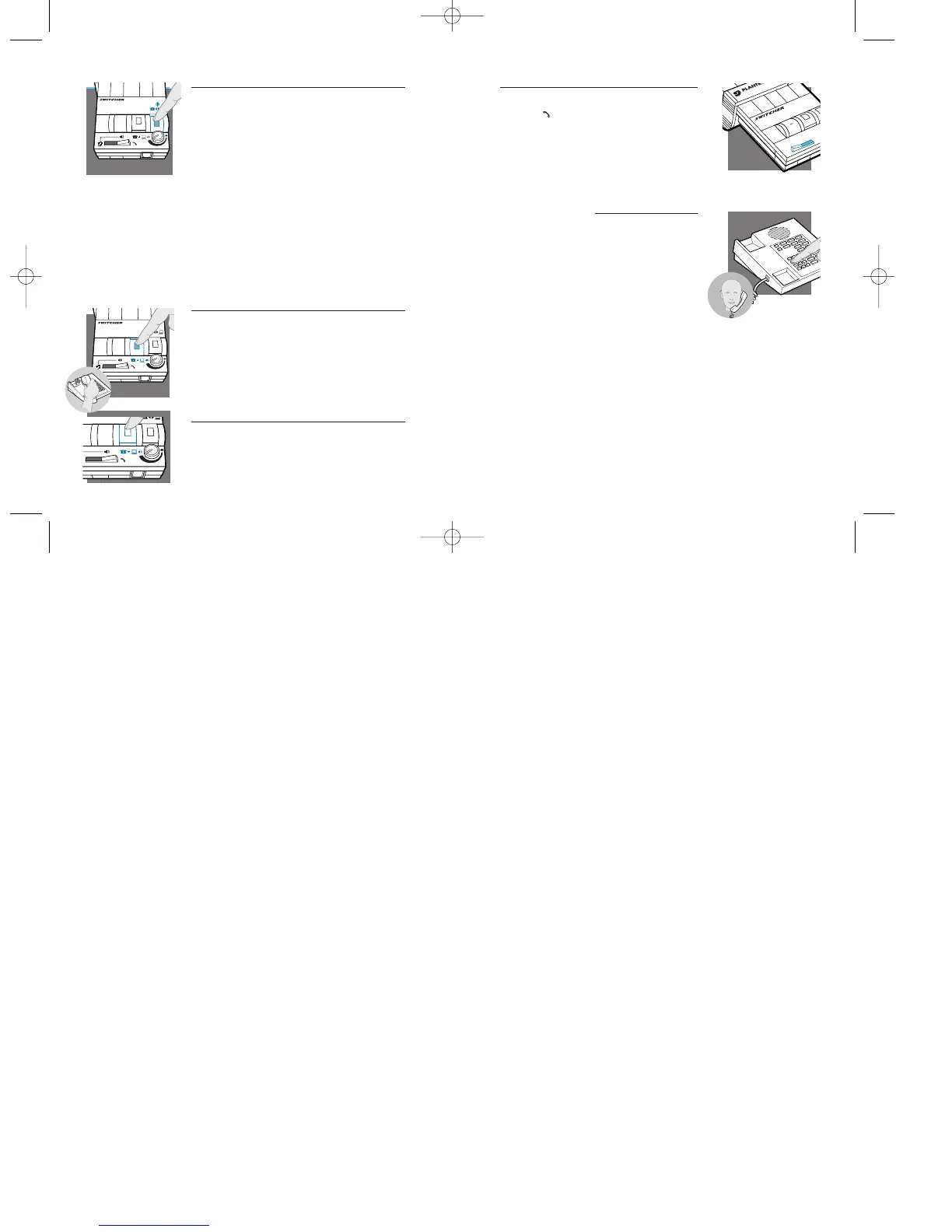
1.Activate the Mute function by depressing the
Microphone Selection Switch (colored indica-
tor showing).
2.Deactivate the Mute function by releasing the
Microphone Selection Switch (no colored
indicator showing).
Note: Do not assume the caller cannot
hear you. Some soundcards have “local
loop back,” which means that the caller
can hear what you are saying through the
computer.Try a test call first and check
this feature with your soundcard.
Making and Receiving Calls while Listening
to an Audio Device
1.Depress the Telephone/Computer Audio
Switch (colored indicator showing).
2.Lift handset off your telephone base
cradle.
Shutting Out Sound from an Audio Device
1.Release the Telephone/Computer Audio
Switch (no colored indicator showing).
english12



 To Next Page