iii
Install in 5 easy steps.
Step 1: Plug into power source.
Step 2: Attach to phone and headset.
Step 3: Set default settings
.
Step 4: Set telephone/amplifier
compatibility switch.
Step 5: Connect to an audio device.
Make a test call.
Learn the basics.
Use advanced features.
ii
Amplifier Features
•Compatible with Sound Blaster
™
sound cards, CD
players, tape recorders.
•SoundGuard
®
Plus
™
Sound Compression protects
you from harsh noises, such as fax tones.
• Call Clarity
™
System improves incoming and outgoing
sound.
•Switch easily between headset and
handset,and between phone and audio device.
•Incoming volume adjustments.
•Mute
Advanced Features Enable:
•Speech recognition applications
•Training or music at the desktop
•Internet phone calls
•Record and play messages and music
•Call recording
welcome
to the Headset Switcher
™
Multimedia Amplifier
from Plantronics
®
.
PART I
PART II
PART III
PART IV
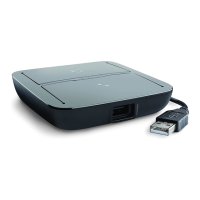
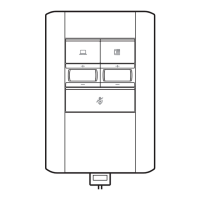
The Headset Switcher Multimedia Amplifier adapts your telephone and com-
puter or external audio device to a Plantronics headset and provides control
of the sound through your headset.
This User Guide will help you install your Switcher amplifier,learn its basic
operations and take advantage of its more advanced features.
The Switcher amplifier is not designed to work on telephones
that have the dial pad in the handset or on cordless telephones.
Switcher.biling.ii-25 11/4/98 7:58 PM Page ii



 To Next Page