english 15
USE ADVANCED FEATURES
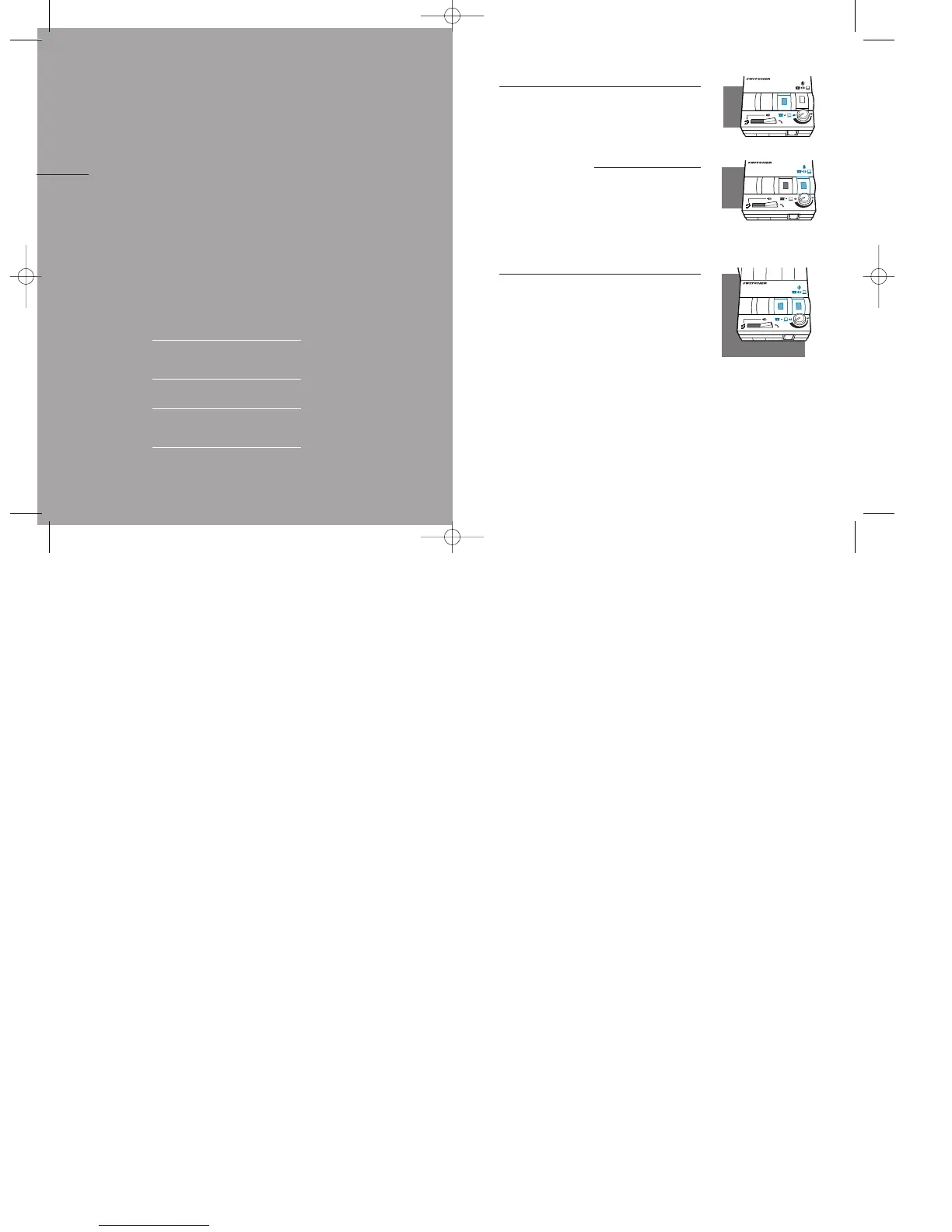
Using Computer-based Speech
Recognition Applications
To listen to both your telephone and your
computer,depress the
Telephone/Computer Audio Switch
(colored indicator showing).
To switch from talking to your telephone
to talking to your computer, depress the
Microphone Selection Switch (colored indi-
cator showing).
Making an Internet Phone Call
1.Depress both the Telephone/Computer
Audio and the Microphone Selection
Switches (colored indicator showing).
2.You may need to adjust your soundcard
volume settings for optimum performance.
1414
use
advanced features
USING COMPUTER-BASED SPEECH
RECOGNITION APPLICATIONS
MAKING AN INTERNET PHONE CALL
RECORDING AND PLAYING OUTGOING
MESSAGES AND MUSIC
RECORDING A CALL
IV
PART



 To Next Page