EasyManua.ls Logo

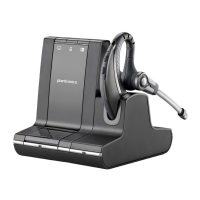
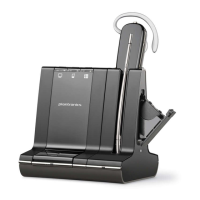
Plantronics Savi W710-M - User Manual

Plantronics Savi W710-M
35 pages
Print Icon
To Next Page IconTo Next Page
Loading...
Savi
®
W710-M/W720-M
Multi Device Wireless Headset System
User Guide

Other manuals for Plantronics Savi W710-M

Question and Answer IconNeed help?

Do you have a question about the Plantronics Savi W710-M and is the answer not in the manual?

Summary

Welcome

System Requirements

Details the necessary computer hardware and software for the headset system.

DECT Enhanced Security

Explains Plantronics' adherence to DECT Forum recommendations for enhanced security.

DECT Information

Provides information on DECT 6.0 wireless frequencies and country usage regulations.

Whats in the Box

Base and Headset Basics

Base Components

Details the various ports and controls on the headset base unit.

Headset Components

Details the buttons and microphone on the headset itself.

Accessories

Customize Your Headset

Adjust the Headband

Instructions for adjusting the headset headband for optimal fit and comfort.

Adjust the Mouthpiece

Guidance on positioning the headset boom microphone for clear audio capture.

Charge Your Headset

Desk Phone: Connect and Call

Choose Desk Phone Setup

Outlines three connection methods for linking the headset to a desk phone.

Make a Desk Phone Call

Mobile: Connect and Call

Computer: Connect and Call

Connect Your Computer

Steps to connect the headset base to a computer using a USB cable.

Place a Softphone Call

Procedure for making and ending calls via computer softphone applications.

Position Your Base

Recommendations for optimal placement of the base unit to avoid interference.

Audio streaming

Instructions for playing media audio from a mobile phone through the headset.

Headset Features

Headset Controls

Explains the functions of each button on the headset for call management and volume.

Headset Power

Details headset power management, including sleep mode and battery standby time.

Headset Battery Level

Talk Time

Information on the headset's talk time and power consumption during standby.

Low Battery Warning

Describes audio cues and indicators for a critically low headset battery.

Headset Battery Status

Methods for checking the headset's current battery charge level.

Adjust Your Headset Volume

Turn On;Off Headset LED

Out of Range Warning Tones

Base Features

Base Buttons

Overview of the base unit's buttons and their primary functions.

Base Subscription Button

Instructions for subscribing and re-subscribing headsets to the base unit.

Subscription and Security Levels

End Subscription

Disabling Over-the-Air Subscription

Set the Range

Auto Connect Feature

Details how the base automatically reconnects to a paired mobile phone.

Daily Use

Incoming Calls

Guides on how to answer and reject calls from desk phone, mobile, or PC.

Outgoing Calls

Instructions for initiating calls via desk phone, mobile phone, and softphone.

Place a mobile phone call

Hands-free dialing

Place a Softphone Call

Softphone Compatibility

Multi-Phone Status

Mobile Phone and Headset Audio

Managing audio flow between mobile phone and headset, including transferring audio.

Combine Audio From Any Two Lines or Channels

Enables combining audio from two sources for mini-teleconferences.

Conference Up to Three Additional Headsets

Procedure for adding multiple headsets to an ongoing call for conferencing.

Conferencing Additional Headsets and Security Levels

Advanced Use

Install Plantronics Hub

Instructions for downloading and installing the Plantronics Hub desktop software.

Start Hub

Steps to launch the Plantronics Hub application after installation.

Hub Tabs

Overview of the main sections (tabs) within the Plantronics Hub software.

Hub Settings Options

Default Phone Line for Outbound Calls

Auto Answer

Microsoft Office Communicator;Lync Dial Tone

Audio Sensing

Second Inbound Call

Mute Reminder Volume

Ring Tones and Volumes

Softphones and Media Players

Presence

Auto Update my Presence (MS OC;Lync, Skype)

Automatically updates presence status in communication apps based on call activity.

Wireless

Auto Connect to Mobile Phone

Enables automatic reconnection of the mobile phone to the base when it comes within range.

Bluetooth Enabled

Controls the wireless Bluetooth connection capability between the headset and mobile phone.

Advanced

Over the Air Subscription

Allows headset subscription to the base without needing to dock the headset physically.

Initiate Mobile Voice Commands

Enables voice command activation for mobile phones via the base's mobile button.

Range

Adjusts the wireless operating range for optimal performance and user density.

PC Audio Bandwidth

Configures PC audio bandwidth for speech clarity, impacting battery life.

Desk phone Audio Bandwidth

Configures desk phone audio bandwidth for speech clarity, impacting battery life.

Streaming Audio

Manages audio streaming for music and podcasts, with options to conserve battery.

Additional Device Management Tools

Anti-Startle (Plantronics Enhanced)

Provides advanced hearing protection by reducing sudden loud sounds.

Anti-Startle (G616)

Offers additional hearing protection against acoustic shock events.

Audio Limiting

Limits sound exposure for daily noise, adhering to EU legislation.

Hours on Phone per Day

Optimizes Automatic Acoustic Level based on typical daily usage patterns.

Summary

Welcome

System Requirements

Details the necessary computer hardware and software for the headset system.

DECT Enhanced Security

Explains Plantronics' adherence to DECT Forum recommendations for enhanced security.

DECT Information

Provides information on DECT 6.0 wireless frequencies and country usage regulations.

Whats in the Box

Base and Headset Basics

Base Components

Details the various ports and controls on the headset base unit.

Headset Components

Details the buttons and microphone on the headset itself.

Accessories

Customize Your Headset

Adjust the Headband

Instructions for adjusting the headset headband for optimal fit and comfort.

Adjust the Mouthpiece

Guidance on positioning the headset boom microphone for clear audio capture.

Charge Your Headset

Desk Phone: Connect and Call

Choose Desk Phone Setup

Outlines three connection methods for linking the headset to a desk phone.

Make a Desk Phone Call

Mobile: Connect and Call

Computer: Connect and Call

Connect Your Computer

Steps to connect the headset base to a computer using a USB cable.

Place a Softphone Call

Procedure for making and ending calls via computer softphone applications.

Position Your Base

Recommendations for optimal placement of the base unit to avoid interference.

Audio streaming

Instructions for playing media audio from a mobile phone through the headset.

Headset Features

Headset Controls

Explains the functions of each button on the headset for call management and volume.

Headset Power

Details headset power management, including sleep mode and battery standby time.

Headset Battery Level

Talk Time

Information on the headset's talk time and power consumption during standby.

Low Battery Warning

Describes audio cues and indicators for a critically low headset battery.

Headset Battery Status

Methods for checking the headset's current battery charge level.

Adjust Your Headset Volume

Turn On;Off Headset LED

Out of Range Warning Tones

Base Features

Base Buttons

Overview of the base unit's buttons and their primary functions.

Base Subscription Button

Instructions for subscribing and re-subscribing headsets to the base unit.

Subscription and Security Levels

End Subscription

Disabling Over-the-Air Subscription

Set the Range

Auto Connect Feature

Details how the base automatically reconnects to a paired mobile phone.

Daily Use

Incoming Calls

Guides on how to answer and reject calls from desk phone, mobile, or PC.

Outgoing Calls

Instructions for initiating calls via desk phone, mobile phone, and softphone.

Place a mobile phone call

Hands-free dialing

Place a Softphone Call

Softphone Compatibility

Multi-Phone Status

Mobile Phone and Headset Audio

Managing audio flow between mobile phone and headset, including transferring audio.

Combine Audio From Any Two Lines or Channels

Enables combining audio from two sources for mini-teleconferences.

Conference Up to Three Additional Headsets

Procedure for adding multiple headsets to an ongoing call for conferencing.

Conferencing Additional Headsets and Security Levels

Advanced Use

Install Plantronics Hub

Instructions for downloading and installing the Plantronics Hub desktop software.

Start Hub

Steps to launch the Plantronics Hub application after installation.

Hub Tabs

Overview of the main sections (tabs) within the Plantronics Hub software.

Hub Settings Options

Default Phone Line for Outbound Calls

Auto Answer

Microsoft Office Communicator;Lync Dial Tone

Audio Sensing

Second Inbound Call

Mute Reminder Volume

Ring Tones and Volumes

Softphones and Media Players

Presence

Auto Update my Presence (MS OC;Lync, Skype)

Automatically updates presence status in communication apps based on call activity.

Wireless

Auto Connect to Mobile Phone

Enables automatic reconnection of the mobile phone to the base when it comes within range.

Bluetooth Enabled

Controls the wireless Bluetooth connection capability between the headset and mobile phone.

Advanced

Over the Air Subscription

Allows headset subscription to the base without needing to dock the headset physically.

Initiate Mobile Voice Commands

Enables voice command activation for mobile phones via the base's mobile button.

Range

Adjusts the wireless operating range for optimal performance and user density.

PC Audio Bandwidth

Configures PC audio bandwidth for speech clarity, impacting battery life.

Desk phone Audio Bandwidth

Configures desk phone audio bandwidth for speech clarity, impacting battery life.

Streaming Audio

Manages audio streaming for music and podcasts, with options to conserve battery.

Additional Device Management Tools

Anti-Startle (Plantronics Enhanced)

Provides advanced hearing protection by reducing sudden loud sounds.

Anti-Startle (G616)

Offers additional hearing protection against acoustic shock events.

Audio Limiting

Limits sound exposure for daily noise, adhering to EU legislation.

Hours on Phone per Day

Optimizes Automatic Acoustic Level based on typical daily usage patterns.

Plantronics Savi W710-M Specifications

General IconGeneral
BrandPlantronics
ModelSavi W710-M
CategoryHeadsets
LanguageEnglish

Related product manuals