5
14. Never install telephone wiring during a lightning storm.
15. Never install telephone jacks in wet locations unless the jack
is specifically designed for wet locations.
16. Never touch uninsulated telephone wires or terminals
unless the telephone line has been disconnected at the network
interface.
17. Use caution when installing or modifying telephone lines.
18. This product should be intended to be supplied by a Listed
Class 2 Direct Plug-In Power Unit rated 9VDC 300mA.
Plantronics Part No. 45671-01, rated at an input voltage of 120
VAC, 60 Hz and an output voltage of 9 Vdc, 300mA.
19. This product requires AC power in order to operate. In order
to have phone service during a power outage, have another tele-
phone available that is powered only the telephone line.
20. Keep all product cords and cables away from operating
machinery.
SAVE THESE INSTRUCTIONS
4
IMPORTANT SAFETY INSTRUCTIONS
SETUP
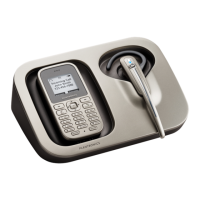
The T20 Headset Telephone may be connected to two separate
telephone lines.
Turn the T20 base over and insert the Headset Holder .
Connect the AC Power Adapter to the T20 AC Power
Adapter Jack and a wall outlet.
Connect the T20 to the telephone wall jack.
If the jack is dual-line, connect the Dual Line Cord with
the white flag to the Telephone Line 1/2 Jack .
If each line is a separate jack, connect one of the Wall
Cords to the Dual-Line Jack and the other to the Line 2
Jack .
Set the Tone/Pulse Switch to match your phone service
(usually tone). If you are not sure, call your local telephone
provider.
Set the Ringer Volume Control for incoming calls to your
preferred level.
Plug the Headset Cord into the Headset Jack .
For most U.S. users, the Flash Timing Switch should be set to
“3”, however, trying other settings will not harm the T20 or
your phone line.






 To Next Page