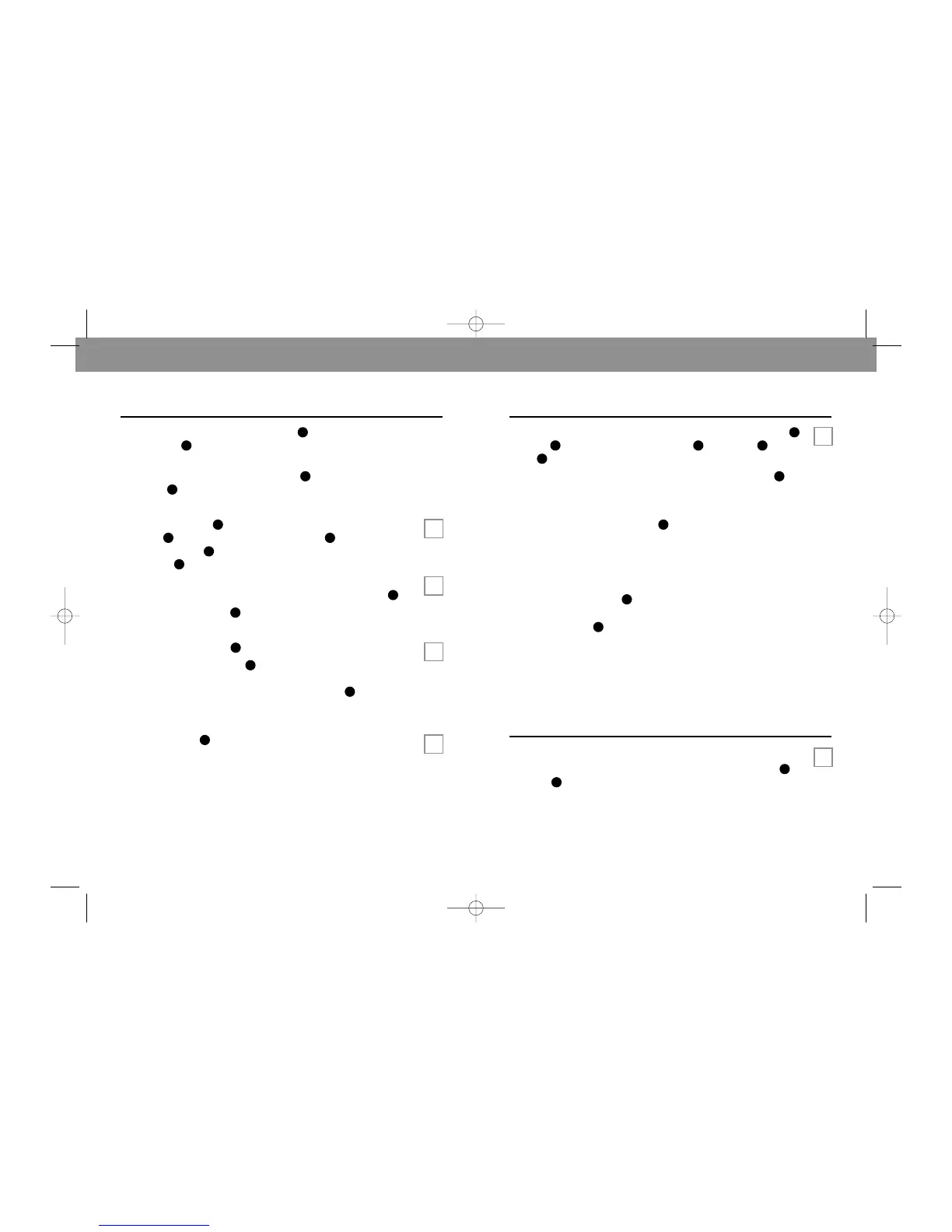
USING THE HEADSET
7
Begin by connecting the Headset Cord to the
Headset Jack .
The Headset included with the T20 Headset Telephone can
be used with the Adjustable Headband or with one of the
Ear Hooks .
HEADBAND USE
Snap the Headband into the back of the Headset
Assembly .Press the Ear Cushion Assembly onto the
Headset Assembly , aligning the notch in the ring with the
Voice Boom .
Place the Headset on either ear and adjust the Headset to a
comfortable position by moving the Adjustable Headband .
Position the Voice Boom near the corner of your mouth.
EAR HOOK USE
Press the Pivot Ball Ring onto the Headset Assembly.
Insert one of the Ear Hooks into the Pivot Ball. You may
need to try each size to find the most comfortable fit. Slip the
hook over your ear and position the Voice Boom near the
corner of your mouth.
CLOTHING CLIP
The Clothing Clip keeps the Headset free from the weight of
the cord. Attach the clip to your clothing at about chest level.
Allow enough slack in the cord (approximately 6 inches) to
permit your head to move without pulling on the Headset or
the Clothing Clip.
You are now ready to make or receive calls.
STEP 3
A
B
C
D
6
STEP 2
E
PLACING A CALL
With the Headset in position, place a call by pressing Line 1
or Line 2 for a dial tone. The On Line and Line 1 or
Line 2 Indicator Lights will go on.
Dial the desired number using the Twelve Button Dial Pad .
When your party answers speak normally. If your party
cannot hear you, see Troubleshooting (page 9).
Adjust the Listen Volume Control as needed to hear the
other party.
CONFERENCE CALLS
The T20 allows you to arrange conference calls between
yourself and two other callers. Place caller one on hold by
pressing the Hold Button . Answer or originate a call on the
other line. When the second caller answers, press the
Conference Button .
E
With the Headset in position, when the ringer notifies you of
an incoming call, press the appropriate line button (Line 1
or Line 2 ) to answer the call.




 To Next Page