T10137 Jan 2003
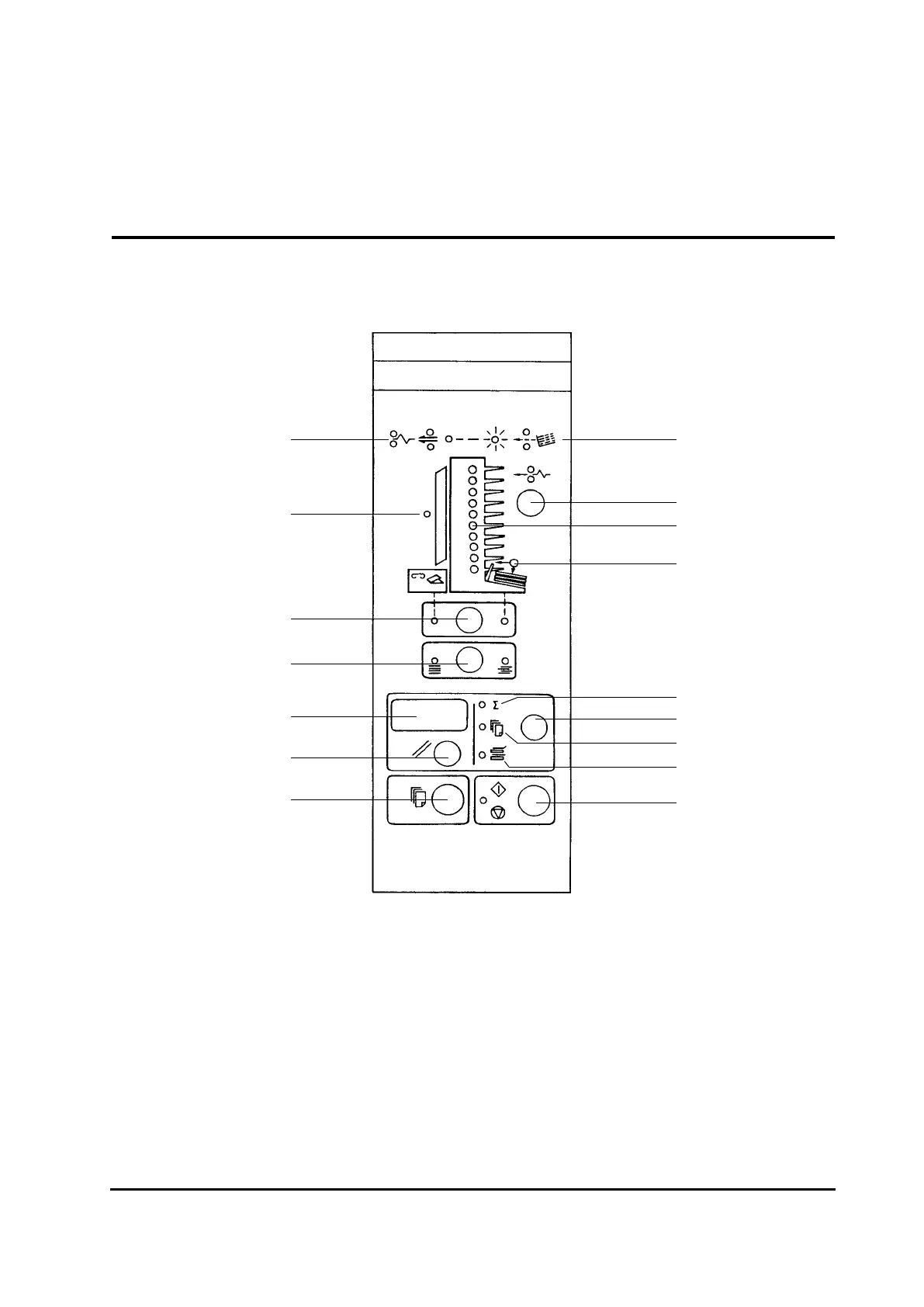
3.2 The control panel
Collator Series 300/400 Operator Manual 3-2
1
2
3
4
5
6
7
8
9
10
11
12
13
14
15
16
1 Double feed or paper jam mode
(Shownbybinindicators-rmlight)
2 Door open indicator
3 Third party device mode/stacking mode
4 Straight/offset stacking
5 Counter display
6 Counter reset button
7 Test calibration button
8 Miss feed mode
(Shownbybinindicatorsashing)
9 Clear button conveyor belt
transport & third party
10 Bin indicators
11 Stacker full or load lever out of
position
12 Total counter
13 Selection programming mode
14 Preset counter
15 Sheet insertion program
16 Start & stop button



 To Next Page