13
햳
햲
햴
햵
This is the replacement method for the white fluorescent lamp that is the light source of the reading device.
When a black band appears at the top and bottom portions of the print or memory storage image, it is time to
replace the fluorescent lamp.
Please inquire with your dealer or PLUS Vision sales office concerning the replacement of the fluorescent lamp.
9. FLUORESCENT LAMP REPLACEMENT
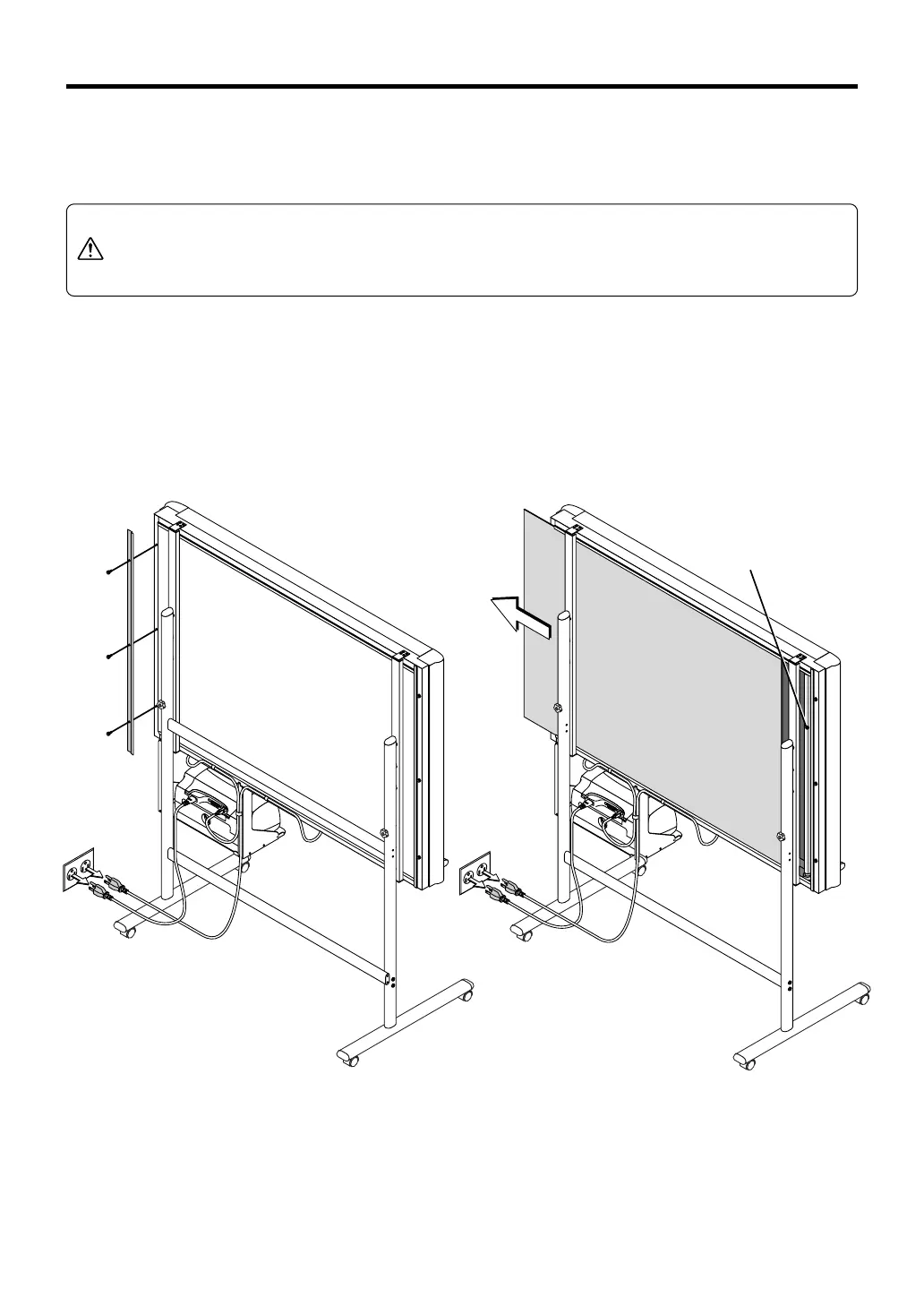
햲 Unplug the power plug of the power cable at
the wall AC outlet.
햳 Remove the rear plate fitting on the back of
the copyboard.
Removal of the 3 screws will release the fittings.
WARNING
When replacing the fluorescent lamp, be certain to disconnect the power cable before-
hand.
Do not come in contact with the power supply unit inside the Copyboard or other parts.
Doing so will result in electric shock or an accident.
햴 Slide the rear plate about 30 cm to the left.
햵 Replace the fluorescent lamp located at the
right side.
When the replacement has been made, please assemble
the Copyboard by following the procedure in reverse or-
der.
Fluorescent
lamp



 To Next Page