7
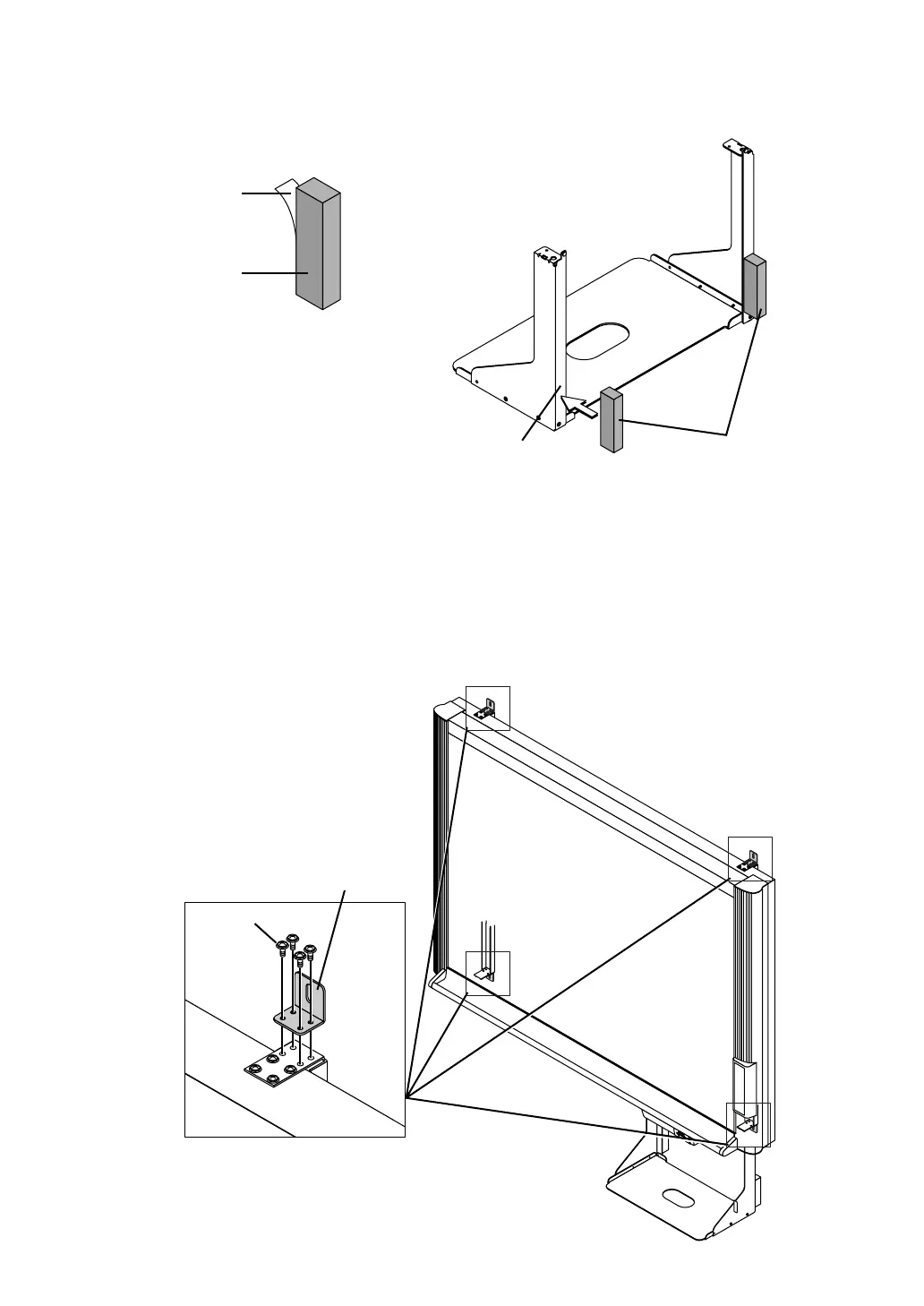
(3) Attach the 4 supplied wall-mount brackets to the Copyboard using M4 screws.
(2) Stick the cushions on the printer tray, then mount the printer tray on the main unit.
햲 Peel off the protective sheets from the cushions’ adhesive surfaces.
햳 Stick the cushions (2) on the back of the bracket.
Cushions
Back of bracket
Protective sheet on
adhesive surface
Cushion
Wall-mount bracket
M4-screw
See page 9 for instructions on assembling and mounting the printer tray.
When mounting the printer tray after installing the main unit on a wall, see page 9.
* There is no need to mount the printer tray when only storing data in the memory card.



 To Next Page