8
9
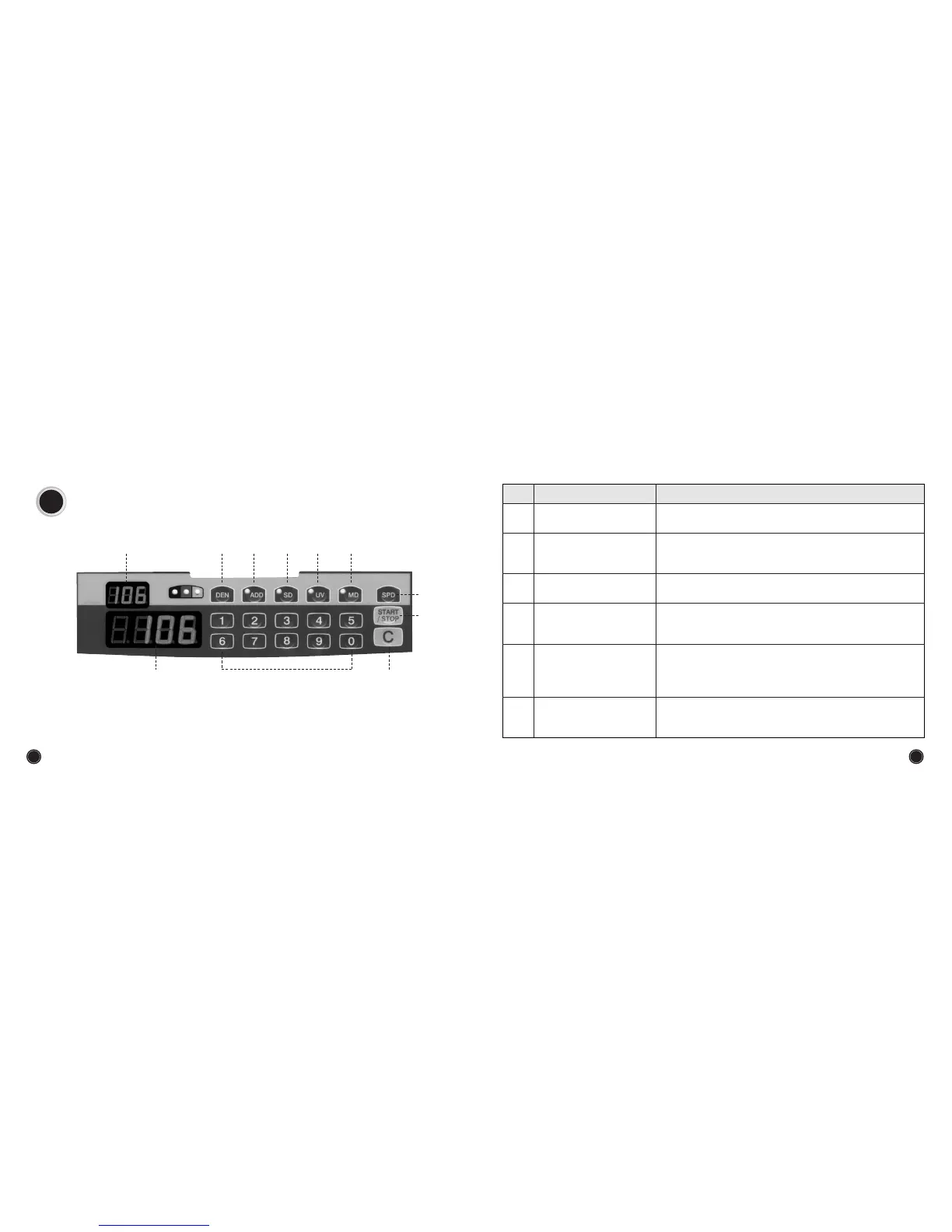
5. OPERATION PANEL
Turn the power switch ON. The counter will display the following message.
tst
,
good
it is self test function.
FUNCTION
NAME
No
The number of counted notes is displayed here.
Counter numerical display
By pressing any number key, user can freely preset the number
to be counted.
This key is used to clear errors.
Used to stop or to restart the counting temporarily during
counting operation.
Preset key
Clear key
Restart key
3 different counting speeds can be selected by simply pressing
this key. SPD 1 (High speed), SPD 2 (Middle speed), SPD 3 (Low
speed).
Speed key
By pressing this key, the counting will be stopped in case a
counterfeit note is detected through the magnetic features.
Magnetic Detection key
(
OPTION
)


 To Next Page