EasyManua.ls Logo

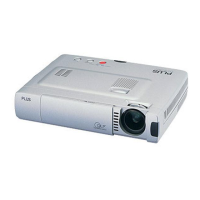
Plus U3 - User Manual

Plus U3
39 pages
Print Icon
To Next Page IconTo Next Page
Loading...
Applicable Models: U3-1100WZ, U3-1100W, U3-1100SF
U3-810WZ, U3-810W, U3-810SF
U3-1100/U3-810
USER’S MANUAL
IMPORTANT
Digital Light Processing, DLP, Digital Micromirror Device and DMD are all trademarks of
Texas Instruments.
Windows 98, Windows 95, and Windows 3.1 are registered trademarks in the United States
and other countries of Microsoft Corporation.
IBM is a registered trademark of International Business Machines Corporation.
Macintosh and MAC are trademarks of Apple Computer Inc.
Other names of companies and products mentioned are trademarks and registered trade-
marks of the respective companies.
TM
, ® and © marks are not used in this document.
* PLUS Vision Corp. is certified to ISO 14001 as a member of the
PLUS group.
PLUS Industrial Corporation is certified to ISO 9001.
Certificate No. Q1001219118017.
Otowa Head Office and PLUSLAND of PLUS Corporation
and PLUS Industrial Corporation are certified to ISO 14001.
Certificate No. NQE-9809008A.
A
U
T
OS
O
U
R
C
E
P
O
W
E
R
P
O
W
E
R
O
P
EN
S
T
A
T
U
S
PLUS
COLOR
B / W
English
DATA PROJECTOR

Questions and Answers

Summary

Safety Information and Precautions

General Safety Warnings

Covers precautions, cautions, and fire/shock warnings for safe operation and environmental considerations.

RF Interference Compliance

Details FCC regulations and advice on preventing radio frequency interference during use.

Important Safeguards

Installation and Placement Guidelines

Best practices for setting up the projector, including placement, ventilation, and environmental factors.

Power Supply and Connection Safety

Electrical requirements and safe procedures for connecting the projector to a power source.

Maintenance and Care Procedures

Cleaning the Projector Exterior and Lens

Methods for cleaning the projector's surface and optical lens to maintain performance.

Ventilation Slot Cleaning

Instructions for cleaning air vents to ensure proper airflow and prevent overheating.

Lamp and Safety Procedures

Lamp Replacement Timing and Safety

Guidance on when to replace the lamp and associated safety precautions.

Fire, Shock, and Eye Safety Precautions

Precautions against hazards like fire, shock, and potential eye damage from the lens.

Handling and Transport Guidelines

Safe Carrying and Lens Protection

Advice on using the carrying case and protecting the projector's lens during transport.

Model and Resolution Comparison

Projector Model Specifications Overview

Table detailing resolution and function availability across different projector models.

Projector Features and Accessories

Key Projector Features and Technology Highlights

Highlights of the projector's capabilities, design, and technological advantages.

List of Supplied Accessories

Inventory of items included in the projector package for setup and operation.

Remote Control Setup and PC Mouse Functionality

Remote Control Battery Installation and Range

Guide for inserting batteries and understanding the remote's operational range and angles.

Connecting for PC Mouse Operation

How to set up the projector to function as a wireless mouse for a PC.

Projector Physical Controls Identification

Top, Front, and Side Panel Controls

Identification of buttons, indicators, and ports on the projector's main exterior surfaces.

Bottom Panel Features and Adjusters

Identification of adjusters, vents, and screws located on the projector's base.

Rear Panel Ports and Security Features

Terminal Panel Input;Output Jacks

Description of all connection ports available on the projector's rear panel.

Kensington Security Slot Information

Details regarding the built-in security slot for anti-theft protection.

Wireless Remote Control Operation Details

Remote Control Button Functions Explained

Comprehensive guide explaining the function of each button on the wireless remote.

Projector Installation and Setup Guide

Installation Precautions and Placement Tips

Safety advice and environmental considerations for optimal projector setup.

Projection Distance and Screen Size Data

Tables and charts for determining optimal screen size based on projection distance.

Projection Distance and Size Data

Specific Model Projection Distance Charts

Detailed projection distance and screen height data for U3-810WZ and U3-1100WZ models.

Connecting Video Sources

VIDEO Input Connection Instructions

Step-by-step guide for connecting devices using the projector's VIDEO jack.

S-VIDEO Input Connection Instructions

Step-by-step guide for connecting devices using the projector's S-VIDEO jack.

Connecting Component Video Sources

RGB;YCbCr Connector Setup Guide

Instructions for connecting component video signals via the RGB/YCbCr input.

Connecting Computers to the Projector

Analog RGB Connection for PCs and Macs

How to connect computers using analog RGB output for display.

Computer Display Settings and Compatibility

Adjusting Computer Video Resolutions

Guides for changing display resolution on Windows and Macintosh operating systems.

Notebook PC External Output Configuration

Tips for ensuring signal output from notebook computers when connected.

Basic Unit Operation and Setup

Power Connection and Initial Startup Sequence

Steps for connecting power, turning on the unit, and initial operational setup.

Projector Positioning and Leveling

Guidance on placing and adjusting the projector's height and position for optimal display.

Adjusting the Projected Image

Using Physical Adjusters for Position

How to use the projector's adjusters to fine-tune position and level.

Keystone Correction with Remote Control

Using remote control buttons to correct image distortion.

Operational Controls and Input Management

Picture Element Adjustments via Menu

Modifying image quality settings like brightness, contrast, color, tint, and sharpness.

Selecting and Managing Input Sources

Methods for choosing the active video input source using the unit or remote.

Remote Control as PC Mouse Functionality

PC Mouse Operation and USB;PS;2 Connection

Using the remote as a mouse and connecting via USB or PS/2 ports.

Advanced Projector Functions

Automatic Screen Adjustment and Volume Control

Using the AUTO button for image setup and adjusting speaker volume.

Image Freezing and Temporary Muting

Capturing still frames from video and silencing audio output.

Keystone Adjustment via Remote Buttons

Fine-tuning image distortion using the remote control's keystone buttons.

Picture Zooming and Screen Adjustment

Digital Zooming and Image Navigation

Enlarging image portions and moving within the zoomed view using cursor keys.

Screen Reduction Feature

Using the ZOOM - button to reduce the displayed image size.

Monochrome Projection Mode Features

High-Brightness B;W Mode Operation

Benefits and usage of monochrome projection for documents and spreadsheets.

Switching Between Color and Monochrome Modes

How to toggle between color and black-and-white display modes.

Projector Menu System Overview

Normal and Advanced Menu Navigation

Overview of the projector's menu hierarchy, including normal and advanced settings.

Common Menu Setting Categories

Introduction to general settings like Sound Mute, Background, and Auto Source.

Menu Settings for RGB Input Sources

Normal Menu Picture Adjustments

Detailed settings for Brightness, Contrast, Picture Adj, and Fine Picture.

Advanced Menu Configuration Options

Settings for Gamma, Color Temp, Aspect Ratio, Keystone, and other advanced parameters.

Adjusting Picture Quality Elements

Picture Element Adjustability by Input Source

Table showing adjustable picture settings based on the selected input source.

Step-by-Step Picture Adjustment Guide

Detailed instructions for fine-tuning image quality parameters like brightness and contrast.

Computer Image Projection Settings

Timing Chart for Computer Resolutions

Table mapping computer resolutions to sync frequencies for optimal display.

Handling Compressed Resolution Inputs

How the projector manages and displays resolutions that are not native.

Manual Computer Image Fine-Tuning Procedures

Clock Frequency and Phase Adjustment for Clarity

Fine-tuning for optimal computer image display quality, reducing noise and flicker.

Image Position and Offset Correction

Adjusting horizontal and vertical placement for accurate image display.

Troubleshooting No Computer Image Display

Steps to resolve issues when no image is shown from a connected computer.

Resetting Projector Settings and Lamp Timer

Resetting All Settings to Default Values

Procedure for restoring factory default configurations for all settings.

Lamp Usage Hours Reset Procedure

Steps to reset the lamp usage timer after replacing the lamp cartridge.

Advanced Settings for Image Content

Gamma, Cinema Mode, and Color System Setup

Adjusting color and brightness for viewing conditions and selecting video standards.

Advanced Settings for Image Content - Continued

Aspect Ratio and Filter Settings

Adjusting image aspect ratio (display frame) and sharpness for clear display.

Advanced Settings for Image Content - Continued

Keystone and Partial Display Position Settings

Fine-tuning image distortion and specific display positions for various inputs.

Initial Settings and Configuration Options

Audio Muting, Background, and Auto Gain Setup

Configuring audio muting, no-signal background, and auto gain features.

Automatic Settings and Power Management

Auto Source Search and Power Saving Configuration

Setting automatic input detection and power off timers for efficiency.

Projection Type Selection and Adjustment

Choosing and setting the correct projection orientation for installation conditions.

Menu Display Customization

Menu Language, Viewing Method, and Display Time Settings

Customizing menu language, appearance (translucent/opaque), and display duration.

Menu Position and On-Screen Display Configuration

Adjusting menu location and enabling status indicators for on-screen information.

Comprehensive Troubleshooting Guide

Power, Image, and Remote Control Problems

Solutions for common issues like power failure, no image, and remote control malfunctions.

Color, Text, and Status Indicator Troubleshooting

Resolving display anomalies, flickering text, and understanding status indicator lights.

Understanding Status Indicator Lights

Interpreting Projector Status Light Codes

Explaining the meaning of different indicator states and flashing patterns for diagnostics.

Lamp Cartridge Replacement Procedure

Lamp Lifespan and Replacement Timing

Information on lamp life, indicators for replacement, and safety during use.

Step-by-Step Lamp Replacement Guide

Detailed instructions for safely replacing the projector lamp cartridge.

Lamp Replacement Notes and Ordering Information

Important considerations and how to order replacement lamp cartridges.

Technical Specifications Summary

Optical, Electrical, and Mechanical Data

Key technical details including lamp, resolution, power consumption, and dimensions.

PC Connection Pinout Details

Pin assignment details for the 15-pin mini D-Sub computer connector.

Projector Physical Dimensions

Dimensions for U3-1100 WZ and U3-810 WZ Models

Visual representation of the physical size and measurements for these specific models.

Dimensions for U3-1100 W and U3-810 W Models

Visual representation of the physical size and measurements for these specific models.

Projector Physical Dimensions

Dimensions for U3-1100 SF and U3-810 SF Models

Visual representation of the physical size and measurements for these specific models.

Plus U3 Specifications

General IconGeneral
BrandPlus
ModelU3
CategoryProjector
LanguageEnglish

Related product manuals