E – 20
E – 19B
RGB / YCbCr
S VIDEO
VIDEO
MOUSE
AUDIO
A
U
T
O
S
O
U
R
C
E
P
O
W
E
R
P
O
W
E
R
S
T
A
T
U
S
C
OLO
R
B / W
COLOR
B / W
COLOR
B / W
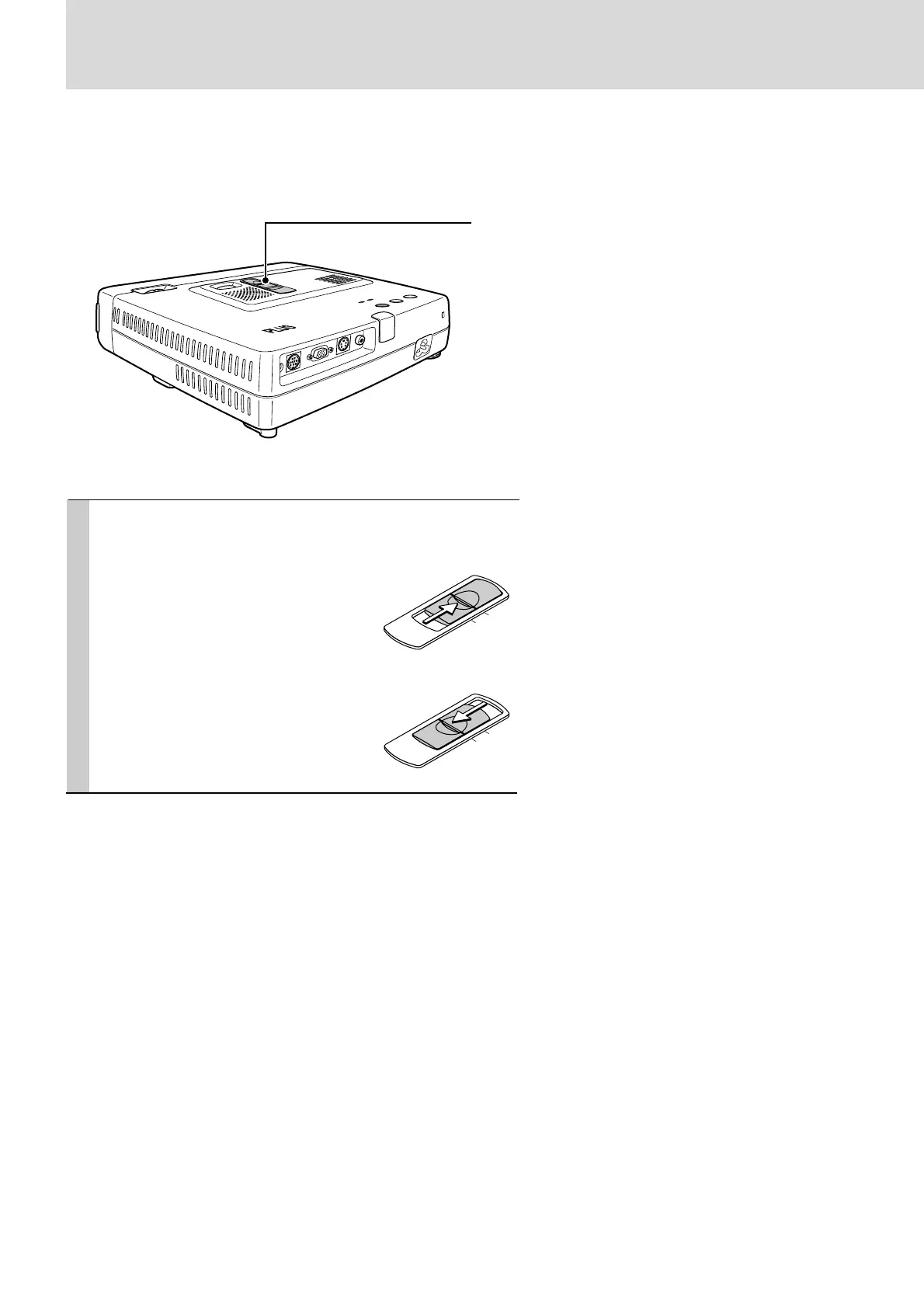
Use as a High-Brightness Monochrome Projector
In monochrome mode, data that is largely black and white such as documents and spreadsheets can
be projected at double the brightness as compared to color projection.
Switching between monochrome and color images is possible even while projecting.
“COLOR” “B/W” switch
(Only on the U3-1100WZ, U3-1100W, U3-810WZ,
and U3-810W)
Slide the “COLOR” “B/W” switch to
either the COLOR side or the B/W
side.
COLOR Side
Provides a color image.
B/W Side
Provides a high-brightness monochrome
image.


 To Next Page