24
Name and Function
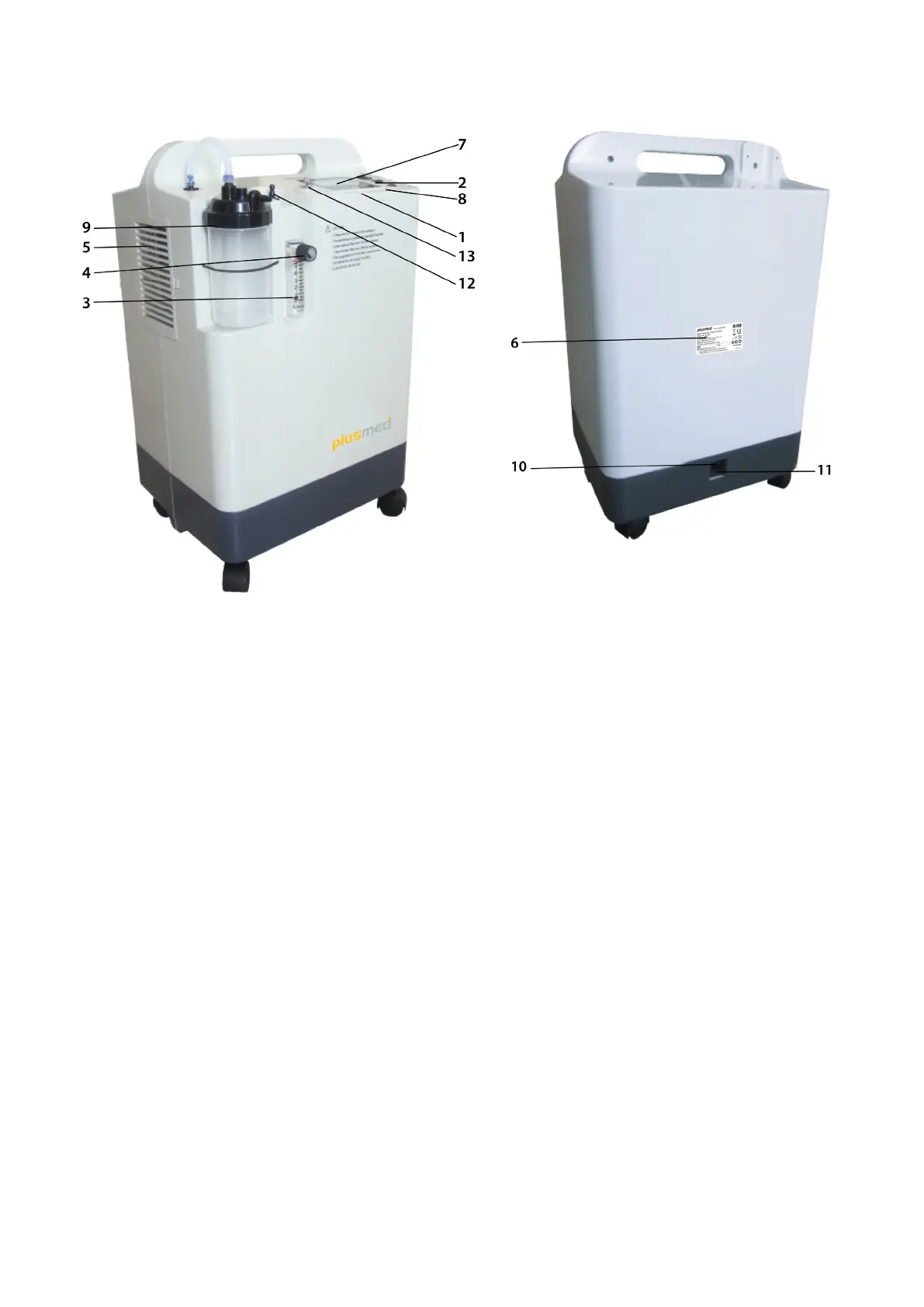
Diagram 1 Diagram 2
1) Indicating Lamp
As showing in Diagram 1:
Total 6 indicating lights, and the code of them are 1,2,3,....6 from left to right, and their indication for each model are as
follows:
P.O.: power switch (green lamp)
P.F.: power failure (red lamp)
L.P.: low pressure (yellow lamp)
H.P. (T): high pressure (red lamp) / overheated temperature (red lamp)
L.O2: oxygen purity is < 85 %, (red lamp)
H.O2: oxygen purity is
85%, (blue lamp)
2) Power switch
3) Oxygen ow meter
The location of oat in the oxygen ow meter shows the outlet oxygen ow (L/min.).
4) Knob of oxygen ow meter switch
The other name of knob of oxygen ow meter switch is ow control valve. It adjusts and controls the outlet oxygen ow.
Do not rotate it over-forced, or else it is easy to damage the valve core. Rotate it counterclockwise to turn on, clockwise
to turn off.
5) Intake air filter
Once need to replace, replace it by special filter for the machine.



 To Next Page