25
6) Back label
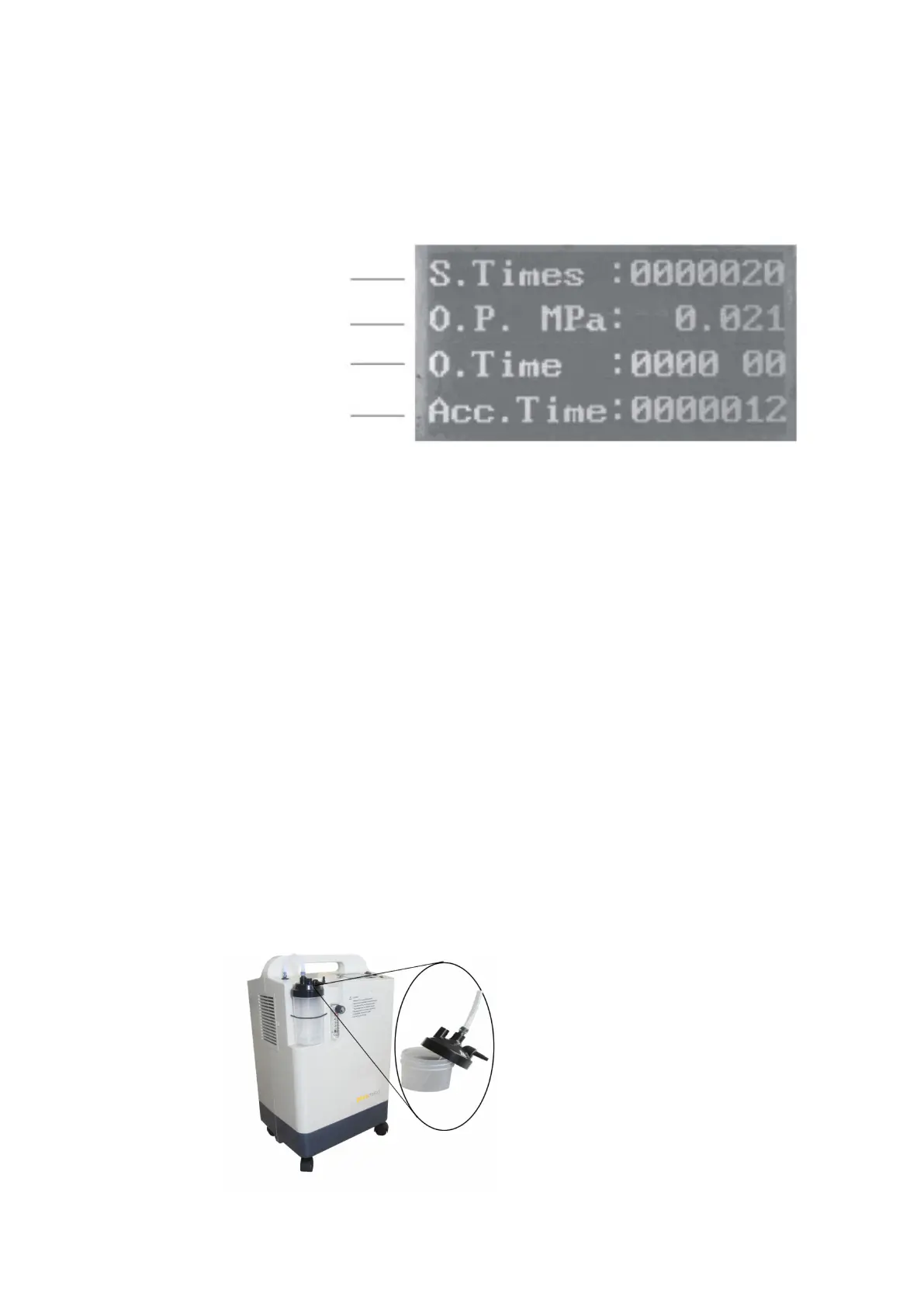
7) LCD display (Liquid crystal display)
a.It can display the following diagram 3.
b.At the beginning of starting the machine, the LCD screen is bright, after 15 minutes it will return to screen saver mode.
But if you press the right key during working, the screen will bright again.
Diagram 3
8) Timing keys
As showing in Diagram 1: “+”.“-” These two keys used for timing. Press “+”button,
increase timing by 10 minutes step. Press “-”button, decrease timing by 10 minutes step. When press“-” button till 0
minute, machine will turn off by itself, at this time press the “+”button, machine will restart.
9) Humidifier
Humidifier which used for humidifying oxygen and preventing throat and nasal mucosa stimulated by dry oxygen and
dry hard sputum difficult to spit out.
10) Power socket
11) Fuse
12) Outlet for Atomization
13) Knob of Atomizer switch
Operation steps
1. As showing in Diagram 4: Pull off the silicone tube as black arrows direction ,which is connected with oxygen output
;then take down the humidifier bottle along clockwise direction of the red arrow, Fill in with distilled water or cooling
boiled water Between min scale and max scale, then screw down the bottle. At last put the silicone tube back connect
to the oxygen output.
Diagram 4
Switch times
Operating Pressure
Operating time / timing
Accumulating Time



 To Next Page