5
5. POWER BUTTON— Use this to turn the scanner ON or OFF.
POWER LED— Indicates the scanner status.
Light Status
Blue The scanner is turned on, ready to scan images.
Red The scanner is in standby mode if it is idle for 10 minutes.
Off
The scanner is off, either because the power is not turned on, or
because the power cord is not properly plugged into an AC power
outlet.
6. SCANNER BUTTONS—You may press any button to perform a predefined
scanning task.
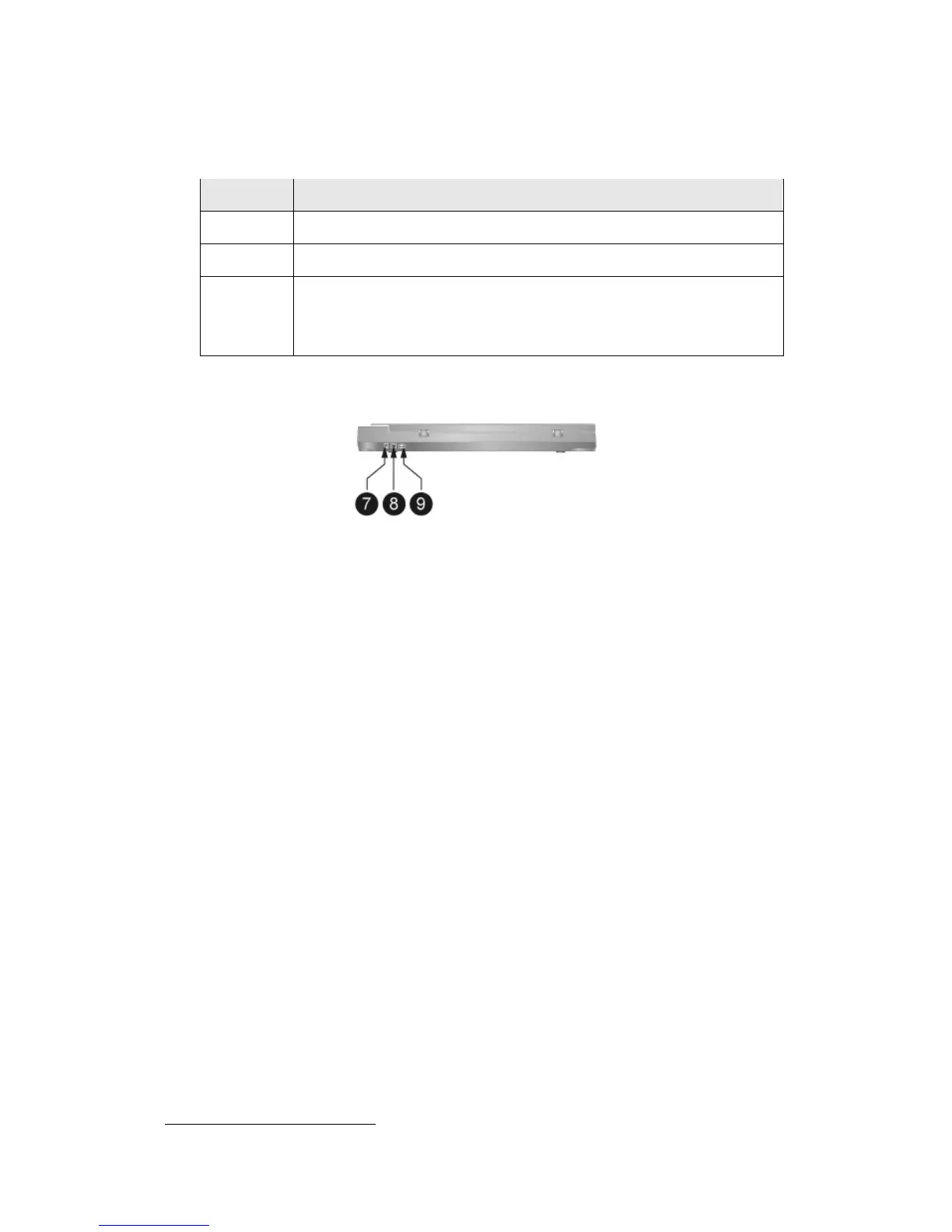
7. POWER RECEPTOR— Connects the scanner to a standard AC power outlet by
the AC adapter included.
8. USB PORT— Connects the scanner to a USB port on your computer by the USB
cable included.
9. USB HUB
4
— Connects the scanner to a USB port on another USB scanner by the
USB cable.
4
This function may or may not be available depending on the scanner model you purchase.











 To Next Page