PLX
www.plxdevices.com
5
3
General Operation
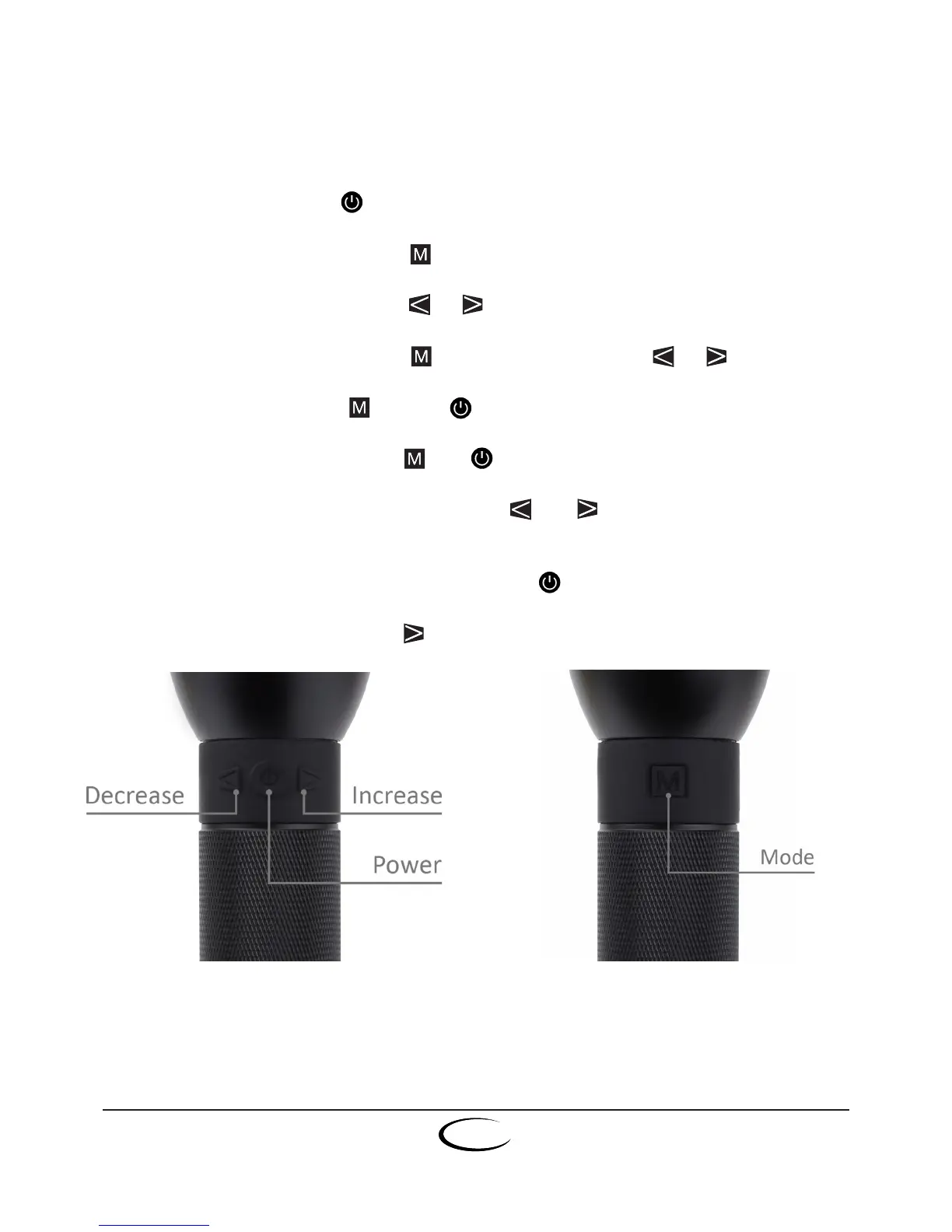
Button function
Turnon/o:Press & release button
Changelightmode:Press & release button
Decrease/Increaseintensity:Press or button
Adjustfocusforvirtualfocus:Hold & rotate Luxor (or press or button)
Changescreendisplay:Hold & press button
Lock/Unlockbuttons:Press & hold and buttons simultaneously for 5 seconds
Activate/Deactivatelightmodes:Press & hold and buttons simlatneously for
5 seconds
Activate/Deactivatereversecharge:Press & hold button for 3 seconds with Luxor on.
Fullintensityshortcut:Double tap button


 To Next Page