PLX
www.plxdevices.com
6
Light modes selection
Luxor oers ve light modes that can be activated/deactivated based on user preference.
With Luxor’s OLED on, press and hold and buttons simultaneously for 5 seconds until the
following display appears:
Once in the light mode selection screen, pressing the or button will scroll through the
dierent light modes that can be activated or deactivated.
Press the button to activated or deactivated the light mode displayed on the screen.
Press the button once you are satised with your selection to exit the light mode selection
screen.
Light modes
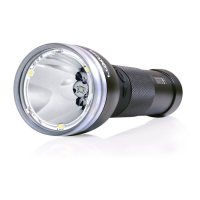
Luxor has ve light modes: auto focus, virtual focus, strobe, beam+ood, and
beam+ood+lantern.
Autofocus:In auto focus mode, Luxor detects where it is being pointed and automatically
adjusts the focus of the light to deliver the best lighting for that application.
Virtualfocus:Virtual focus mode allows you to manually control the beam pattern of your
Luxor. While in virtual focus mode, hold the button down and rotate clockwise to narrow the
beam pattern or rotate counterclockwise to widen the beam pattern.
You can also adjust the beam by holding down the button down and pressing the button
to narrow the beam pattern or pressing the button to widen the beam pattern. Once the
desired beam pattern has been selected, the intensity can be adjusted by pressing the or
button.
Strobe:In strobe mode, four forward facing LEDs turn on and o at your desired frequency.
Adjust the frequency by pressing the or button.
*note: Strobe mode not activated out of the box
Beam+ood:With all four front facing LEDs on, beam+ood mode is the most ecient way to
light up what lies ahead. Adjust intensity by pressing the or button.
*Beam+ood mode note activated out of the box
Beam+ood+lantern:In beam+ood+lantern mode, all seven LEDs are on, allowing you to get a
maximum light output of 850 lumens. Adjust intensity by pressing the or button.


 To Next Page