Monitor Selector
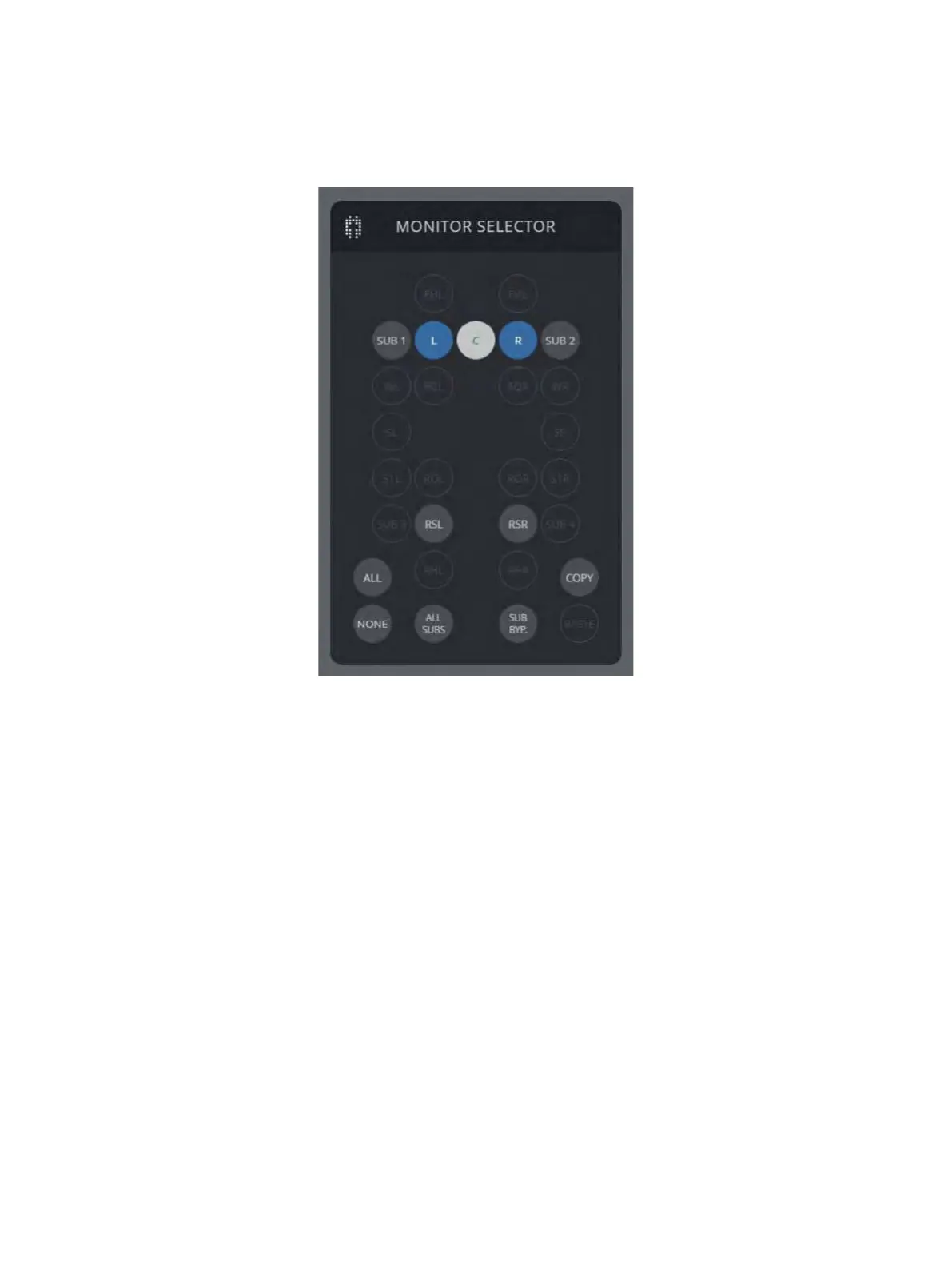
The monitor selector displays speakers by their graphical location based
on their assigned channel names. It is a quicker way to identify and select
particular speakers. Once a speaker has been assigned a channel, it
becomes available for use in the Monitor Selector. All other functions on
the monitor selector window only affect speakers that have had channels
assigned.
• All / All Subs / None
These buttons select all speakers, select all subwoofers, and de-select all
speakers.
• Copy / Paste
The Copy button copies the settings of the ‘Current’ speaker to the
SoundAlign clipboard. The Paste button applies these settings to all selected
speakers.
• Sub Bypass
The Sub Bypass control mutes all subwoofers and disables the bass-
management high-pass lters in all full-range speakers. The status of each
speaker’s bass-management lter can be found in the Model Info pop-up
window.



 To Next Page