EasyManua.ls Logo

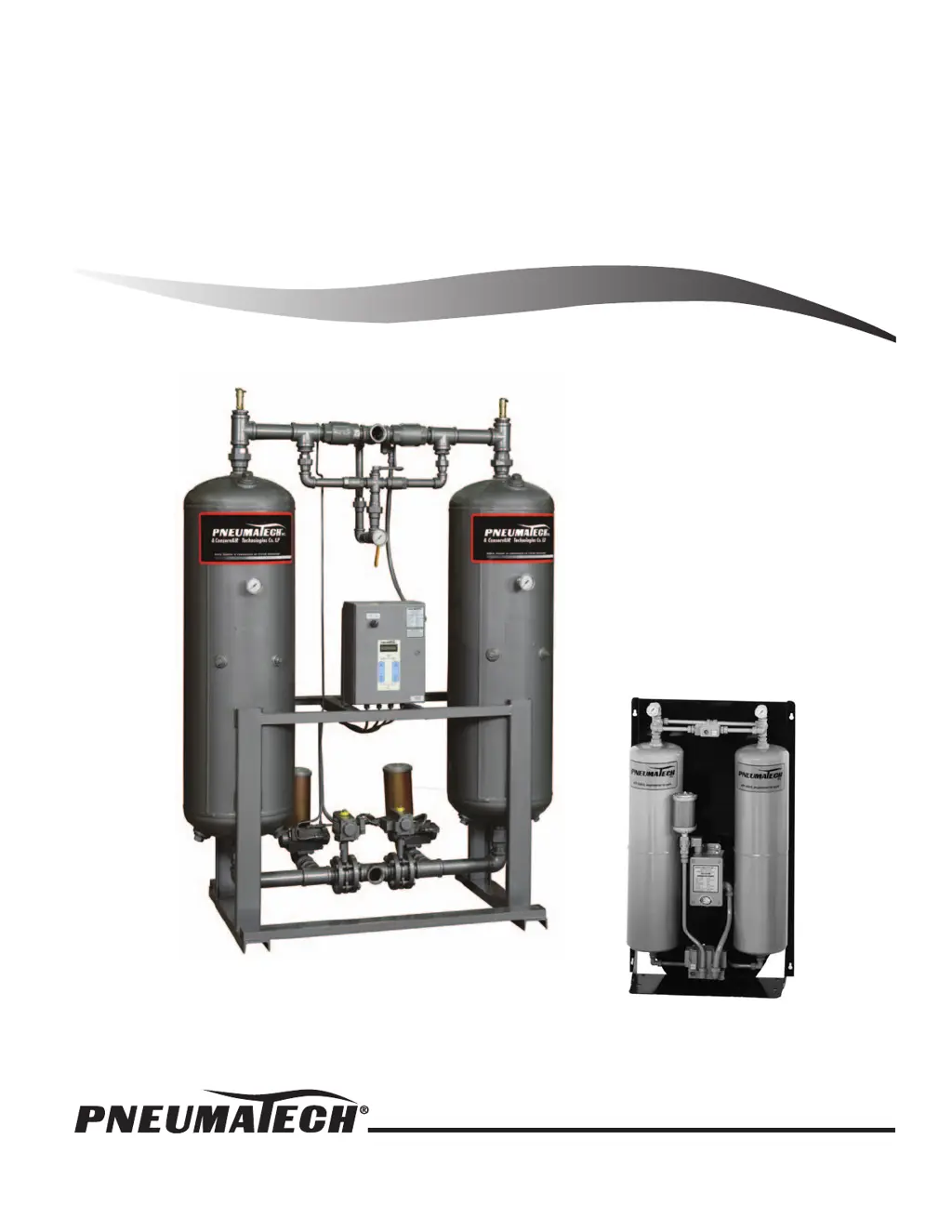
Pneumatech PH Series - User Manual

Default Icon
24 pages
Print Icon
To Next Page IconTo Next Page
Loading...
Printed in U.S.A. Publication No. OM-A-10H
June 2006 Rev. 7
Owner’s Manual
H
EATLESS
R
EGENERATIVE
D
RYERS
PH SERIES/EH SERIES/PHM MINI SERIES

Questions and Answers

  • R
    richard85Aug 21, 2025
    How to troubleshoot elevated dewpoint in Pneumatech PH Other?
    • J
      John WilliamsAug 21, 2025
      If you notice an elevated dewpoint in your Pneumatech Other, it could be due to several reasons. First, ensure the purge pressure is set to the recommended level. If the inlet pressure is low, recalculate the purge pressure setting from the chart. Excess moisture carryover can also cause this issue, so inspect the prefilter element and drains at both the prefilter and afterfilter. Also check aftercooler operation if the inlet temperature is too high. Finally, verify that the total output of the compressors isn't exceeding the dryer's capacity. In addition, depressurize dryer and inspect desiccant. Recalibrate probe if the dewpoint monitor is out of calibration.
  • T
    Thomas BrownSep 3, 2025
    Why has the moisture indicator color turned translucent in my Pneumatech PH?
    • P
      Peter WeaverSep 3, 2025
      If the moisture indicator color has turned translucent (wet conditions) in your Pneumatech Other, it could be because the bleed valve is closed. Open the bleed valve to allow a small amount of air to constantly flow through the gel.
  • S
    sheilaholmesSep 1, 2025
    What causes the failure to switch alarm light in Pneumatech PH?
    • B
      Brandi RiosSep 1, 2025
      If the failure to switch alarm light occurs on your Pneumatech Other, check the pilot air solenoid valve and repair if necessary. If there is a faulty timer, replace the timer. Clean or replace the pilot filter element if there is insufficient pilot air pressure. Finally, repair or replace the pilot air cylinder if the cylinder is leaking or seized up.
  • L
    Lisa WalkerAug 31, 2025
    Why does the tower not pressurize fully in my Pneumatech PH Other?
    • J
      Janet DuncanAug 31, 2025
      If the tower on your Pneumatech Other does not pressurize fully, it could be due to low inlet pressure; calibrate and plot purge pressure and reset. Another cause could be that the purge pressure is too low, so reset the proper purge pressure. Additionally, the repressurizing period might be too short, so check the timer sequence of operation.
  • P
    phurleyAug 29, 2025
    What to do if there is no gas flow through the Pneumatech PH?
    • E
      Emily SantiagoAug 29, 2025
      If there is no gas flow through your Pneumatech Other, it is possible that both inlet valves are closed due to low inlet pressure. To resolve this, manually open the inlet valve by turning the shaft or the ON actuator.
  • D
    Daniel BlackAug 27, 2025
    What causes a Pneumatech PH dryer to fail to purge?
    • W
      William BrooksAug 28, 2025
      If your Pneumatech Other fails to purge, start by cleaning the orifice plate, as it may be plugged. If the purge valve fails to open, see F3. If the purge valve is closed, reset the proper purge pressure. Also, inspect the purge check valve and replace it if necessary.
  • B
    Bradley MontgomeryAug 27, 2025
    Why is there excessive flow through mufflers in Pneumatech PH Other?
    • N
      normandonnaAug 27, 2025
      If you're experiencing excessive flow through the mufflers in your Pneumatech Other, it could be due to a few reasons. Start by checking the valves for leaks and repair or replace them. Also, check the purge solenoid and valve. Repair or replace faulty purge valve or solenoid. Check repressurizing solenoid and valve. Repair or replace faulty repressurizing valve or solenoid.
  • R
    rwestAug 25, 2025
    Why is there a high pressure drop in my Pneumatech PH?
    • J
      Jeffrey HartAug 25, 2025
      If you're experiencing a high pressure drop in your Pneumatech Other, start by replacing the desiccant retainer screens, as they may be plugged. Check the inlet flow conditions to ensure there's no excess flow. Also, check and reset the purge pressure if the purge flow is too high. If the purge valve stays open, check the repressurizing solenoid valve, and repair or replace it if necessary and check timer.
  • B
    Brian HicksAug 23, 2025
    What to do if Pneumatech PH Other has high back pressure on regenerating tower?
    • B
      Bailey GrayAug 23, 2025
      If your Pneumatech Other exhibits high back pressure during tower regeneration, the muffler might be plugged; in this case, replace the mufflers. Leaking check valves can also cause this; repair or replace any faulty check valves. Excess purge flow is another possibility; check and reset the purge pressure. Additionally, inspect the purge exhaust piping for restrictions; remove any obstructions or replace the piping with a larger size. Finally, you should check purge calibration, plot and reset in case of too high purge.

Summary

General Information

Safety Instructions

Critical safety rules and precautions for operating the dryer.

Desiccant Replacement Procedures

PH & EH Series Installation & Operation

Start-Up Procedure

Steps to safely start the PH and EH series heatless air dryer.

DMP Microprocessor Control

Overview of the DMP controller, sequence of operation, and features.

PHM Mini Series Installation & Operation

PHM Theory & Start-Up

Explanation of PHM operation and steps for initial start-up.

Maintenance

PHM Desiccant Replacement

Procedure for replacing desiccant in PHM Mini Series dryers.

Dewpoint Display Key Functions

Options Listing & Explanation

Dewpoint Demand Control (DPD)

Explanation of the energy-saving Dewpoint Demand Control system.

Troubleshooting Guide

PH & EH Series Troubleshooting

Common issues and remedies for PH and EH series dryers.

PHM Series Troubleshooting

Common issues and remedies for PHM Mini Series dryers.

Pneumatech PH Series Specifications

General IconGeneral
BrandPneumatech
ModelPH Series
CategoryOther
LanguageEnglish

Related product manuals