QuickStartGuide/Ръководствозабързстарт/SchnellstartAnleitung/Guíadeiniciorápido/QuidedeDémarrageRapide/Gyors
üzembehelyezésiútmutató/GuidaRapida/
Skróconainstrukcjaobsługi/Ghidrapiddeconfigurare
7/79
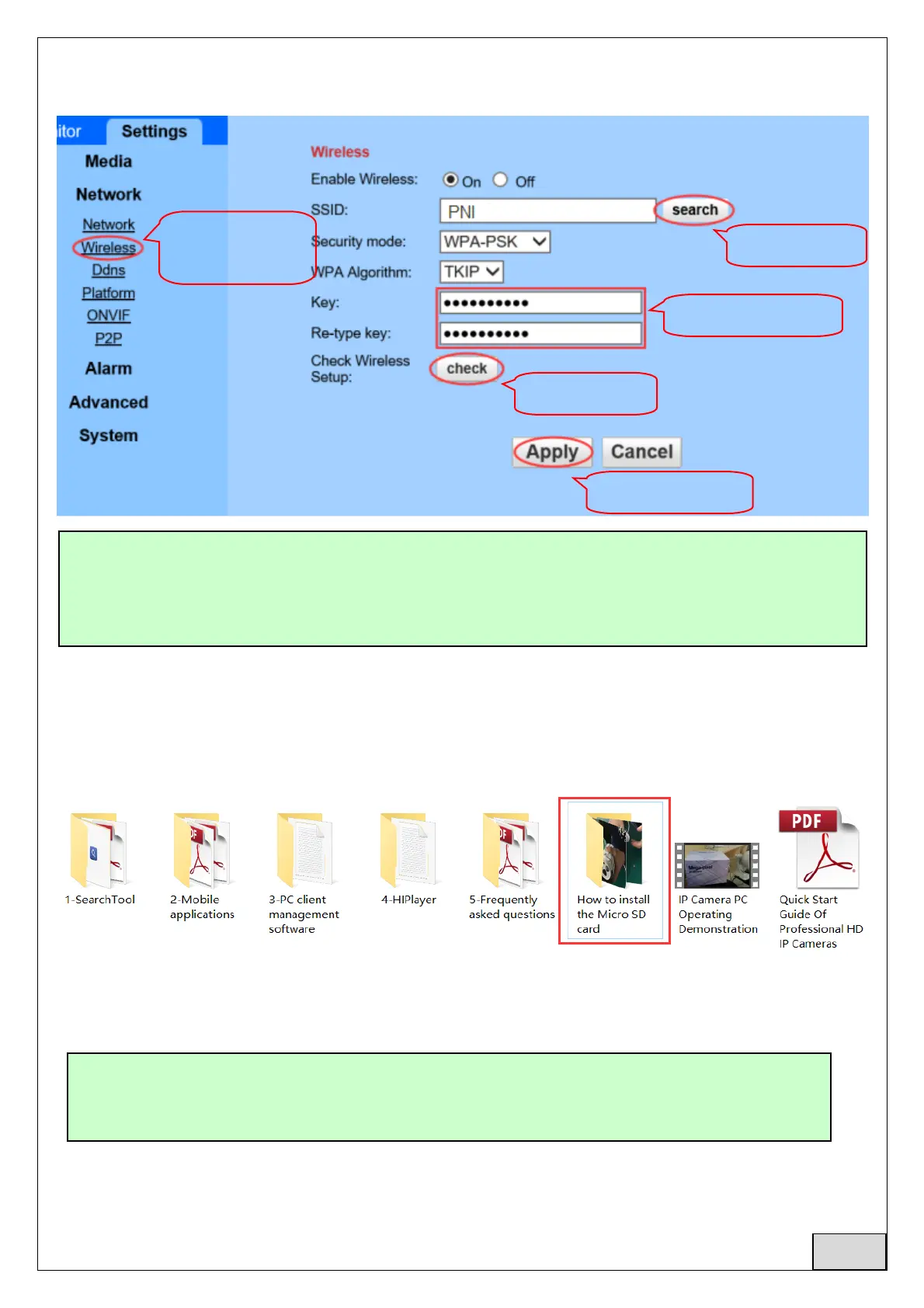
5.2SetWIFIviabrowseronPC
6. SetMicroSDcardrecord
6.1FindthecameraMicroSDcardinstallationtutorialsfromCDandinstalltheMicroSDcard(128Gb
maximum)intothecamera
6.2Setmotiondetectionalarmrecordingfromphoneapp
TheWIFIRoutermusthaveasignalvaluegreaterthen50%andWIFInamemustbeEnglishandcan
notcontainspecialcharacters.
AftertheWIFIsettingiscompleted,thecamerawillautomaticallyswitchtotheWIFIconnection
whenthenetworkcableisunplugged.
MotiondetectionalarmrecordingisrecommendedwhentheMicroSDcardissmall.
Thisway,thecamerawillonlyrecordvideoonSDCardwhenmotionisdetectedinthe
viewfieldofthecamera.
1.Enter
“wireless”page
2.SelectWIFI
3.Enterpassword
4.WIFItest
5.Savesettings
English



 To Next Page