QuickStartGuide/Ръководствозабързстарт/SchnellstartAnleitung/Guíadeiniciorápido/QuidedeDémarrageRapide/Gyors
üzembehelyezésiútmutató/GuidaRapida/
Skróconainstrukcjaobsługi/Ghidrapiddeconfigurare
3/79
2. Connectcamera
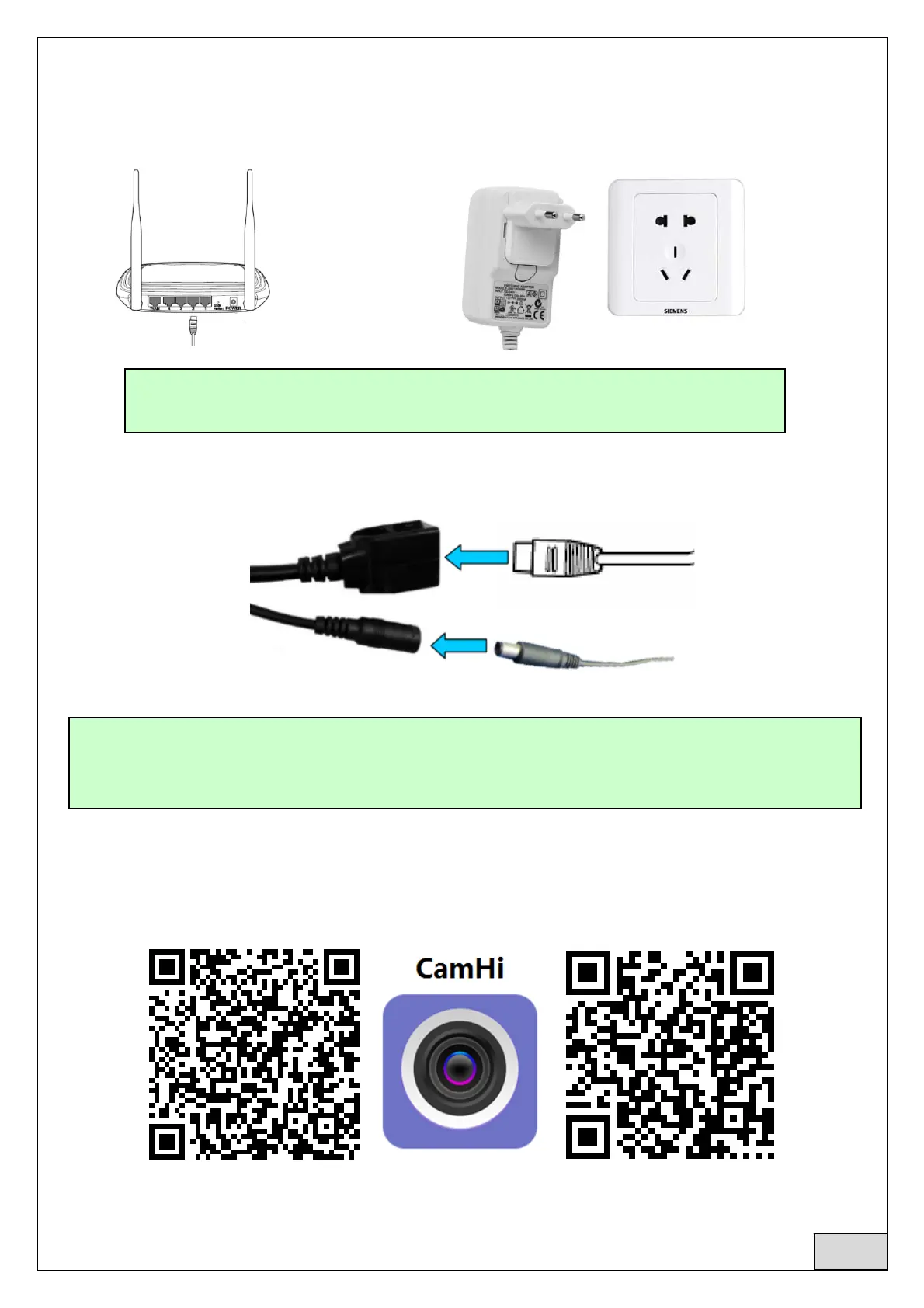
2.1Connectnetworkcabletorouterandplugincamerapoweradapter
2.2Connectnetworkcableandpowertothecamera,itneedsaboutafewminutestoselfcheckingand
thenstartworking
Networkindicatorlight(green):alwaysflashingmeansnetworkdatatransmissionisnormal
3. Viewviamobilephone
3.1Download“CamHi”fromGooglePlayStore/AppleAppStoreorscantheQRcodebelowtogetAPP
information
AndroidIOS
ThecamerawillturnonAPmodewhenthecameraisonlyconnectedtothepowersupply.Youcan
connecttocameraviatheAPmode.Fordetails,pleasefindhelpdocumentation“Howtousethe
APmodeofthecamera”intheCDinformation.
TheroutermustbeabletoconnecttotheInternet!
Pleaseusethestandardpowersupply.
English



 To Next Page