QuickStartGuide/Ръководствозабързстарт/SchnellstartAnleitung/Guíadeiniciorápido/QuidedeDémarrageRapide/Gyors
üzembehelyezésiútmutató/GuidaRapida/
Skróconainstrukcjaobsługi/Ghidrapiddeconfigurare
9/79
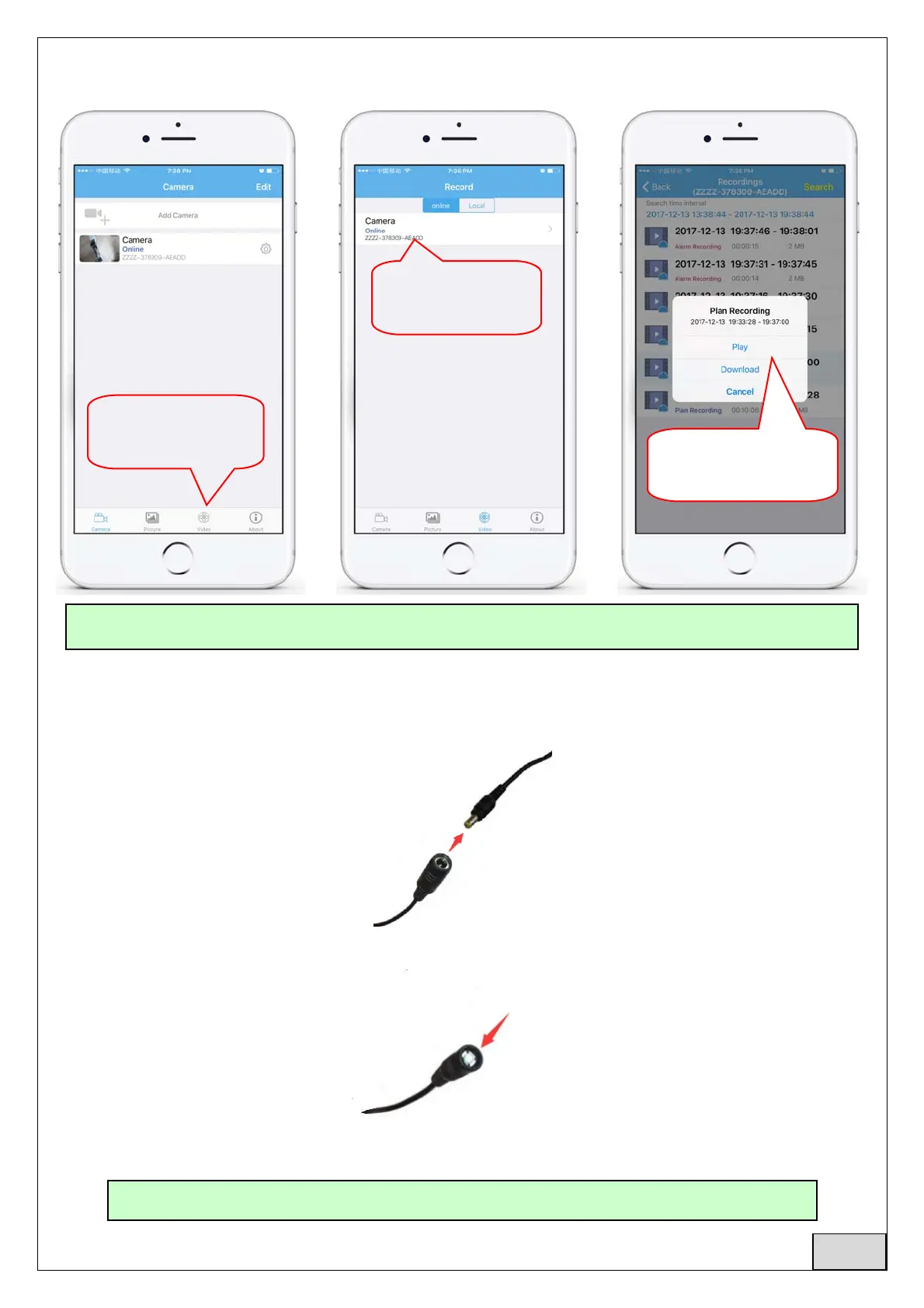
6.4Playbackrecordonphone
7. Rebootandrestorefactorysettings
7.1Reconnectthepowertorestartthecamera
7.2Pressandholdtheresetbuttonfor15secondsandthecamerawillrestoretofactorysettings
1.clickhereto
enterrecordpage
2.clickonline
camera
3.Playordownload
videofiles
TheseparameterscanbesetinmoredetailviaHiP2PClientSoftwareorIEbrowseronthePC!
AlsoyoucanrestartorresetthecameraviamobilephoneorPC.
English



 To Next Page