15
EN
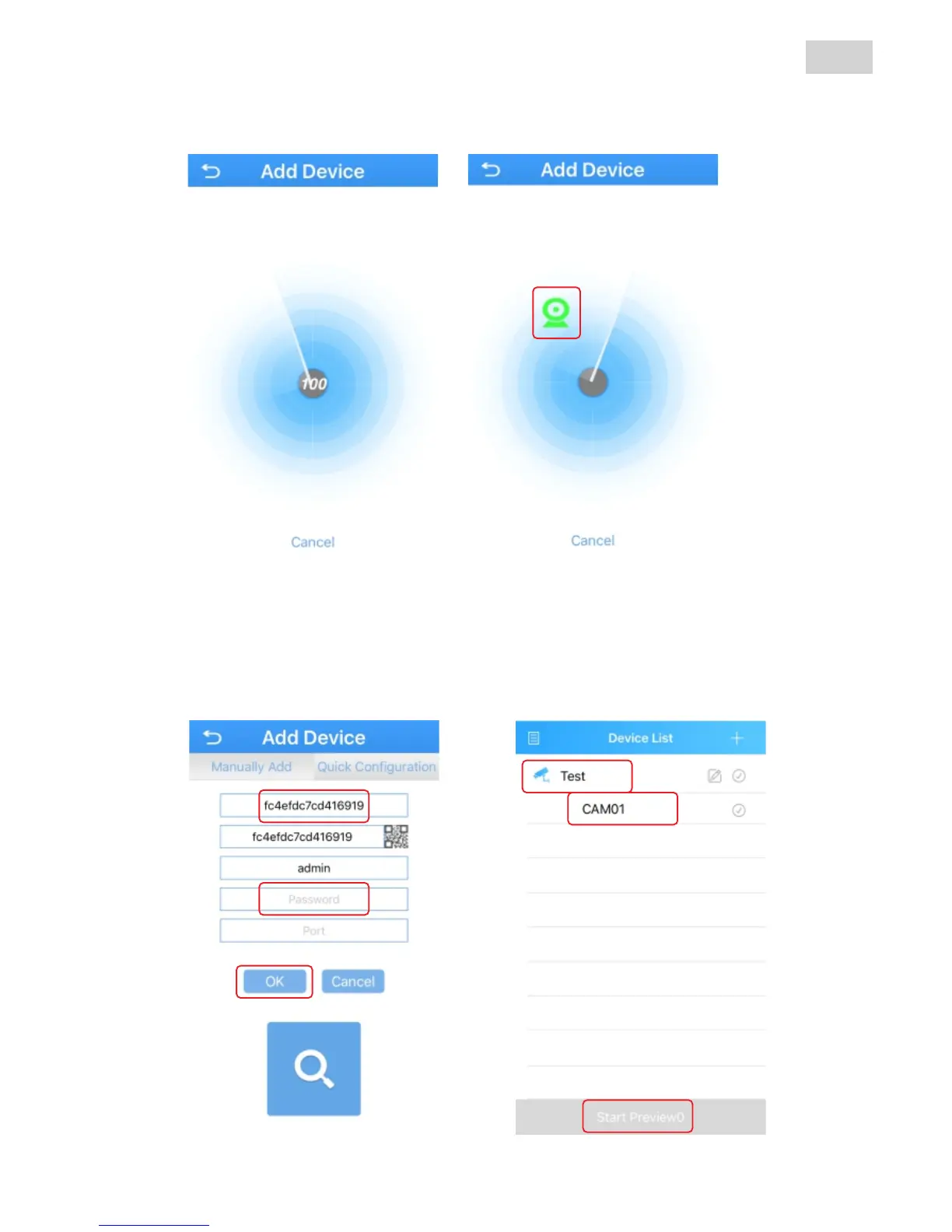
Next you can modify the name of the camera (1) (depending on
area or location), insert the access password of the camera (default
there is no password) then press „OK”.
In the device list you will be able to see the new camera. Select it
(2)+(3) then press „Start Preview“ (4) button to view the live image.
1
2
3
4
The App will search all the cameras in the same network. You
will hear a confirmation message from the camera when the setup is
successful. Select the camera on the screen.



 To Next Page