STANDARD MENU
17
Clear Memory
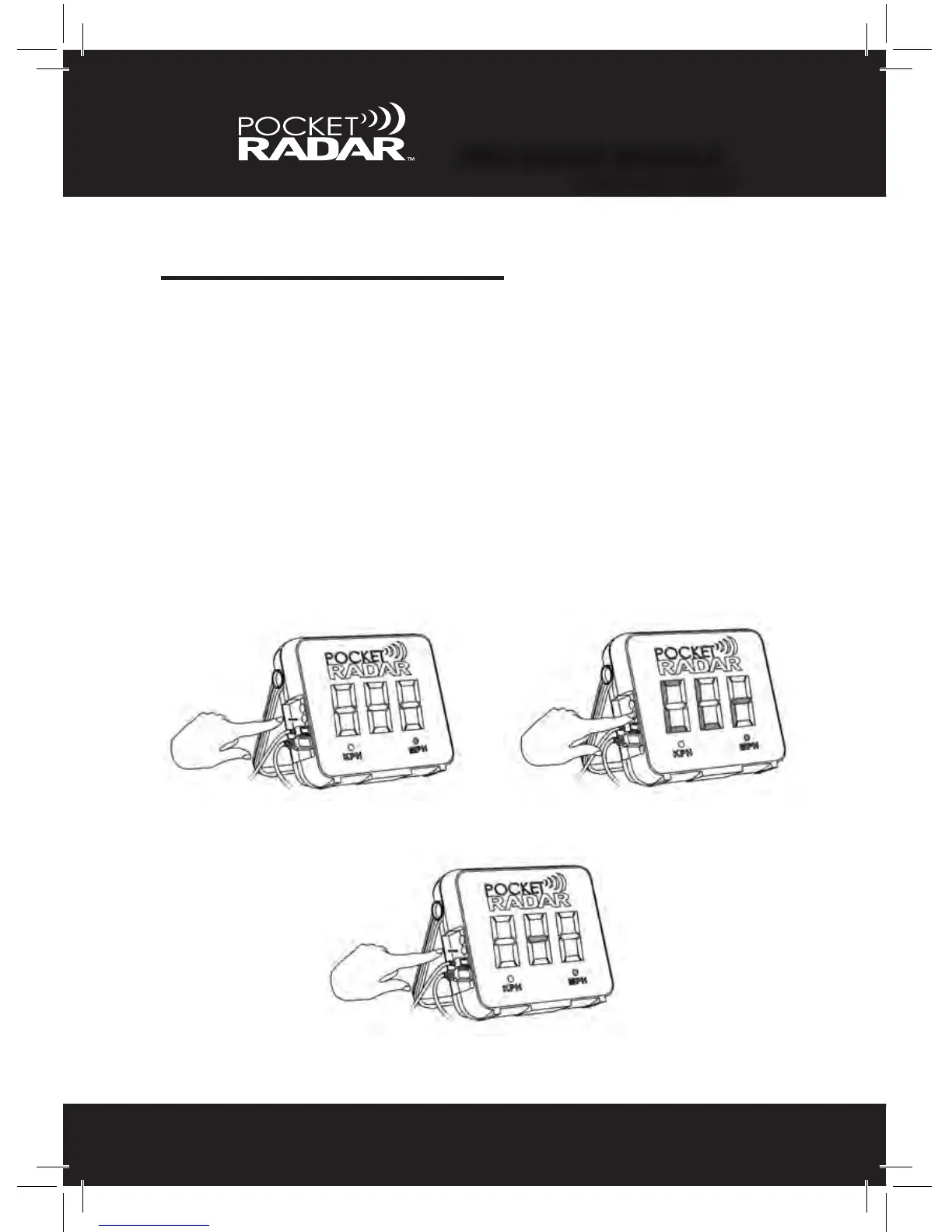
Sometimes it’s better to start fresh when beginning a new session. To
eliminate the previous speeds that are stored in the Smart Display, all
you need to do is “Press and Hold” the Mode (black) button down for 2
seconds until the word "CLr” displays. Once you see “CLr”, release the
button and a “-” will appear. That means the memory has been deleted
and you are now ready to capture new speeds.
1. 2.
3.
PRO RADAR MODULE
™
STANDARD MENU



 To Next Page