EasyManua.ls Logo

Polaris AutoClear SC - User Manual

Polaris AutoClear SC
29 pages
Print Icon
To Next Page IconTo Next Page
Loading...
PMRA Approved
2021-6492
2022-08-10
Carton label :
Cell Replacement Label :
Rating Label:
POLARIS
AUTOCLEAR
®
SC
(PAGSC20K)
INPUT SWC: 120VAC, 60Hz, 2.5A
OUTPUT: 28V D.C., 8A
CHLORINE OUTPUT: See cell label EPA
Est. No. 100761-MYS-1
4007539
Pump Receptacle: 120 VAC, 60 Hz, 10A Max
CONFORMS TO UL STD 1081
CAN ICES-003 (B) / NMB-003 (B)
Certified to CSA Std. C22.2 No. 218.1
Polaris
®
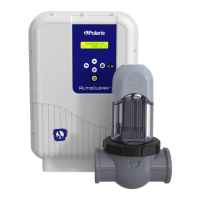
AutoClear SC (PAGSC20K)
Chlorine Generator
Controls bacteria and algae in Swimming Pool Water For Residential Pools
DOMESTIC
A maximum of 132,000 L (35,000 gallons) (132.0 m3) of water can be treated
with one Polaris
®
PAGSC20K unit.
Maximum output of hypochlorous acid equivalent to 0.400 kg of free available chlorine per day
For swimming pools, a range of 1-3 ppm of free available chlorine must be maintained.
READ THE LABEL AND THE INSTALLATION AND OPERATION MANUAL
BEFORE USING
KEEP OUT OF REACH OF CHILDREN
REG. NO. 34542 PCPA
WARNING: operating Polaris
®
PAGSC20K without water flow through the
cell can cause a build up of flammable gases which can result in FIRE OR
EXPLOSION.
WARNING: Do not use this device with bromide products
Zodiac Pool Systems LLC
2882 Whiptail Loop East #100 Carlsbad, CA 92010
1.800.822.7933 | www.ZodiacPoolSystems.com
Zodiac Pool Systems Canada, Inc.
2-3365 Mainway, Burlington, Ontario L7M 1A6
+ 1 (888) 647-4004 | www.ZodiacPoolSystems.ca

Polaris
®
AutoClear SC (PAGSC20K)
Chlorine Generator
Replacement electrode for the chlorine generating device Polaris
®
PAGSC20K
REG. NO. 34542, PCPA.
This cell must only be used on this model of chlorine generating device.
Read the Label, the Installation and Operation Manual of the chlorine generating device
Polaris
®
PAGSC20K before using.
Zodiac Pool Systems LLC
2882 Whiptail Loop East #100 Carlsbad, CA 92010
1.800.822.7933 | www.ZodiacPoolSystems.com
Zodiac Pool Systems Canada, Inc.
2-3365 Mainway, Burlington, Ontario L7M 1A6
+ 1 (888) 647-4004 | www.ZodiacPoolSystems.ca

Questions and Answers

  • L
    Linda LambertAug 7, 2025
    Why does my Polaris AutoClear SC Swimming Pool Filter say 'Check Salt'?
    • T
      timothykellerAug 7, 2025
      The 'Check Salt' warning appears on your Polaris Swimming Pool Filter for several reasons: the salinity is under 3,000ppm, the pool water temperature is too low (less than 18 °C), or the cell is scaled up or worn. To resolve this, add salt to the pool to maintain a level of 3,000ppm (consult a pool care professional if needed), wait for the water to warm up, or clean/replace the cell.
  • B
    Brandon TaylorAug 14, 2025
    What to do if the flow indicator is on for my Polaris AutoClear SC?
    • D
      dixonelizabethAug 14, 2025
      If the flow indicator is on for your Polaris Swimming Pool Filter, it could be due to a stop or failure of the filtering pump, presence of air or gas in the cell, or closed by-pass valves. Check the filter, pump basket, and skimmers, cleaning them if necessary, and ensure all valves are set for normal operation. If using a variable speed pump, ensure the speed setting is high enough for adequate flow through the cell. If a suction cleaner is connected to the skimmer, check the cleaner for blockages or flow restrictions.
  • V
    vkellyAug 22, 2025
    What does 'Check Pump' mean on my Polaris Swimming Pool Filter and how to fix it?
    • A
      aliciaswansonAug 22, 2025
      The 'Check Pump' message on your Polaris Swimming Pool Filter, displayed alternately with 'NO FLOW', indicates a pump issue. Perform the same checks as for a flow problem, inspecting the filter, pump basket, and skimmers for blockages. The saltwater chlorine generator has built-in pump protection, supplying power for 4 minutes and retrying after 20 minutes if no flow is detected. After repeated attempts without flow, it enters standby and requires restarting, but all schedules remain in memory.
  • J
    Jenna SmithAug 28, 2025
    What does 'Check Cell' mean on my Polaris Swimming Pool Filter and how to resolve it?
    • E
      Edward GarciaAug 28, 2025
      The 'Check Cell' message on your Polaris Swimming Pool Filter indicates a potential issue with the cell itself. This could be due to a short-circuit in the cell, a disconnected or badly connected cable, or a worn electrode. Begin by checking the cell connections. If the issue persists, replace the cell. If necessary, have the control box (electronic board and transformer) checked by a qualified technician.

Summary

Important Safety Instructions

System Description

Product Specifications

Details technical specifications like operating pressure, flow rates, dimensions, and weight.

Product Contents

Lists all items included in the product packaging, with quantities.

Installation Instructions

Materials and Tools

Lists the necessary materials and tools required for installation.

Installation Requirements

Outlines the essential criteria and conditions for correctly installing the device.

Install the Power Pack and Cell

Step-by-step guide for physically mounting and connecting the power pack and cell.

Bonding

Explains the electrical bonding requirements for safety and compliance.

Pool Water Preparation

Determining Pool Size (Gallons of Water in Your Pool)

Provides formulas to calculate pool volume in gallons based on shape.

Determining Pool Size (Litres of Water in Your Pool)

Provides formulas to calculate pool volume in litres based on shape.

Chemistry You Need to Know

Explains key water chemistry parameters like stabilizer, nitrates, metals, and chloramines.

Optimum Pool Water Conditions

Specifies recommended levels for chlorine, pH, alkalinity, and other factors for optimal operation.

Chlorine Testing

Details how to test chlorine levels and where to take samples.

Salt (NaCl Sodium Chloride)

Covers adding, testing, and the type of salt required for the system.

Operating Instructions

Setting the Clock

Instructions for setting the device's internal clock for accurate timing.

Summer and Winter Modes and Setting the Timers”

Guide to configuring seasonal modes and daily operating timers.

Chlorine Production Activated

Explains how chlorine production is indicated and details "Boost" and "Low" modes.

Maintenance Instructions

Weekly

Describes weekly maintenance tasks, including chlorine and pH testing.

Monthly

Outlines monthly maintenance checks, including cell inspection and salt level testing.

Cleaning the Cell

Provides detailed steps for removing and cleaning the electrolytic cell.

Winterizing

Instructions on how to prepare the system for winter to prevent freeze damage.

Troubleshooting

Problems and Corrective Action

A guide to identifying common problems and their solutions, including error messages.

Polaris AutoClear SC Specifications

General IconGeneral
BrandPolaris
ModelAutoClear SC
CategorySwimming Pool Filter
LanguageEnglish