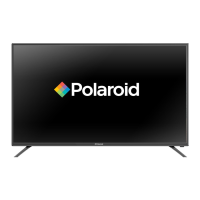
This document is a user manual for the Polaroid P43FPA2031A 43" Full HD LED TV.
Function Description
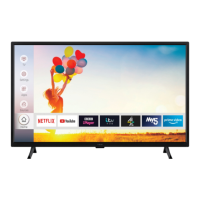
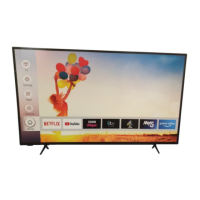
The Polaroid P43FPA2031A is a 43-inch Full HD LED TV designed for general household and similar use. It offers a range of features including digital TV reception (DVB-T/T2), smart TV functionalities, media playback via USB, and connectivity options for various external devices. The TV is equipped with a user-friendly interface, remote control operation, and accessibility features. It supports various video and audio formats, and includes smart features like Netflix, YouTube, BBC iPlayer, ITV Hub, All 4, My5, and Prime Video. The TV is also Alexa-ready, allowing for voice control.
Important Technical Specifications
- Model: P43FPA2031A
- Screen Size: 43 inches
- Display Type: Full HD LED
- TV System: DVB-T/T2 (Digital Terrestrial TV)
- Power Consumption (Standby): <0.5W
- Power Consumption (Networked Standby): <2W
- Power Consumption (Typical): 75W
- Power Supply: 220-240V AC, 50Hz
- Dimensions (with stand): 973 x 627 mm
- Dimensions (without stand): 973 x 567 mm
- Display Resolution (max): 1920x1080
- Operating Temperature: 0°C up to 40°C
- Operating Humidity: 85% humidity max
- VESA Wall Mount: 100 x 100 mm (W x H), M4 thread, 7-8mm screw length
- Wireless Connectivity: IEEE 802.11a/b/g/n (2.4 GHz and 5 GHz bands)
- Supported DVI Resolutions: Up to 1920x1080
- Supported Video File Formats: MPEG1/2, MPEG4, H.264, H.265, VP8, VP9, Sorenson Spark, WMV3, VC1
- Supported Picture File Formats: JPEG, BMP, PNG
- Supported Audio File Formats: MP3, AAC, WMA, AMR-NB, AMR-WB, AC3, LPCM, AAC
- HDMI: 3 HDMI inputs, supporting 24Hz, 25Hz, 30Hz, 50Hz, 60Hz
- USB: 2 USB inputs
- Other Connections: Antenna (RF), SPDIF (Optical Out), Headphone, LAN (Ethernet), Back AV (Audio/Video), YPbPr, CI (Common Interface)
Usage Features
- First Time Installation: Guides the user through initial setup, including language, country, and channel scanning.
- Main TV Menu: Provides access to various settings and features, including picture, sound, network, and system settings.
- Remote Control: Full-featured remote for easy navigation and control, including dedicated buttons for Netflix, YouTube, BBC iPlayer, and Prime Video.
- Channel Management: Allows users to view, sort, edit, and manage channels, including creating favourite lists.
- Electronic Programme Guide (EPG): Displays programme information for up to 8 days, allowing users to schedule recordings and set reminders.
- Media Playback: Supports playback of various media files (video, audio, picture) from USB storage devices.
- Smart TV Features: Access to a range of applications like Netflix, YouTube, BBC iPlayer, ITV Hub, All 4, My5, and Prime Video. Includes a web browser and Freeview Play platform.
- FollowMe TV: Enables sharing of content between the TV and compatible mobile devices.
- CEC (Consumer Electronics Control): Allows control of HDMI-CEC compatible devices connected to the TV using a single remote.
- Parental Settings: Features like Menu Lock, Maturity Lock, Child Lock, and Guidance to restrict access to certain content.
- Accessibility Options: High Contrast, Hard of Hearing, Audio Description, Dialogue Enhancement, Spoken Subtitles, Magnification, and Minimap for users with specific needs.
- Voice Assistant (Alexa Built-in/Works With Alexa): Allows voice control for various TV functions, including power, volume, channel changes, and media playback.
- Software Upgrade: Supports software updates via USB or network to ensure the TV has the latest firmware.
- Picture and Sound Settings: Extensive options to customize picture (mode, brightness, contrast, sharpness, colour, energy saving, backlight, picture zoom, PC input) and sound (mode, equalizer, DTS Virtual:X, DTS DRC, sound mode, digital out, headphone, balance) settings.
- Network Connectivity: Supports both wired (Ethernet) and wireless (Wi-Fi) network connections for smart TV features and internet access.
- Auto Power Down: Automatically switches the TV to standby after a set period of inactivity.
- Store Mode: A display mode for retail environments.
- Audio Video Sharing: Allows sharing of files from smartphones or tablets to the TV.
- Power Up Mode: Configures the TV's power-up preference (Last State or Standby).
- Virtual Remote: Enables or disables the virtual remote feature.
Maintenance Features
- Cleaning: Instructions for safe cleaning of the TV screen and case. Avoid using abrasive cleaners or solvents.
- Battery Replacement: Guidelines for inserting and replacing batteries in the remote control.
- Troubleshooting: A section dedicated to common issues and their solutions, such as no picture, no sound, remote control problems, and connectivity issues.
- Software Updates: Regular software updates can improve performance and add new features. These can be performed via USB or over the internet.
- Safety Precautions: Important warnings regarding electrical safety, ventilation, handling of power cords, and battery disposal.
- Environmental Information: Guidelines for proper disposal of the TV and batteries to minimize environmental impact.
- Qualified Service Personnel: Emphasizes that servicing should only be performed by qualified personnel, especially for internal components or damaged power cords.

 Need help?





 To Next Page
 General