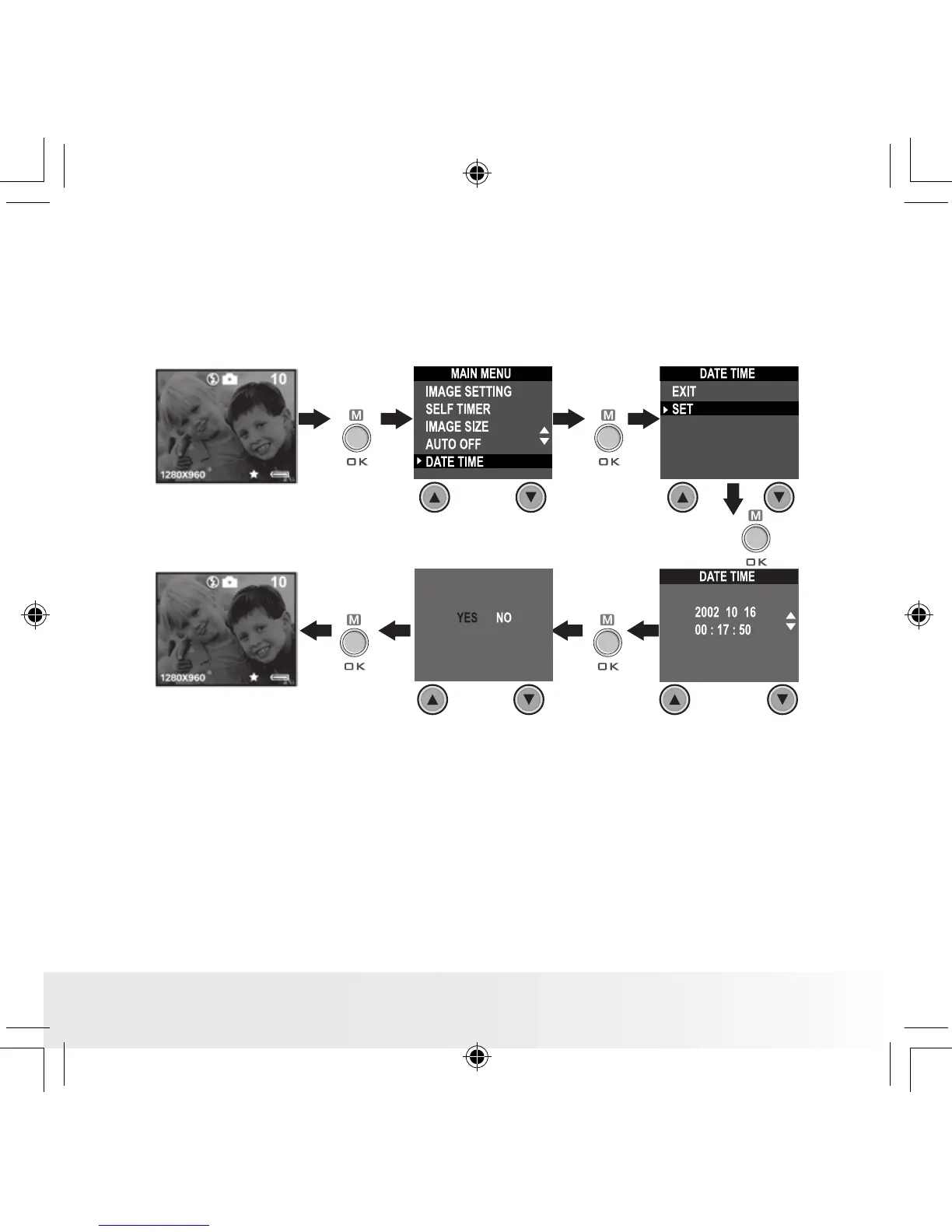
• Setting Date and Time
Turn on the camera, set the Mode selector to Capture mode (the Status
LED blinks once). Use Previous or Next button to select a eld, such as
year, month, day, hour, minute, second. Use the Up or Down buttons to
adjust the value in the eld. Press the OK button after all elds are set.
Press Previous
or Next button
to shift to the
item
Press
Press
Press
Press
Press



 To Next Page
 Loading...





