Connecting to a TV
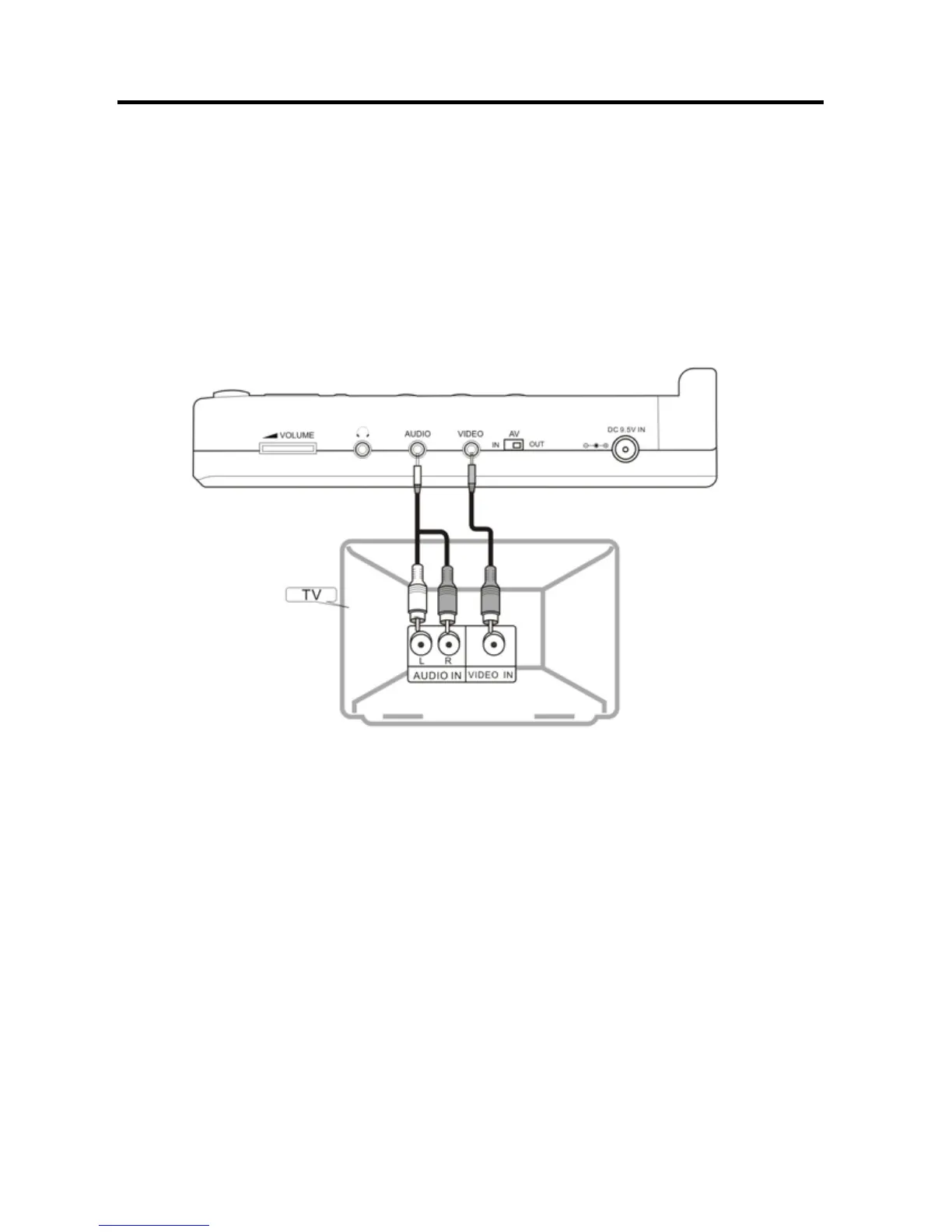
Audio/video connections
1. Always ensure that the DVD player, TV and any other electrical equipment you are
connecting the DVD player to is switched off and unplugged from the power supply.
2. The easiest way to connect the DVD player to a television is via the supplied
Audio/Video connections. Connect the audio/video cable from the DVD player to the
TV’s audio/video inputs.
Note
If you wish to view video on your TV only, close the display panel of your DVD player.
Playback will continue.
- 10 -


 To Next Page
 Loading...