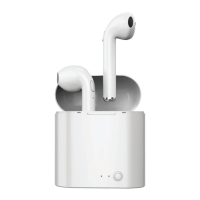
Powering ON/OFF
• The earbuds will automatically power ON when removed from their case, and
power OFF when placed into their case.
• When powered ON, the earbuds will automatically pair to each other and then
enter Bluetooth pairing mode. They may automatically re-pair to a
previously-paired device in range.
• The earbuds can also be powered ON and OFF by pressing and holding the
[Multi] buttons for ~3-5 seconds.
Note: A tone will automatically power OFF if they do not connect to a Bluetooth
device after 2 minutes.
Adjusting Volume & Playback
To listen to music and talk on the phone using your True Wireless Earbuds, you
must pair them to a Bluetooth-enabled device. If you are pairing the device for the
first time, please see the Bluetooth Pairing section on the next page.
Once paired, playback can be controlled through your paired device, or with the
controls on the earbuds below.
• 1x press the [Multi] button on either earbud to pause or resume playback.
• 2x Press the [Multi] button on the right earbud to skip to the previous track.
• 2x Press the [Multi] button on the left earbud to skip to the next track.
• 3x Press the [Multi] button on the right earbud to decrease volume.
• 3x Press the [Multi] button on the left earbud to increase volume.


 To Next Page