EasyManua.ls Logo

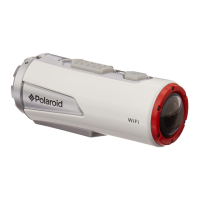
Polaroid XS100 - User Manual

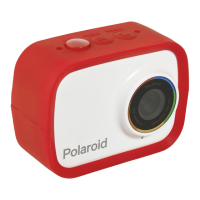
Polaroid XS100
22 pages
Print Icon
To Next Page IconTo Next Page
Loading...
XS100
HD Professional
Action Camera
USER GUIDE
www.polaroidaction.com

Questions and Answers

  • A
    Adam SullivanJul 26, 2025
    What to do if my Polaroid Action Camera cannot take photos and the Green and Red LEDs are flashing?
    • W
      wfloydJul 26, 2025
      If your Polaroid Action Camera cannot take photos or videos and the Green and Red LEDs are flashing, it could be due to the following reasons: * A MicroSD card is not inserted. * The card is not formatted. To resolve this: 1. Insert a MicroSD card. 2. Format the card.
  • V
    vedwardsAug 1, 2025
    Why my computer doesn't recognize my Polaroid Action Camera when connected?
    • K
      Karen CarrollAug 1, 2025
      If your computer is not recognizing your Polaroid Action Camera when connected, this is likely due to a connection failure. To resolve this: 1. Ensure that the cable connections are secure, and restart the computer if necessary. 2. Try a different USB port on the computer.
  • B
    Brian DavisAug 7, 2025
    What to do if my Polaroid Action Camera cannot take photos or video and the Green LED flashes?
    • K
      Katherine WilliamsAug 7, 2025
      If your Polaroid Action Camera cannot take photos or video and the Green LED flashes, it means the memory is full. Replace the memory card with a new one to resolve this issue.
  • J
    Johnathan KingAug 13, 2025
    Why does the red LED flash on my Polaroid Action Camera during recording?
    • S
      Sara DiazAug 13, 2025
      If the red LED flashes on your Polaroid Action Camera during recording, it indicates that the battery is low. To fix this, recharge the battery.
  • J
    James ClarkAug 19, 2025
    How to fix a Polaroid Action Camera that turns off and 1 LED flashes?
    • D
      David WhiteAug 19, 2025
      If your Polaroid Action Camera turns off and 1 LED flashes, it means the battery is exhausted. Recharge the battery to resolve this.

Summary

Precautions

Charging the Battery

Insert Micro SD Card

Attaching Camera Panel Cover

Powering On;Off

Recording Videos

Taking Photos

Resetting the Camera

Connecting to Computer and Software

Changing Camera Settings

Setting Video Resolution

Setting General Menu

Firmware Update and Installation

Connecting to HDTV

Mounting Accessories

Camera Mounting Methods

Secure String with Quick Disconnect

Instructions for using the secure string with the camera mount.

Mounting Helmet Mount (Non-Vented)

Mounting on Handlebar or Pole

Troubleshooting

Specifications

Polaroid XS100 Specifications

General IconGeneral
Supported video modes1080p, 720p, 960p
Maximum video resolution1920 x 1080 pixels
Sensor type-
Effective megapixels (movie)16 MP
Built-in displayNo
Product colorRed, Silver
Waterproof up to10 m
Protection featuresShock resistant, Water resistant
Battery life (max)- h
Weight and Dimensions IconWeight and Dimensions
Weight136 g

Related product manuals