Installation Guide http://www.autostart.ca/ P. 9
Supplementary Information
Fifth Relay Output (2nd IGN, ACC or CRANK)
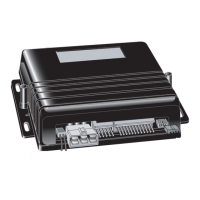
Remote car starters of this series are equipped with an
on-board high-current programmable 5
th
relay that can
be used to power a second ignition, accessory or crank
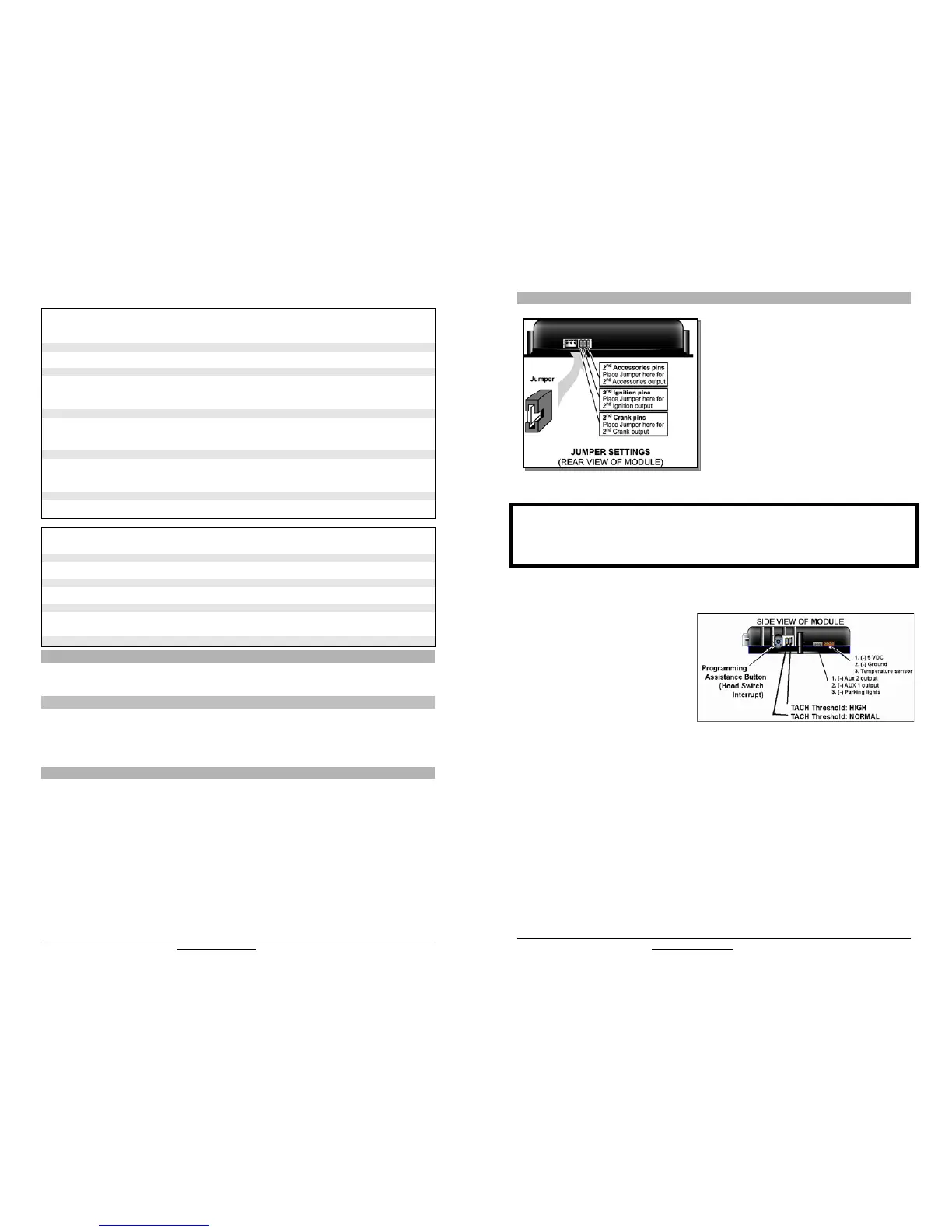
wire. The unit uses 3 sets of pins; each set corresponds
to a specific function of the output. In order to activate
one of the three possible functions, you must place the
jumper (supplied) on one of the three sets of pins and
connect the 14 AWG wire to the second IGN. / ACC. /
CRANK wire of the vehicle.
Caution!
Only one set of pins can be used at one time. Using more than one jumper may result in serious damage to the
vehicle. The relay output rating on this unit is 25a at most. Defective oem solenoid switches can sometimes
draw up to 50 or 60a, causing the 30a fuse to blow. Always verify your circuit with an appropriate measuring
device.
Tach jumper settings
Some new vehicles have a higher TACH
voltage threshold, which would fall out of the
normal TACH trigger circuit of the remote car
starter. Changing the jumper to TACH
Threshold HIGH will allow the module to
properly detect the TACH signal.
P. 4 http://www.autostart.ca Installation Guide
MODE 3
* INDICATES DEFAULT SETTING
FUNCTION 1 – Home Valet
OPTION 1 Home valet ENABLED
OPTION 2* Home valet DISABLED
FUNCTION 2 – AUX 1 Programming
OPTION 1 Horn confirmation upon the 2
nd
press of the LOCK button.
OPTION 2* Priority door access
OPTION 3 Horn confirmation upon the 1
st
press of the LOCK button.
FUNCTION 3 – AUX 2 Programming
OPTION 1 Constant output by pressing LOCK and UNLOCK buttons simultaneously
In safe start mode: activate AUX 2 by pressing the START button.
OPTION 2* Toggle ON/OFF (with 30-second time out)
OPTION 3 Toggle ON/OFF (with 4-minute time out) Æactive when under remote run
OPTION 4 Priority door access
FUNCTION 4 – AUX 3 / Zone 3 Programming
OPTION 1 1-sec. output when TRUNK button is pressed for 3 sec. with ignition off or under remote run
OPTION 2* Constant output while the TRUNK button is pressed
OPTION 3 Trunk output with disarm and rearm pulses
FUNCTION 5 – External Trigger
OPTION 1 Zone 3 disarm/rearm (trunk pin: a disarm pulse is sent before the trunk opens; the vehicle
rearms 4 seconds after the trunk is closed)
OPTION 2* Key sense
OPTION 3 Engine start / stop
OPTION 4 Pager
MODE 4
* INDICATES DEFAULT SETTING
FUNCTION 1 – Alarm Control
OPTION 1 ENABLED (HORN must be enabled)
OPTION 2* DISABLED
FUNCTION 2 - Ready Mode Option
OPTION 1 Enabled by handbrake
OPTION 2* Enabled by remote
FUNCTION 3 - Bypass
OPTION 1 ADS
OPTION 2* Xpresskit
OPTION 3 Fortin
FUNCTION 4 – Bypass Type
OPTION 1 One-Way communication
OPTION 2* Two-Way communication (For Xpresskit and ADS bypass only)
Bypass
Remote starters of this series have the ability to work in two way mode (D2D) with Xpresskit and ADS bypass
modules. They also offer one way communication with ADS, Fortin and Xpresskit bypass modules. Note: For
Hardware 5.0 and higher there can only be one bypass connected to the unit.
Virtual Tach System
* Virtual Tach System combines the latest microcontroller technology and a complex algorithm that took years
to develop. VTS is able to effectively monitor the engine starting sequence and release the starter at the right
time without physically connecting the tach wire to the remote starter. The VTS constantly monitors the data
and readjusts itself automatically in order to maximize its capability to start the engine properly in any weather
or deteriorating battery condition (automatic transmission only).
Optional Time Delay Adjustment in Virtual Tach System
Follow these steps to program crank time adjustment, if needed:
1. Enter programming mode (see on page 2) the parking lights will stay on for up to 20 seconds.
2. Before the lights go out, press and hold the brake pedal and press the LOCK and UNLOCK buttons
simultaneously the parking lights will flash 4 times. Do not release the brake pedal. Note: For vehicles
that require the ignition to be turned ON to activate the brake, follow these steps:
a. Turn the ignition ON; The parking lights will turn OFF
b. After 4 seconds the parking lights will turn ON and then press the brake.
3. Press the LOCK button if you wish to increase the time delay or the UNLOCK button if you want to
decrease it. The time delay will be increased or decreased by 50ms. and the parking lights will flash
once every time the LOCK or UNLOCK button is pressed.
4. Press the TRUNK button to save the settings you have entered.
5. Release the brake pedal – the time delay programming is now complete.


 To Next Page
 Loading...