EasyManua.ls Logo

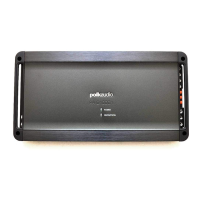
Polk Audio PA D1000.1 - User Manual

Polk Audio PA D1000.1
32 pages
Print Icon
To Next Page IconTo Next Page
Loading...
MONOBLOCK
A MPLIFIER
PA
D1000.1
HBP2477

Table of Contents

Questions and Answers

  • M
    Matthew FlemingJul 26, 2025
    Why does my Polk Audio PA D1000.1 Amplifier have no output?
    • J
      Jennifer WallaceJul 26, 2025
      A Polk Audio Amplifier may have no output due to several reasons. It could be due to low or no remote turn-on, which requires checking the remote turn-on at the amplifier and repairing it if needed. A blown fuse can also cause this, necessitating a check of the power wire's integrity and looking for speaker shorts, followed by fixing any issues and replacing the fuse. Other potential causes include disconnected power wires (check and repair power wire and ground connections), disconnected audio input (check and repair line level connections), disconnected speaker wires (check and repair speaker wires), or blown speakers (check the system with a known working speaker and repair or replace speakers).
  • K
    Katie CombsJul 31, 2025
    What to do if my Polk Audio PA D1000.1 Amplifier battery fuse keeps blowing?
    • C
      Crystal DuncanJul 31, 2025
      If the battery fuse of your Polk Audio Amplifier keeps blowing, it could be due to a short in the power wire or incorrect wiring, requiring you to check the power wires and ground connections, repairing or replacing them as needed. Another cause could be using a fuse smaller than recommended, which means you should replace it with the proper fuse size. The issue may also arise if the actual current exceeds the fuse rating, in which case you should check the speaker impedance load. If it is below 1 Ohm, rewire the speakers to achieve a higher impedance.
  • T
    Tara HumphreyAug 5, 2025
    Why does my Polk Audio Amplifier keep blowing fuses?
    • L
      Lindsay BlankenshipAug 5, 2025
      If your Polk Audio Amplifier's fuse keeps blowing, it could be because the fuse used is smaller than recommended; replace it with the proper size. It could also be due to an impedance load at the amplifier that is too low; check the speaker impedance load and if it's below 1 Ohm, rewire the speakers to achieve a higher impedance. Another reason could be a blown speaker with shorted outputs; check the system with known working speakers and fix or replace as needed. Finally, the actual current may exceed the fuse rating, so check the speaker impedance load and rewire the speakers to achieve a higher impedance if it's below 1 Ohm.
  • J
    Jerry MckinneyAug 10, 2025
    How to fix distorted output on Polk Audio PA D1000.1?
    • J
      Jeffrey MartinezAug 10, 2025
      To address distorted output from your Polk Audio Amplifier, start by readjusting the crossovers. If the issue persists, check the system with known working speakers to determine if the speakers are blown, and fix or replace them as needed.
  • L
    Lisa EatonAug 15, 2025
    What to do if my Polk Audio PA D1000.1 audio cycles on and off?
    • R
      rbishopAug 15, 2025
      If the audio on your Polk Audio Amplifier cycles on and off, it could be due to thermal protection engaging when the amplifier heat sink temperature exceeds 85° C (185° F). Ensure proper ventilation for the amplifier and improve it as needed. Alternatively, it could be caused by a loose or poor audio input, requiring you to check the line level connections and repair or replace them if necessary. Another possible cause is loose power connections, so check the power wires and ground connections and repair them as needed.
  • J
    Jonathan FreyAug 20, 2025
    Why does my Polk Audio PA D1000.1 have poor bass response?
    • C
      Christopher ReyesAug 20, 2025
      Poor bass response in your Polk Audio Amplifier could be due to several factors. First, check if the speakers are wired with the wrong polarity, causing cancellation at low frequencies, and correct as needed. Second, the crossover might be set incorrectly, requiring a reset. Lastly, the impedance load at the amplifier might be too low; if it's below 1 Ohm, rewire the speakers to achieve a higher impedance.

Summary

INTRODUCTION

LISTEN CAREFULLY

Warning about high volume levels and potential hearing damage.

TOOLS OF THE TRADE

Lists essential tools required for amplifier installation.

END PANEL LAYOUTS

Identifies and describes the amplifier's terminal connectors and controls.

AMPLIFIER WIRING

Power Connections

Details the necessary power connections for the amplifier.

Speaker Wiring Diagram

Illustrates correct speaker connection to the amplifier.

AMPLIFIER INSTALLATION

Mounting Locations

Discusses suitable amplifier mounting places, including compartment specifics.

INSTALLATION GUIDELINES

Step By Step Installation

Provides a sequential guide for installing the amplifier.

SET UP AND TROUBLESHOOTING

Testing the System

Steps to verify the system is working correctly after installation.

Adjusting the Sound of the System

Guidance on tuning the amplifier's audio output for optimal sound.

TROUBLESHOOTING TIPS

Remote Turn-on & Power Issues

Solves problems related to remote turn-on, power, and audio input connections.

Performance & Wiring Issues

Addresses issues like thermal protection, impedance, shorts, and speaker wiring.

SPECIFICATIONS

Limited Warranty

Polk Audio PA D1000.1 Specifications

General IconGeneral
BrandPolk Audio
ModelPA D1000.1
CategoryAmplifier
LanguageEnglish

Related product manuals