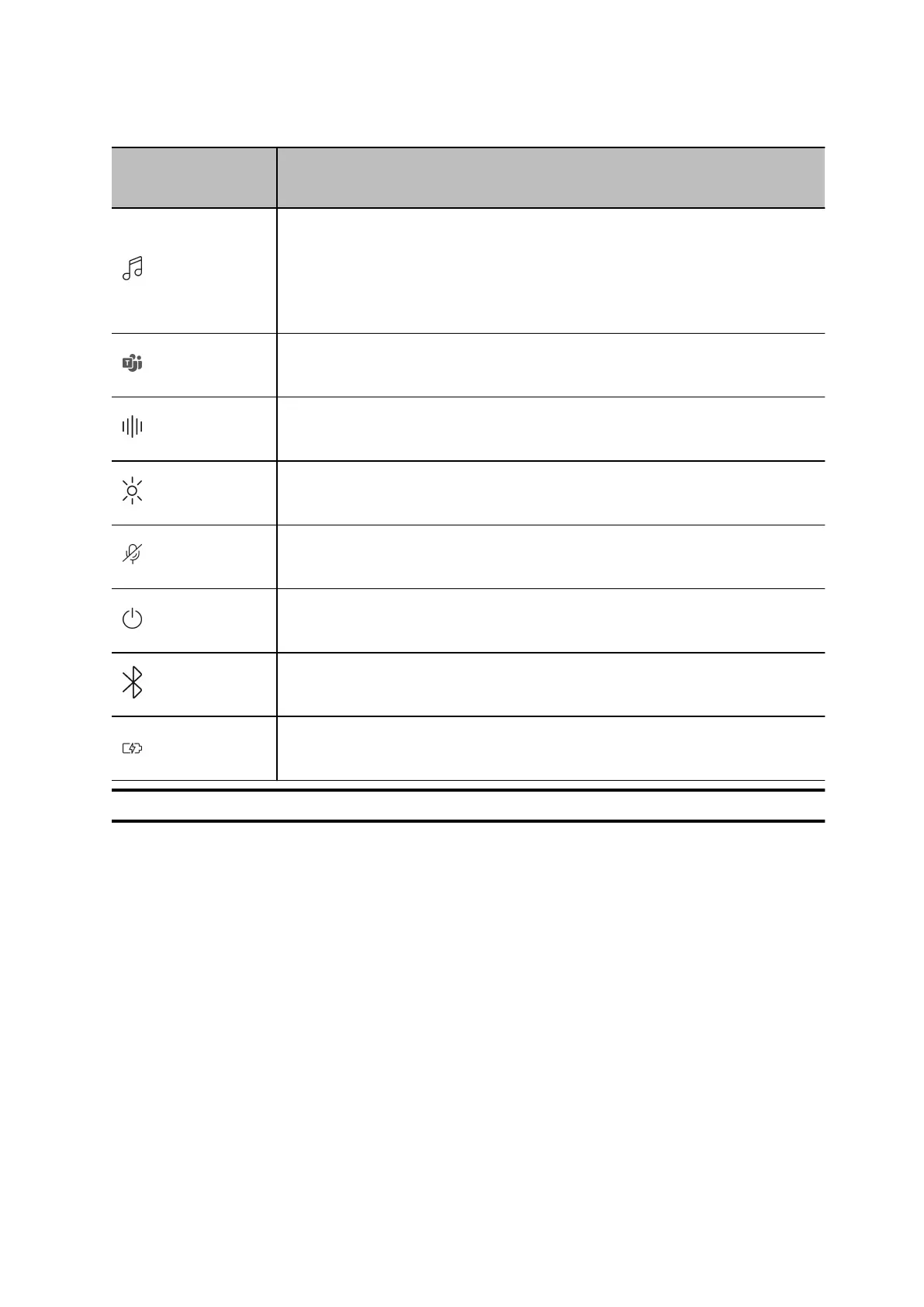
Icon Headset control
Audio control*
•
Tap to play/pause
•
Swipe to track forward/backward
Interact with Microsoft Teams (Teams model only, Teams app required)
ANC (Active Noise Canceling) and Transparency Mode
LEDs/Online indicator
Mute/unmute
Power
Bluetooth® pairing
Charge port
Note *Functionality varies by application. May not function with web-based apps.
Be safe
Please read the safety guide for important safety and regulatory information before using your new
device.
Printed from Poly (http://docs.poly.com) Page 4









 To Next Page