11
User Manual | Edition 1, May 2020
2
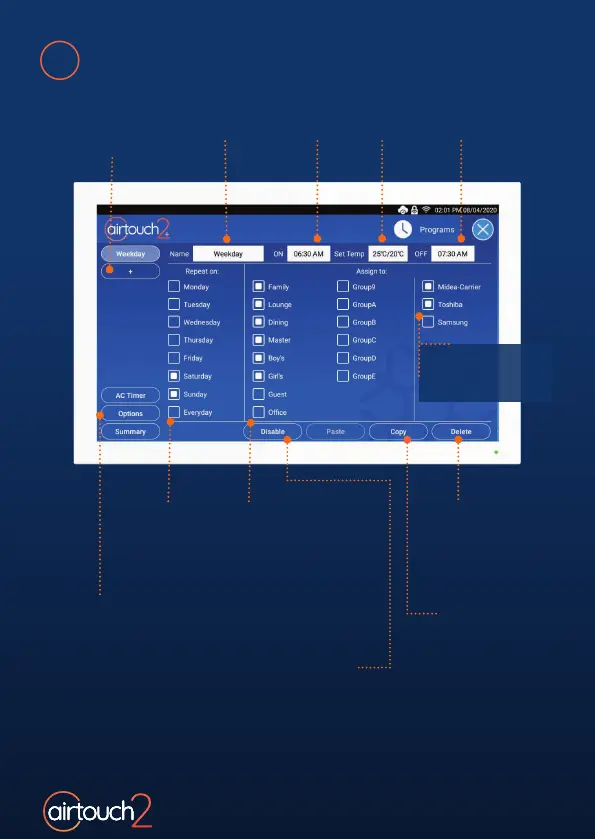
Touch the + button
to add a program
(up to eight programs)
Tick the Days
when the
program will
be repeated
Touch Options to tick
or untick the Linked
AC to Groups
Use Delete
button to
remove an
unused
program
Use Copy and
Paste buttons
to create new
programs which
have similar
settings
Tick the Zones which will
use the program.
A zone can have multiple
programs. Touching the
zone name will show the
programs assigned to it
Use Disable/Enable button
to deactivate/activate the
program. When the program is
disabled, its settings will be kept
in the system but the On/O
action will not be carried out.
Touch the On, Set Temp and
O areas to set the time and
required temperature
Touch the Name
area to rename
the program
Programs
Assign the program
to the desired
AC Unit/s here.



 To Next Page