16
www.airtouch.net.au
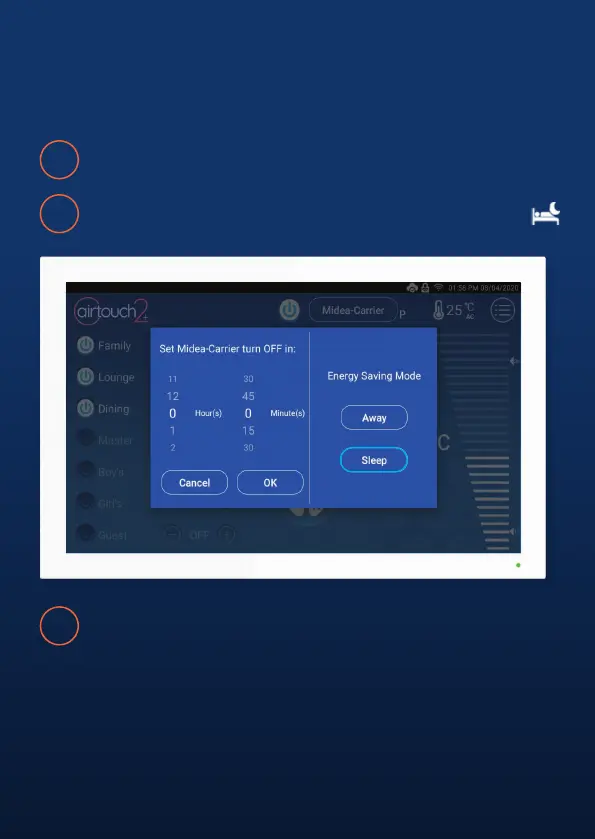
Sleep
Sleep comfortably while saving energy.
1
NOTE:
Only available on COOL, HEAT, or DRY Mode. When activated, the set point will
increase (Cool mode) or decrease (Heat mode) by 1 degree every hour for 3
hours. But the displayed AC set point will remain at your chosen temperature.
After three hours, the AC will remain at the decreased/increased set the point
utill Sleep Mode is cancelled.
Press and hold the AC On/O Button.
2
Press Sleep. The Sleep icon will appar in the top status bar.
3
To cancel Sleep Mode, press the Sleep button a second time, or
adjust the Mode, Fan Speed or Temperature.



 To Next Page