7
User Manual | Edition 1, May 2020
Away Function
Eciently make sure home doesn’t get too warm or too
cold while no one is home.
1
NOTE:
Only available on COOL, HEAT, or DRY Mode. When activated, the system will
monitor the ambient temperature. When it approaches -1 of the upper limit
(Cool) or +1 of lower limit (Heat), the system will turn On the AC. If the ambient
temperature approaches -3 of the upper limit (Cool) or +3 of lower limit (Heat),
the system will turn o.
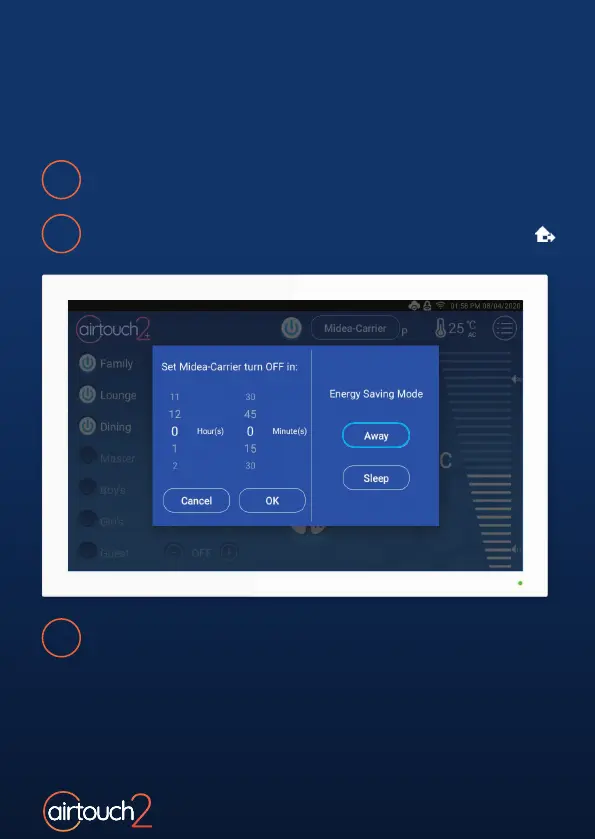
Press and hold the AC On/O Button.
2
Press Away. The Away icon will appar in the top status bar.
3
To cancel Away Mode, press the Away button a second time, or
adjust the Mode, Fan Speed or Temperature.



 To Next Page