12
www.airtouch.net.au
Turbo Zone
For high volumes of conditioned air in a
single zone.
AirTouch’s Turbo Zone feature can cool or warm a single
zone quickly; or can be useful when there is a lot of
activity and you need more conditioned air than normal.
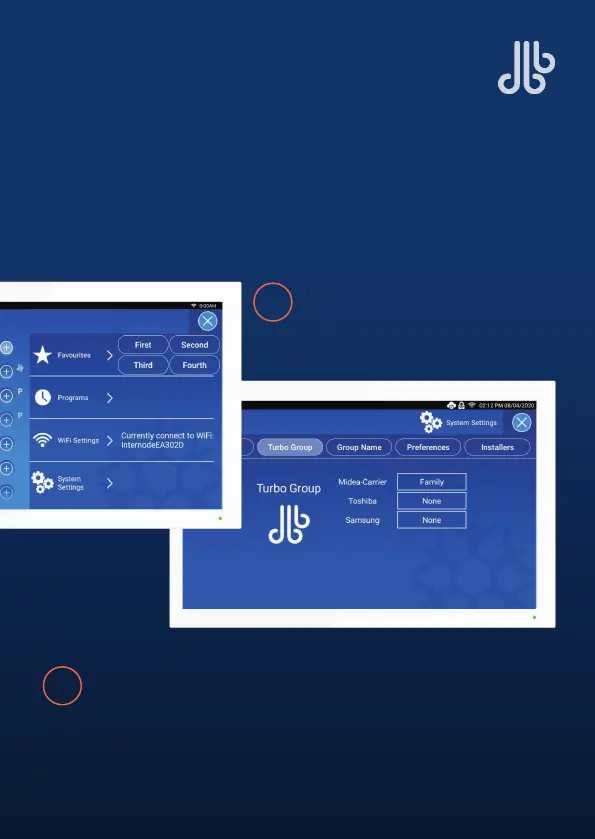
Open the Quick Menu and
select System Settings.
1
2
Tap on Turbo Group and a drop-down menu will appear.
Select which room you want a larger volume of air.



 To Next Page