DOC2207A RSS 2000 V3.0 Getting Started guide - Release Note - Final - February 26, 2008.doc
Upgrade from 2.0 to 3.0
1: Download upgrade package to RSS
a) Log in to RSS , go to “ . - System Configuration > Upgrade/Reset System” page .
b) Download the “RSS2000.3.0.0.0_part1_full function_with English &Japanes &
Chinese . pkg” to RSS , then Restart
Note : More details about the download file process , please read “RSS2000 user manual
V3.0”
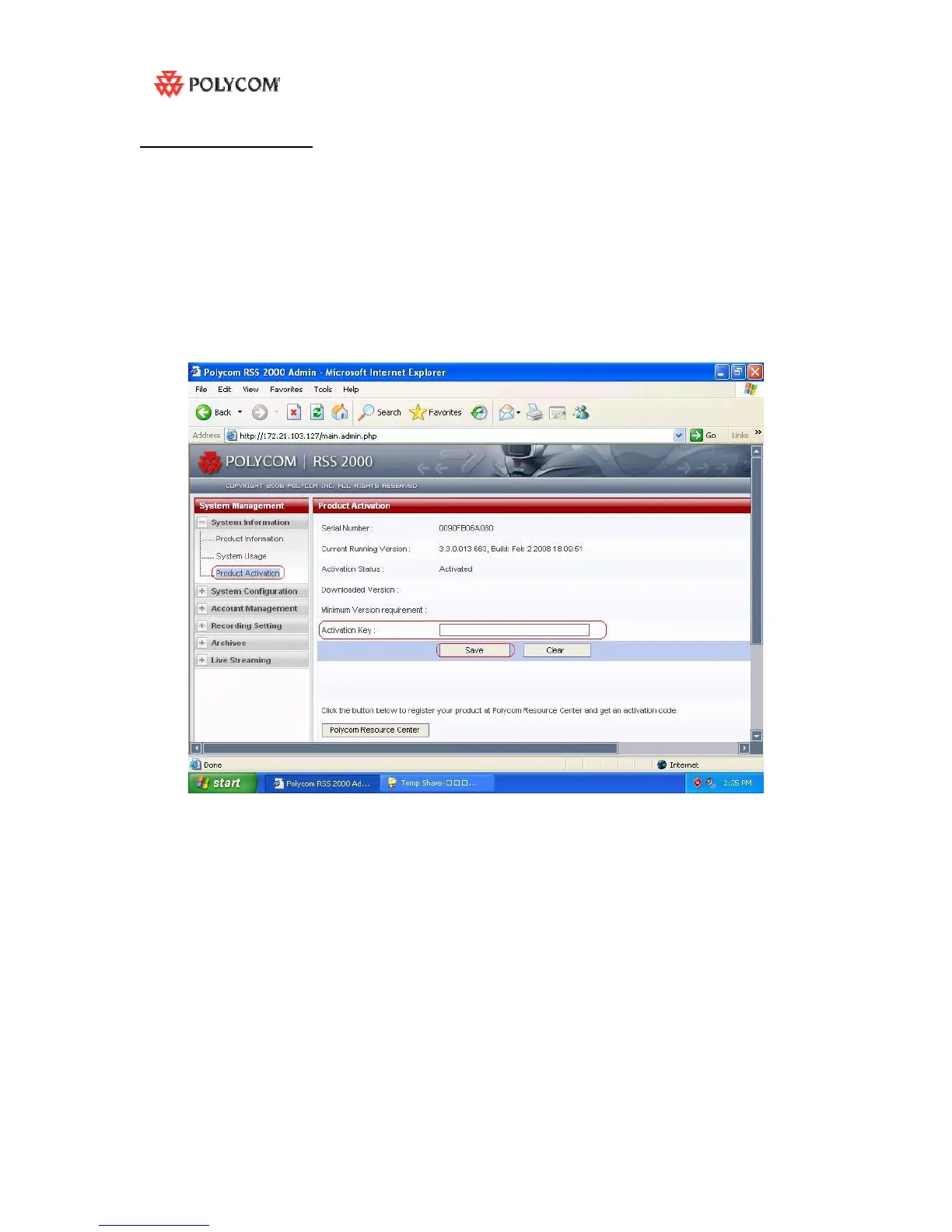
2: Activate your RSS by Keycode
a) After rebooting , log into RSS , “ . - System information > Product Activation” page.
b) Paste your U-Keycode , click save .
Notes : No need to restart .
3: Check the status
Go to “ . - System information > Product Information” page



 To Next Page