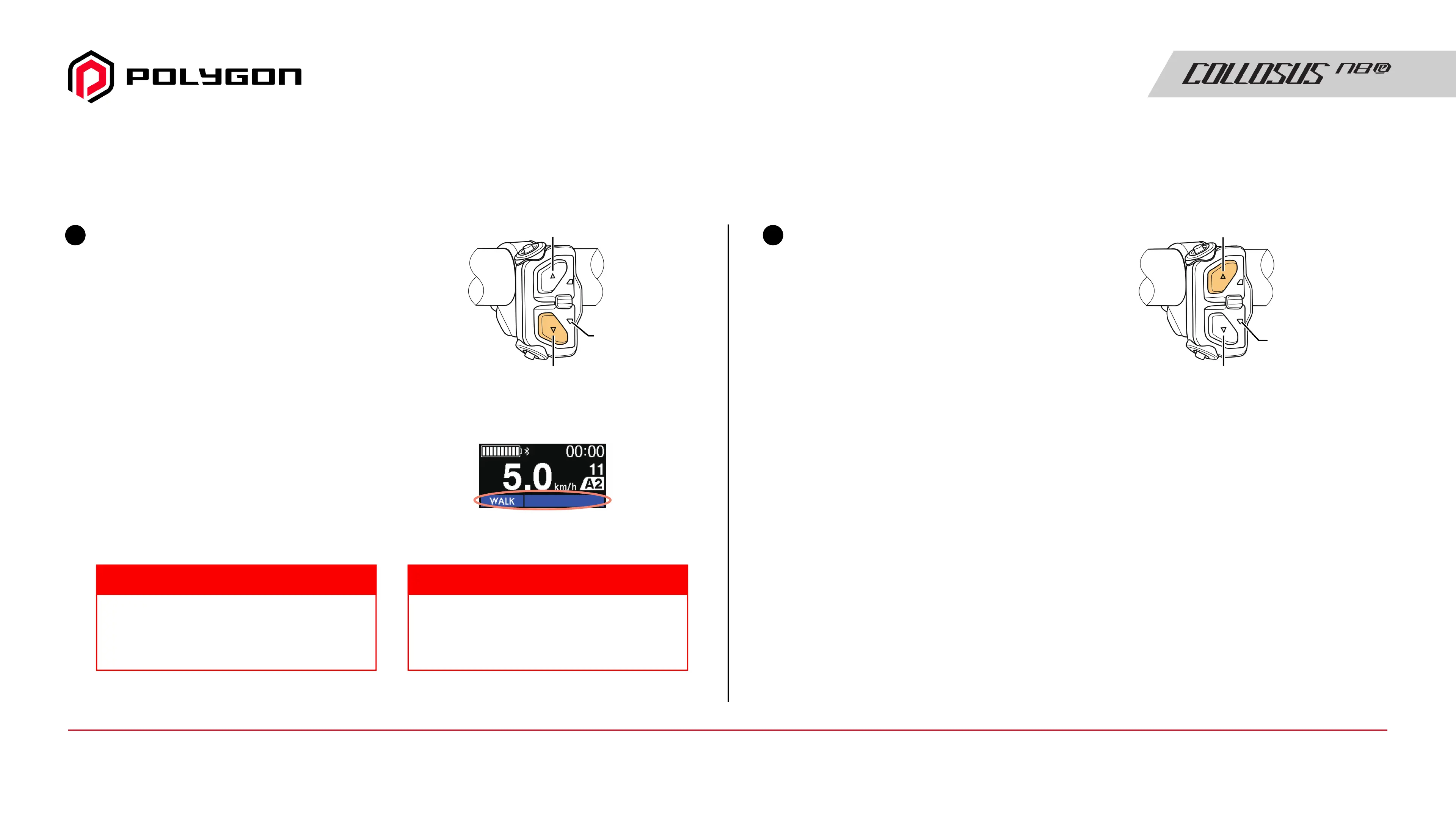
MAKING WALKING AND PUSHING THE BICYCLE EASY (WALK ASSIST)
QUICK GUIDE
Exit walk assist mode
Press the button (X button) on
the upper side of the assist
switch (left side of the handle).
3
During electronic gear shifting, the level
of assistance of walk assist and speed are
controlled by the current gear position.
Walk assist operates at a maximum of 6
km/h. Be careful because the bicycle
starts moving just by pressing Y.
NOTICE TECH TIPS
Carefully push the bicycle
while pressing Y again
The drive unit operates while Y
is pressed to assist you in
pushing the bicycle.
When the drive unit is operating,
the LED and screen displays
change as shown in the figure.
2
5-switch type
LED2
(Flashing Blue)
X
Y
5-switch type
LED2
X
Y
Cycle computer example
Manual Guide17 / Quick Guide - Making Walking and Pushing The Bicycle Easy



 To Next Page