OWNER’S MANUAL
19
25
26
18
21
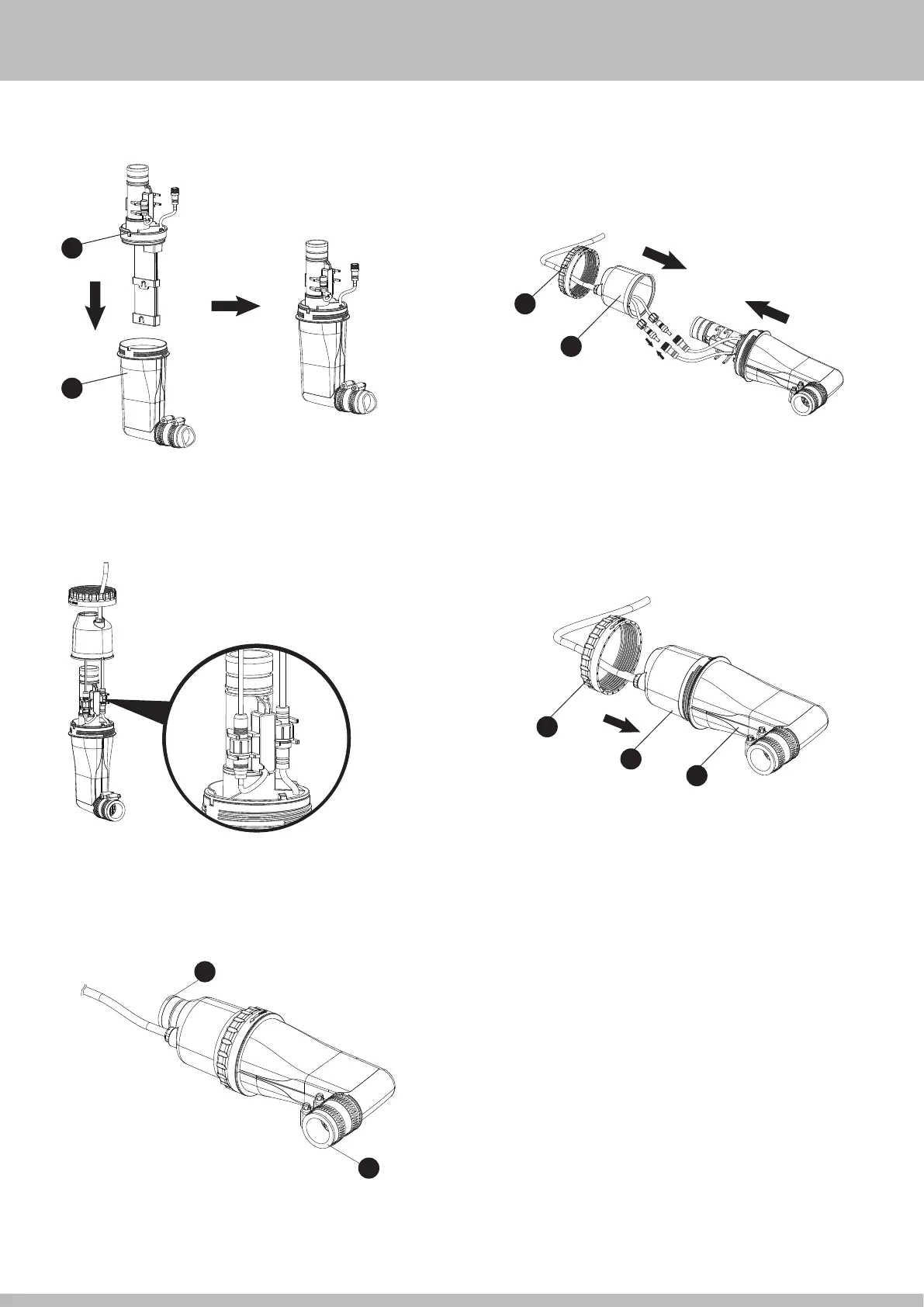
6. Insert the new Cell into the Cell Case
o
.
26
25
18
9. Close the Cell Cover
h
, and seal the connection by tightening
the Cell Lock Nut
j
.
8. Slot the cord connectors into the matching brackets as shown below.
7. Tighten the cord connectors of new Cell with the main cords in the
Cell Cover
h
.
10. Reconnect the Cell Outlet
g
and Connecting Tube
r
(see SETUP
INSTRUCTIONS, p. 10). Remove the Service Plugs at the pool (if any)
before using the System.
13
24


 To Next Page