10
6
. TIMER SETTING
A
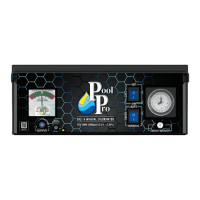
Your Pool Pro unit comes with a simple to operate quartz mechanical Timer which has a built
in battery back up function.
This area of set up is critical and we recommend you take time to read it and understand why
we recommend certain settings.
Obviously sunlight and higher bather loads in summer dissipate more chlorine than in winter.
That is why you need to check your chlorine reading regularly and adjust your settings when
required.
It is recommended to run the unit for 2 periods every day (early morning and evening) when
the sun extracts the least amount of chlorine from the pool, giving it time to do its work.
e
/I\
Ideally, run for 4 hours in the morning (6-10am) and 4 hours in the evening (4-8pm).
For a smaller pool you can run less hours. In extreme weather it may be necessary to run
longer hours.
*
In winter you should lower your running time by up to 50% of your summer setting
depending on your free chlorine levels. You should ideally run 2-3 hours in the morning and
2-3 hours in the evening. This preserves and extends the life of your equipment.
A
The Timer Switch will override the Timer when it is in the Manual position. For timer
settings to control the unit the Timer Switch needs to be in the AUTO position.
WARNING: ALWAYS TURN THE CLOCK FACE CLOCKWISE, NEVER ANTI-CLOCKWISE.
You will strip plastic gears and damage the Timer.


 To Next Page