JUSTPH – PAPI004045MULTI1 - FR/EN/ES/IT/DE - Rev.08.18
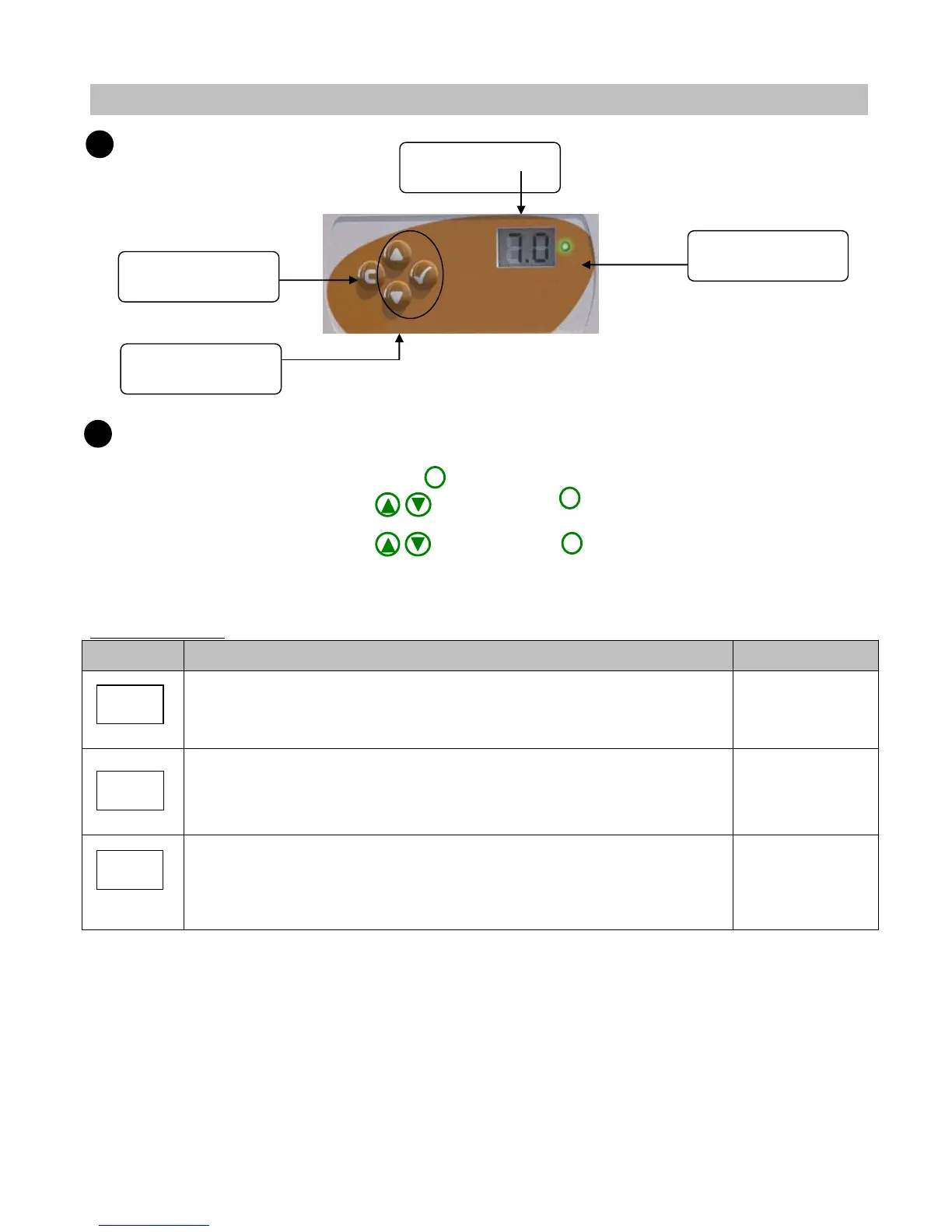
CONTROL PANEL
CONFIGURATION
To reach the setting menu: press 3 seconds on .
➢ Select the function code using then confirm by .
The value flashes.
➢ Select the desired value using then confirm by .
The value is frozen and the device returns to the previous menu.
Adjustment menu:
Start a manual injection of the pH pump.
When installing, allows starting the pH pump and allows correcting
manually the pH without manipulate the tin.
Calibrate the pH probe.
Allows by the device to display the pH value found in your swimming pool
with your analysis kit.
+/- 0,5 compared
to the displayed
value
Choose the type of corrective agent (by default: acid).
Allows modifying the pH corrective mode between acid (make rise the pH
up) or basic (make fall down the pH).
Display of the actual
pH value
Keys for the control
menu


 To Next Page