7
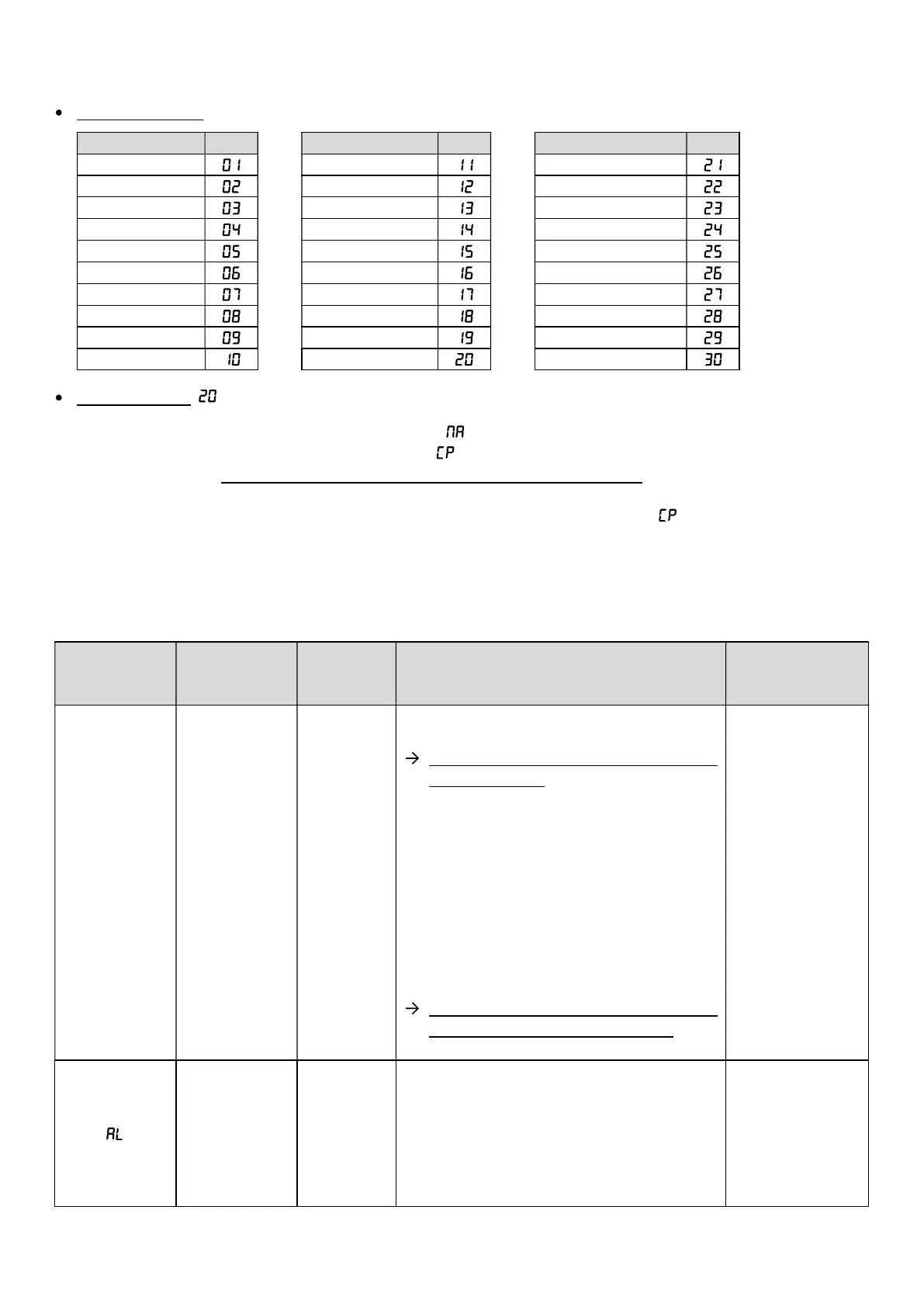
2.10. Specification of basin volume
Possible settings : by code, according to the tables below.
Basin volume Code
Basin volume Code
Basin volume Code
Default setting : .
1) Make a long press on the right key until the message flashes.
2) Press the up or down key x times until the message flashes.
3) Press the right key : the flashing code corresponds to the basin volume recorded.
4) Select a code with the up/down keys.
5) Press the right key to validate : the selected code freezes briefly, then the message flashes.
6) Press the left key twice to return to the default display.
2.11. Alarms
Flashing
display
Fault detected
automatic
action
Checks and remedies Acknowledgment
pH
measurement
Difference of
+ or - 0.5
between
the pH
measurement
and the pH
setpoint
-
Manually measure the pH with a recent test
kit.
If the value obtained corresponds to the
value displayed :
a) Switch off the electronics box.
b)
Pour the pH corrector (acidic if the pH
is too high, or basic if the pH is too
low) into the basin
nozzles, so as to obtain a pH of
around 7.2.
c) Wait 30 minutes.
d) Restart the electronics box.
e)
Check that the pH measured by the
electronics box is approximately 7.2.
If the value obtained does not
correspond to the value displayed :
Perform a pH probe calibration.
Automatic
Succession
of several
unsuccessful
attempts to
correct the pH
pH
regulation
stopped
-
Check that the pH corrector container is
not empty. If the container is empty,
replace it then perform a manual injection
of pH corrector.
-
Check the condition of the ballast filter
and the injection connector.
- Carry out a calibration of the pH probe.
Press
the right key



 To Next Page