L0311 Rev 3 6-21 © Latham Pool Products, Inc. 2021. All rights reserved. Page 4 of 9
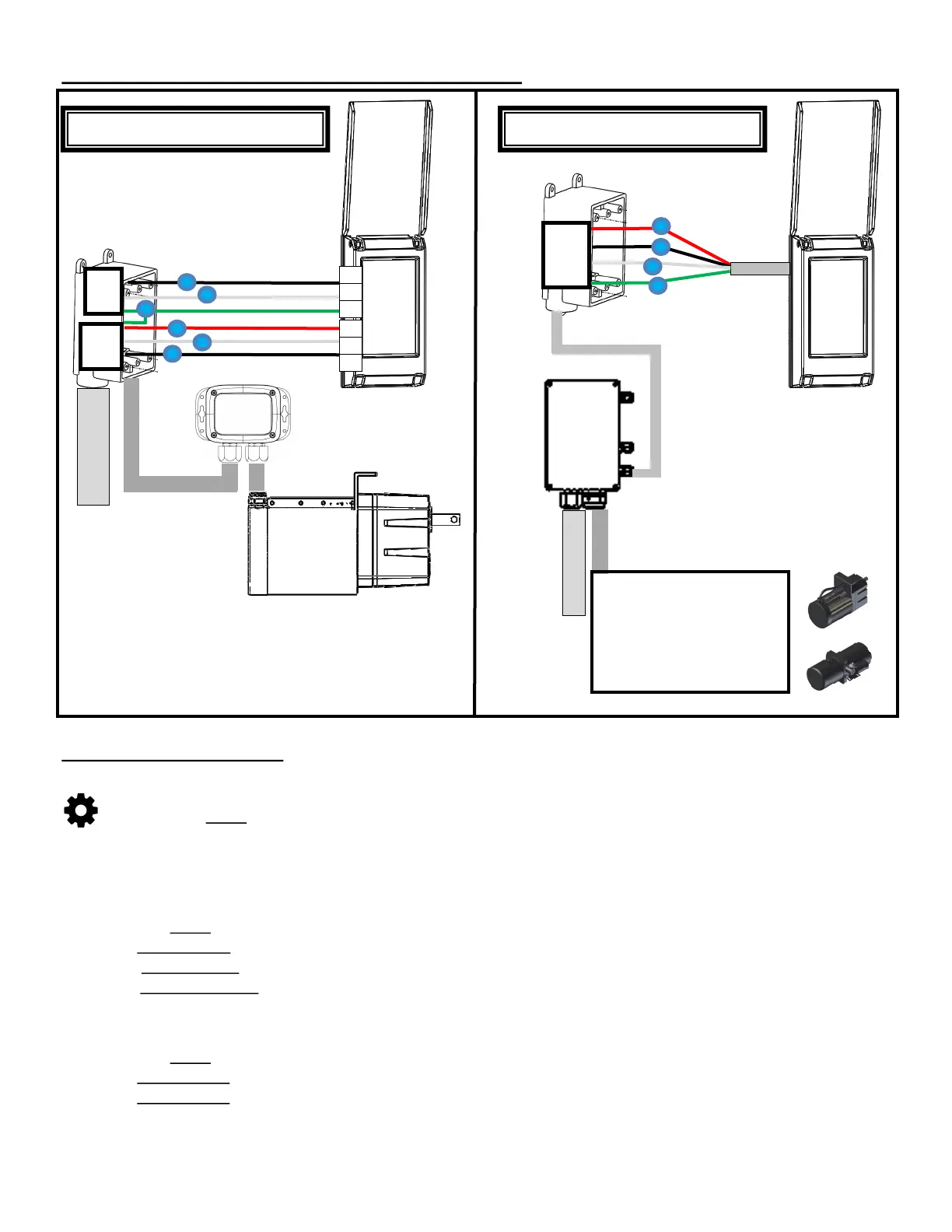
System Diagram and Configuration Options:
Opon 3: High Voltage Control Board
To Breaker Panel
Connect AC leads,
Match HV wiring and connect grounds
To Breaker Panel
Red
Quick
Connect
(Internal)
Opon 4: Low Voltage Control Board
Match low voltage wires from
control board
Electric Motor or
Hydraulic Power Pack
Standard Setup Procedure:
Accessing the Setup Menu:
1. Enter a 4 digit passcode (Maintenance Passcode 5991— Default User 1 Passcode 1234).
2. Select the Setup Icon in the bottom left corner.
Set a Primary Controller:
1. Select a controller to set as Primary.
- If only one touch controller is used in the system it should be set as the Primary.
- If multiple controllers are in the system, select the controller which is closest to the internet router.
2. Access the Setup Menu using the steps above.
3. Select Maintenance.
4. Select Force Primary to set the device as a Primary.
- If Force Secondary is displayed the device is already configured as a primary.
5. The controller will reboot and a Wi-Fi icon will be displayed in the top left corner.
Configure Devices:
1. Access the Setup Menu
2. Select Device Setup to enter the Device Setup Menu.
3. Select Device Setup to select a device to configure.
#2
#1
#3
#6
#5
#4
AC
Leads
Control
Leads
121
Keypad
Leads


 To Next Page