EasyManua.ls Logo

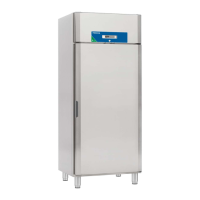
Porkka Future MF 720 - User Manual

Porkka Future MF 720
100 pages
Print Icon
To Next Page IconTo Next Page
Loading...
SCIENTIFIC
Medical & Research
Medical and Laboratory
Refrigeration Cabinets
ENG Installation and operation manual
SWE Installations- och bruksanvisning
NOR Installasjons- og bruksanvisning
FIN Asennus- ja käyttöohjeet
FINLAND
Mukkulankatu 19,
FI-15210 Lahti, Finland
Tel.+358 20 5555 12
www.porkka.fi
NORWAY
Ringeriksveien 16
3414 Lierstranda, Norway
Tel. +47 66 98 77 77
www.porkka.no
SWEDEN
Industrigatan 21,
S-619 33 Trosa, Sweden
Tel. +46 15 63 48 40
www.porkka.se
UNITED KINGDOM
29B Greenhill Crescent,Watford
Hertfordshire, WD18 8YB, UK
Tel. +44 1923 233675
www.porkka.co.uk
ProMed MC 70, 180, 150/150 • Future MC 520, MC 720, MC 722,
MC 722GD, MC 1422GD, MC/MF 722, MF 520, MF 720, MF 722

Table of Contents

Question and Answer IconNeed help?

Do you have a question about the Porkka Future MF 720 and is the answer not in the manual?

Summary

Purpose of Use, Delivery, and Installation

Installation and Connection Guidelines

Provides instructions for proper cabinet placement and electrical connection.

S1. Home Screen Interface

S2. Setting Up the Cabinet

Cabinet Start-up and Language Selection

Procedure for powering on the cabinet and changing the display language.

S2.3 Time and Date Configuration

Setting Real-time Clock and Date

Instructions for setting the current time and date on the controller.

S2.4 Battery Backup System

Battery Backup Operation and Control

Guide to turning the 12h battery backup on/off and its purpose.

S3. Daily Operation of Cabinets

S3.4 Temperature Alarm Limits

Explanation of Alarm Limit Function

Explains how the cabinet uses alarm limits for safe storage of products.

S3.5 Setting Temperature Alarm Limits

Navigating Alarm Settings Menu

Steps to access and navigate the temperature alarm settings.

Adjustable Alarm Parameter Settings

High;Low Temperature Alarm Levels

Details parameters A1U (high) and A1L (low) for setting alarm thresholds.

Alarm Deviation and Delay Settings

Explains A1H (deviation range) and A1D (general delay) for alarms.

S3.6 Temperature Recording Interval

Alarms and Notifications

Accessing Active Alarms Menu

Ways to view active alarms via ALARM key or SERVICE menu.

Alarm History and Signal Codes

Understanding Alarm Signal Codes

Table listing alarm codes, their causes, and corresponding outputs.

Power Failure Device Operations

Temperature Data Logging

Exporting Data via USB

Operation Failures and Troubleshooting

Troubleshooting Cooling System Issues

Checks to perform if the cabinet fails to cool properly.

Summary

Purpose of Use, Delivery, and Installation

Installation and Connection Guidelines

Provides instructions for proper cabinet placement and electrical connection.

S1. Home Screen Interface

S2. Setting Up the Cabinet

Cabinet Start-up and Language Selection

Procedure for powering on the cabinet and changing the display language.

S2.3 Time and Date Configuration

Setting Real-time Clock and Date

Instructions for setting the current time and date on the controller.

S2.4 Battery Backup System

Battery Backup Operation and Control

Guide to turning the 12h battery backup on/off and its purpose.

S3. Daily Operation of Cabinets

S3.4 Temperature Alarm Limits

Explanation of Alarm Limit Function

Explains how the cabinet uses alarm limits for safe storage of products.

S3.5 Setting Temperature Alarm Limits

Navigating Alarm Settings Menu

Steps to access and navigate the temperature alarm settings.

Adjustable Alarm Parameter Settings

High;Low Temperature Alarm Levels

Details parameters A1U (high) and A1L (low) for setting alarm thresholds.

Alarm Deviation and Delay Settings

Explains A1H (deviation range) and A1D (general delay) for alarms.

S3.6 Temperature Recording Interval

Alarms and Notifications

Accessing Active Alarms Menu

Ways to view active alarms via ALARM key or SERVICE menu.

Alarm History and Signal Codes

Understanding Alarm Signal Codes

Table listing alarm codes, their causes, and corresponding outputs.

Power Failure Device Operations

Temperature Data Logging

Exporting Data via USB

Operation Failures and Troubleshooting

Troubleshooting Cooling System Issues

Checks to perform if the cabinet fails to cool properly.

Porkka Future MF 720 Specifications

General IconGeneral
BrandPorkka
ModelFuture MF 720
CategoryRefrigerator
LanguageEnglish

Related product manuals